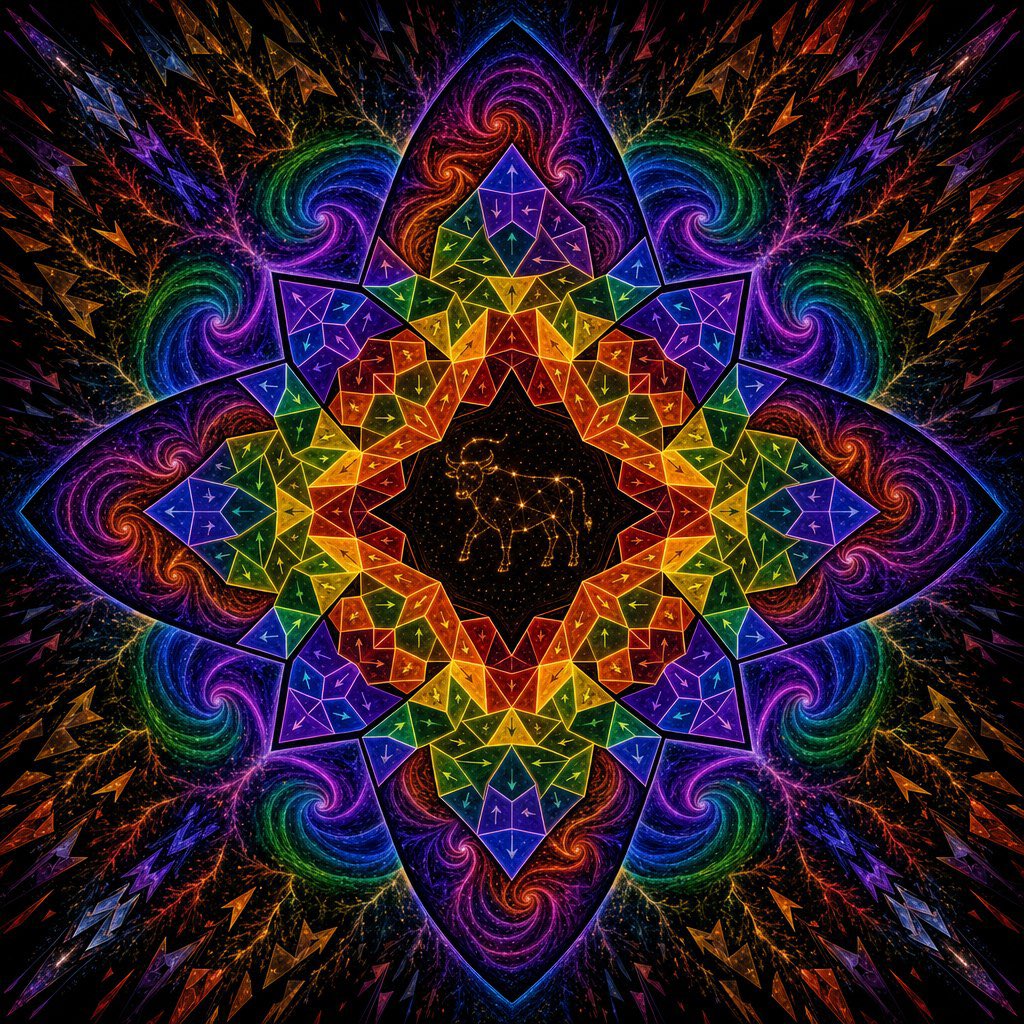
Psychedelic Taurus Mandala
Generates a neon sacred-geometry zodiac mandala with a central Taurus constellation and kaleidoscopic cosmic detail.
This is a GPT Image 2 prompt case for Illustration & Art. Use the copy-ready prompt below to generate similar visuals, and review Awesome GPT Image 2 Prompts attribution plus commercial-use rights before reuse.
Free 1K preview
Generate one preview image instantly, no sign-up required.
Prompt
Copy-ready prompt
Create a square, perfectly centered psychedelic sacred-geometry mandala on a black starfield background. The composition is radially symmetrical with 8 major pointed lotus-petal arms and a kaleidoscopic crystalline structure, glowing like neon stained glass. In the exact center, place a black circular medallion filled with tiny gold stars and draw a delicate golden constellation outline of {argument name="zodiac animal" default="Taurus bull"}. Around it, build a sharp geometric mandala made of many translucent triangular and polygonal facets, with bright thin outlines and small arrow-like markings inside the facets. Use a vivid rainbow progression of {argument name="primary palette" default="electric violet, cobalt blue, emerald green, yellow, orange, and red"}, arranged in mirrored bands so every quadrant repeats precisely. Surround the geometric ring with 8 large dark purple lotus petals containing swirling galaxy spirals in magenta, orange, green, and blue, plus branching lightning-like filaments and star dust. Extend outward into a deep black cosmic background with repeated angular shards, zigzag crystal shapes, and colorful comet-like splinters radiating from the center. The overall mood is mystical, astrological, fractal, and high-energy, with crisp luminous edges, dense micro-detail, glittering particles, high contrast, and no text, border, watermark, or human figures.Prompt variables
Editable argument placeholders found in the prompt, with their default values.
Best for
- - Illustration & Art visual exploration
- - Image generation and reference-image edits
- - Reusable briefs that keep source attribution visible
Change these parts
- - Subject, product, character, or scene
- - Aspect ratio, camera, lighting, and background
- - Brand, text, color, and output constraints
Recommended model and settings
- - Model: gpt-image-2
- - Input mode: Text to Image
- - Aspect ratio: source
- - Commercial status: review original source
How to use this prompt
- 1. Copy the prompt and preserve its structure for the first test.
- 2. Replace the subject, context, and publishing channel.
- 3. Change one camera, lighting, or style variable per iteration.
- 4. Inspect the output, source, text, and rights before reuse.
Limitations, source, and reuse cautions
- - Generated output is an editable draft, not factual, legal, or rights evidence.
- - Review the linked source, people, brands, logos, text, and third-party media before commercial use.
More cases in this category
Prioritized by category, input mode compatibility, quality, and lower risk.
Reuse and source notes
Use this prompt safely after previewing the case.
- 1.Copy the prompt or open it directly in Dovoo with the generation button.
- 2.Adjust variables, aspect ratio, and reference images for your own use case.
- 3.Before publishing or paid usage, verify source rights, attribution requirements, and brand or likeness risks.
Can I use this prompt commercially?
Commercial-use status is allowed. Review the original source, license, brand constraints, and legal requirements before paid usage.
Where does this case come from?
This case is imported from Awesome GPT Image 2 Prompts; keep attribution visible and check the source URL before reuse.