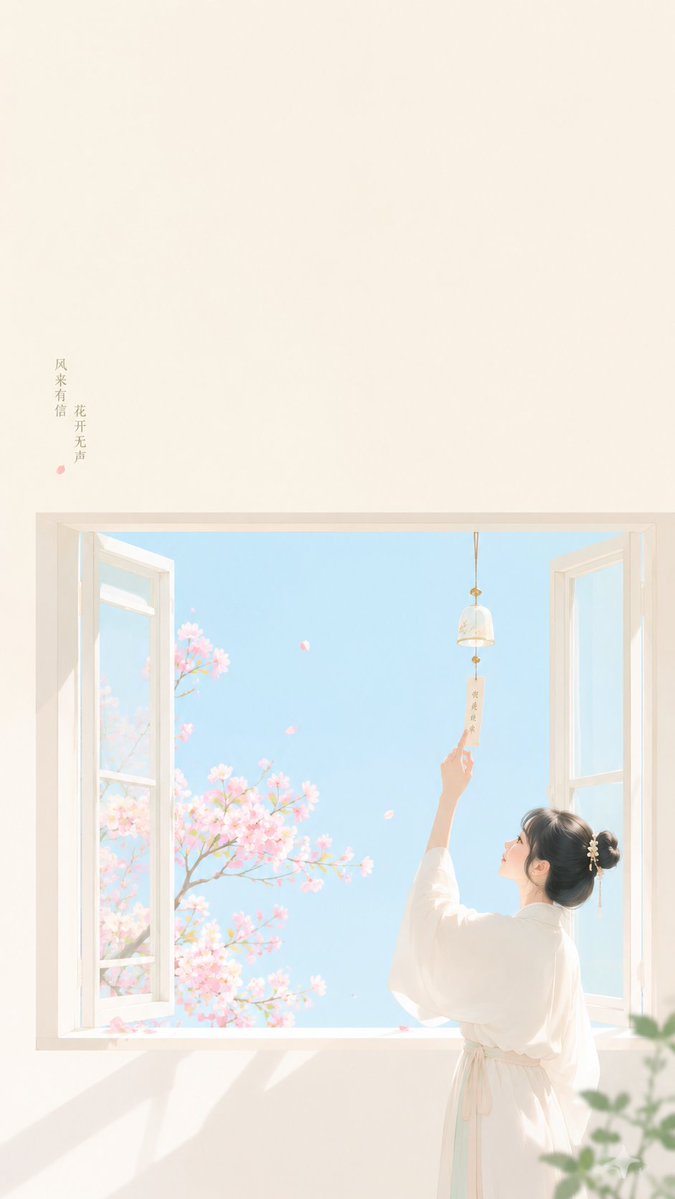
Zen Minimalist Wind Chime Poster
A healing and light oriental-style illustration of a woman touching a wind chime by a window, featuring sea salt blue and coral pink highlights.
This is a GPT Image 2 prompt case for Graphic & Poster. Use the copy-ready prompt below to generate similar visuals, and review Awesome GPT Image 2 Prompts attribution plus commercial-use rights before reuse.
Free 1K preview
Generate one preview image instantly, no sign-up required.
Prompt
Copy-ready prompt
Theme direction: {argument name="theme direction" default="Oriental Zen minimalist cover poster"}
Style branch: {argument name="style branch" default="clear feminine aesthetic type"}
Subject content: A woman standing by a window, raising her hand to lightly touch a wind chime.
Emotional motif: healing, light, breezy feel.
Scenes and imagery: sea salt blue exterior color blocks, coral pink floral shadows, white window frame, wind chime, woman.
Composition and space: The window frame is in the middle forming a simple geometric structure, the figure is in the lower side, and space for a title is left at the top and outside the window.
Color control: Creamy white as background base, sea salt blue for the large window blocks, coral pink for floral accents, and a minimal amount of light gold for the wind chime; avoid pink/blue filters over the whole image.
Lighting and texture: Bright soft indoor light, clear and clean, light flat illustration style.
Aspect ratio: 9:16.
Additional requirements: The overall image should be healing, clean, and light, with a "Xiaohongshu" lifestyle Zen cover feel; no gray mist.
Prompt variables
Editable argument placeholders found in the prompt, with their default values.
Best for
- - Graphic & Poster visual exploration
- - Image generation and reference-image edits
- - Reusable briefs that keep source attribution visible
Change these parts
- - Subject, product, character, or scene
- - Aspect ratio, camera, lighting, and background
- - Brand, text, color, and output constraints
Recommended model and settings
- - Model: gpt-image-2
- - Input mode: Text to Image
- - Aspect ratio: source
- - Commercial status: review original source
How to use this prompt
- 1. Copy the prompt and preserve its structure for the first test.
- 2. Replace the subject, context, and publishing channel.
- 3. Change one camera, lighting, or style variable per iteration.
- 4. Inspect the output, source, text, and rights before reuse.
Limitations, source, and reuse cautions
- - Generated output is an editable draft, not factual, legal, or rights evidence.
- - Review the linked source, people, brands, logos, text, and third-party media before commercial use.
More cases in this category
Prioritized by category, input mode compatibility, quality, and lower risk.



Reuse and source notes
Use this prompt safely after previewing the case.
- 1.Copy the prompt or open it directly in Dovoo with the generation button.
- 2.Adjust variables, aspect ratio, and reference images for your own use case.
- 3.Before publishing or paid usage, verify source rights, attribution requirements, and brand or likeness risks.
Can I use this prompt commercially?
Commercial-use status is allowed. Review the original source, license, brand constraints, and legal requirements before paid usage.
Where does this case come from?
This case is imported from Awesome GPT Image 2 Prompts; keep attribution visible and check the source URL before reuse.