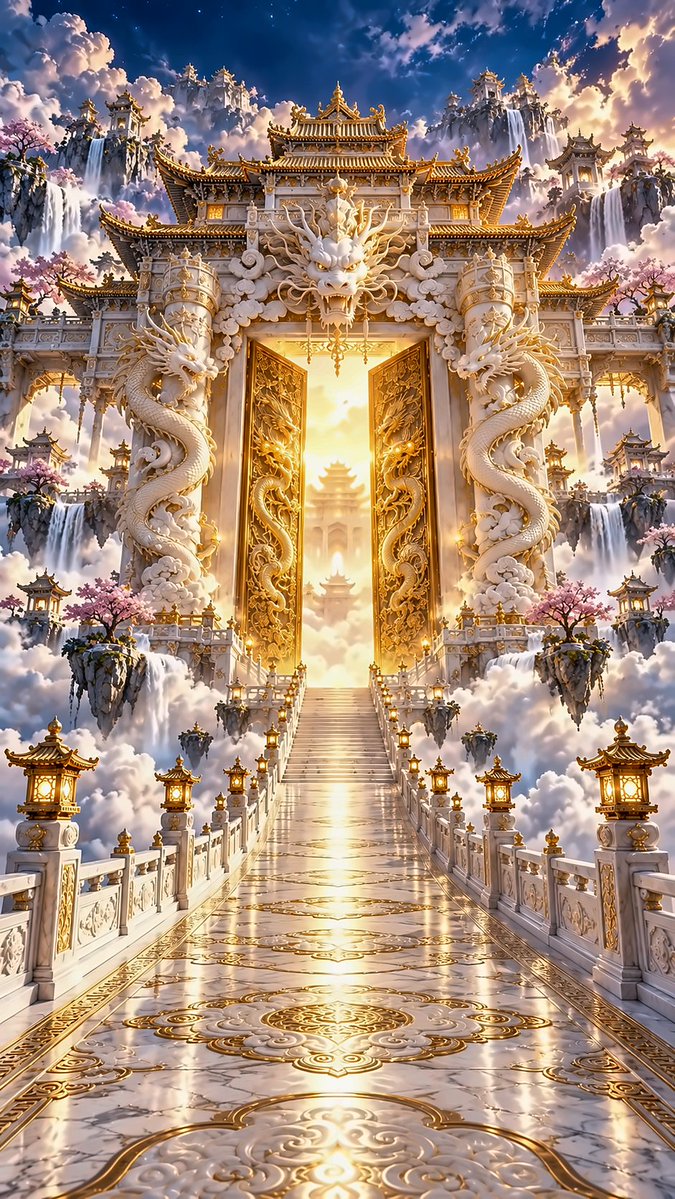
GPT Image Prompt: Majestic South Gate of Heaven Scene
A detailed prompt for generating a hyper-realistic, cinematic Eastern fantasy scene featuring the South Gate of Heaven with white jade palaces and dragons.
This is a GPT Image 2 prompt case for Anime & Game. Use the copy-ready prompt below to generate similar visuals, and review Awesome GPT Image 2 Prompts attribution plus commercial-use rights before reuse.
Free 1K preview
Generate one preview image instantly, no sign-up required.
Prompt
Copy-ready prompt
9:16 vertical format, hyper-realistic cinematic Eastern Xianxia fantasy scene, majestic South Gate of Heaven, top-tier AAA game environment CG, Unreal Engine 5 visual effects, PBR physical materials, cinema-grade global illumination. A giant mythical Chinese celestial gate floats above nine layers of clouds, strictly symmetrical left-to-right. Multi-layered white marble palaces, double-eaved roofs, golden ridges, carved dragon pillars, complex auspicious cloud reliefs. Two massive white jade Eastern dragons coil around the left and right door pillars, with a solemn white jade dragon head sculpture at the center top. The central pair of giant gilded doors are half-open, featuring fine gold dragon and cloud pattern carvings on the surface, with intense warm golden divine volumetric light pouring out from behind. A wide, straight white jade bridge leads from the bottom of the frame to the palace gate, one-point perspective, ground inlaid with golden auspicious cloud patterns, white jade railings and palace lanterns neatly arranged. Surrounded by sea of clouds, accented with ancient pines and peach blossoms, magnificent cumulus clouds in the distance, deep blue sky contrasting with golden divine light. Central axis symmetry, low angle slightly looking up, epic monumental architectural photography, realistic white jade stone and gilded metal reflections, delicate mist and clouds, ultra-clear 8K texture, no people, no modern buildings, no watermark.
Best for
- - Anime & Game visual exploration
- - Image generation and reference-image edits
- - Reusable briefs that keep source attribution visible
Change these parts
- - Subject, product, character, or scene
- - Aspect ratio, camera, lighting, and background
- - Brand, text, color, and output constraints
Recommended model and settings
- - Model: gpt-image-2
- - Input mode: Text to Image
- - Aspect ratio: source
- - Commercial status: review original source
How to use this prompt
- 1. Copy the prompt and preserve its structure for the first test.
- 2. Replace the subject, context, and publishing channel.
- 3. Change one camera, lighting, or style variable per iteration.
- 4. Inspect the output, source, text, and rights before reuse.
Limitations, source, and reuse cautions
- - Generated output is an editable draft, not factual, legal, or rights evidence.
- - Review the linked source, people, brands, logos, text, and third-party media before commercial use.
More cases in this category
Prioritized by category, input mode compatibility, quality, and lower risk.
Reuse and source notes
Use this prompt safely after previewing the case.
- 1.Copy the prompt or open it directly in Dovoo with the generation button.
- 2.Adjust variables, aspect ratio, and reference images for your own use case.
- 3.Before publishing or paid usage, verify source rights, attribution requirements, and brand or likeness risks.
Can I use this prompt commercially?
Commercial-use status is allowed. Review the original source, license, brand constraints, and legal requirements before paid usage.
Where does this case come from?
This case is imported from Awesome GPT Image 2 Prompts; keep attribution visible and check the source URL before reuse.