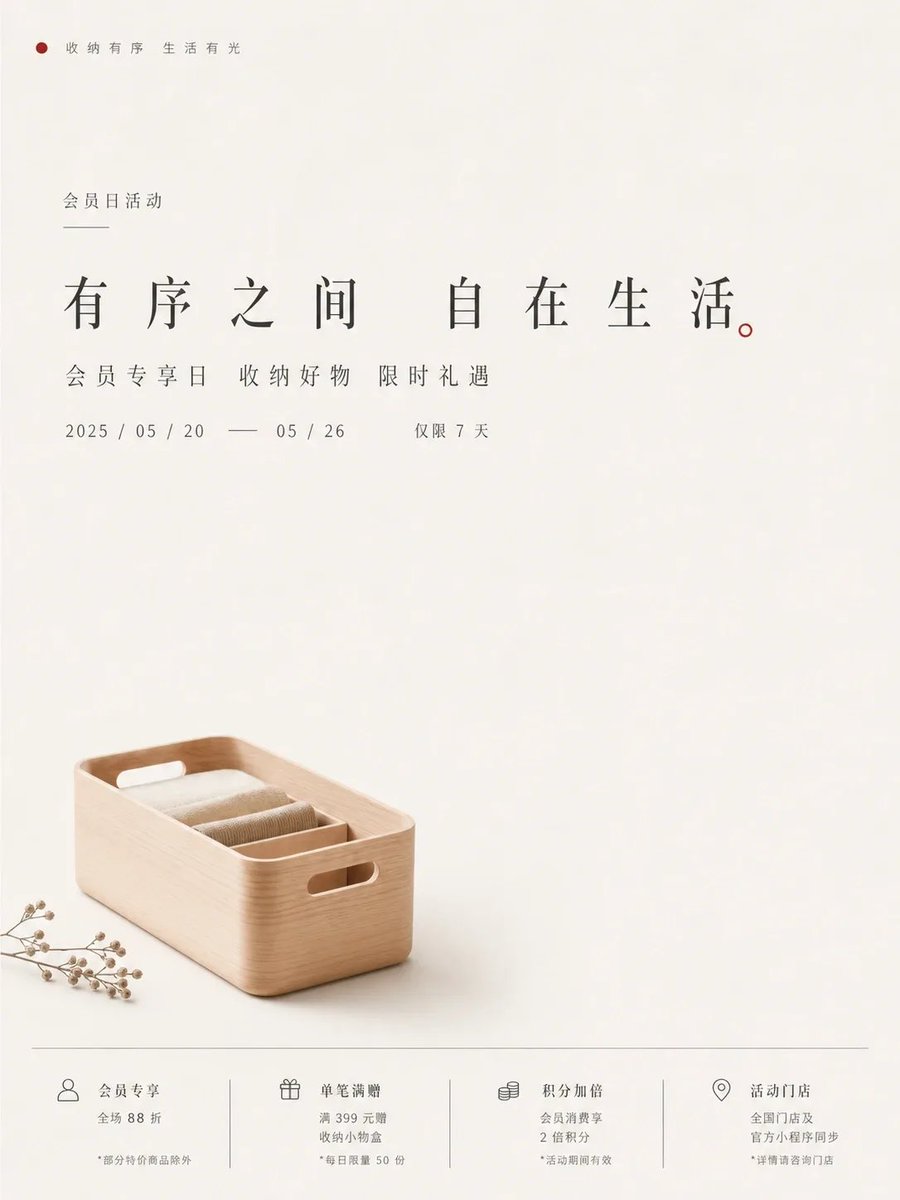
Minimalist White Appliance Poster Prompt
A prompt for creating minimalist informational visuals with large negative space, clean typography, and subtle textures, specifically applied to a white kitchen appliance anniversary poster.
This is a GPT Image 2 prompt case for Graphic & Poster. Use the copy-ready prompt below to generate similar visuals, and review Awesome GPT Image 2 Prompts attribution plus commercial-use rights before reuse.
Free 1K preview
Generate one preview image instantly, no sign-up required.
Free text preview doesn’t preserve reference-image consistency.
Prompt
Copy-ready prompt
Generate a minimalist informational visual around any subject object: Establish first impression with large-area high-brightness clean background field, retaining only subtle paper-like or soft-mist shallow textures, letting airiness and quietness become part of the subject. Do not fill visual focus completely; split theme content into clear upper information layer and lower physical anchor: Upper section uses upright, slender, scholarly Chinese typography to organize main title, sub-info, and tiny explanatory notes, with spacious letter spacing and restrained line height, centered main title forming solemn pause, dates/notes/symbol lines assisting reading with precise horizontal order; Lower section places a concise primary form derived from semantic transformation of theme, small volume, clean edges, realistic details but not over-decorated, like quiet physical evidence falling into blank space. Maintain wide breathing area between subject and text, letting whitespace carry premium feel, distance, and ritual sense rather than indicating missing content. Extract colors from subject's material, emotion, and cultural semantics: Background occupies largest area keeping bright and clear, subject color as low-saturation gentle support, text and structural lines using clear but not heavy dark information layer, accent colors appearing minimally in key details or visual nodes; Overall maintain clear quietness, high brightness, low noise, clean color scale, and soft contrast, avoiding turbidity, aging effects, smokiness, and dull gray-yellow. Final effect should resemble precisely designed exhibition announcement or product commemorative visual, first glance reading order and whitespace, second glance seeing subject entity and tiny info, texture restrained, bright, natural, credible.

——————
Create a white small appliance 30th anniversary exhibition poster, continuing fresh whitespace information bulletin temperament, using ivory white background field, misty silver-gray text, and one pale cyan detail to form light-cold relationship; Primary form is a white kitchen small appliance quietly placed at bottom center, upper title enlarged centrally with date horizontal line as visual pause, suitable for brand exhibition entrance and social media preview; Aspect ratio vertical 3:4.
Best for
- - Graphic & Poster visual exploration
- - Image generation and reference-image edits
- - Reusable briefs that keep source attribution visible
Change these parts
- - Subject, product, character, or scene
- - Aspect ratio, camera, lighting, and background
- - Brand, text, color, and output constraints
Recommended model and settings
- - Model: gpt-image-2
- - Input mode: Image to Image
- - Aspect ratio: source
- - Commercial status: review original source
How to use this prompt
- 1. Copy the prompt and preserve its structure for the first test.
- 2. Replace the subject, context, and publishing channel.
- 3. Change one camera, lighting, or style variable per iteration.
- 4. Inspect the output, source, text, and rights before reuse.
Limitations, source, and reuse cautions
- - Generated output is an editable draft, not factual, legal, or rights evidence.
- - Review the linked source, people, brands, logos, text, and third-party media before commercial use.
More cases in this category
Prioritized by category, input mode compatibility, quality, and lower risk.


Reuse and source notes
Use this prompt safely after previewing the case.
- 1.Copy the prompt or open it directly in Dovoo with the generation button.
- 2.Adjust variables, aspect ratio, and reference images for your own use case.
- 3.Before publishing or paid usage, verify source rights, attribution requirements, and brand or likeness risks.
Can I use this prompt commercially?
Commercial-use status is allowed. Review the original source, license, brand constraints, and legal requirements before paid usage.
Where does this case come from?
This case is imported from Awesome GPT Image 2 Prompts; keep attribution visible and check the source URL before reuse.