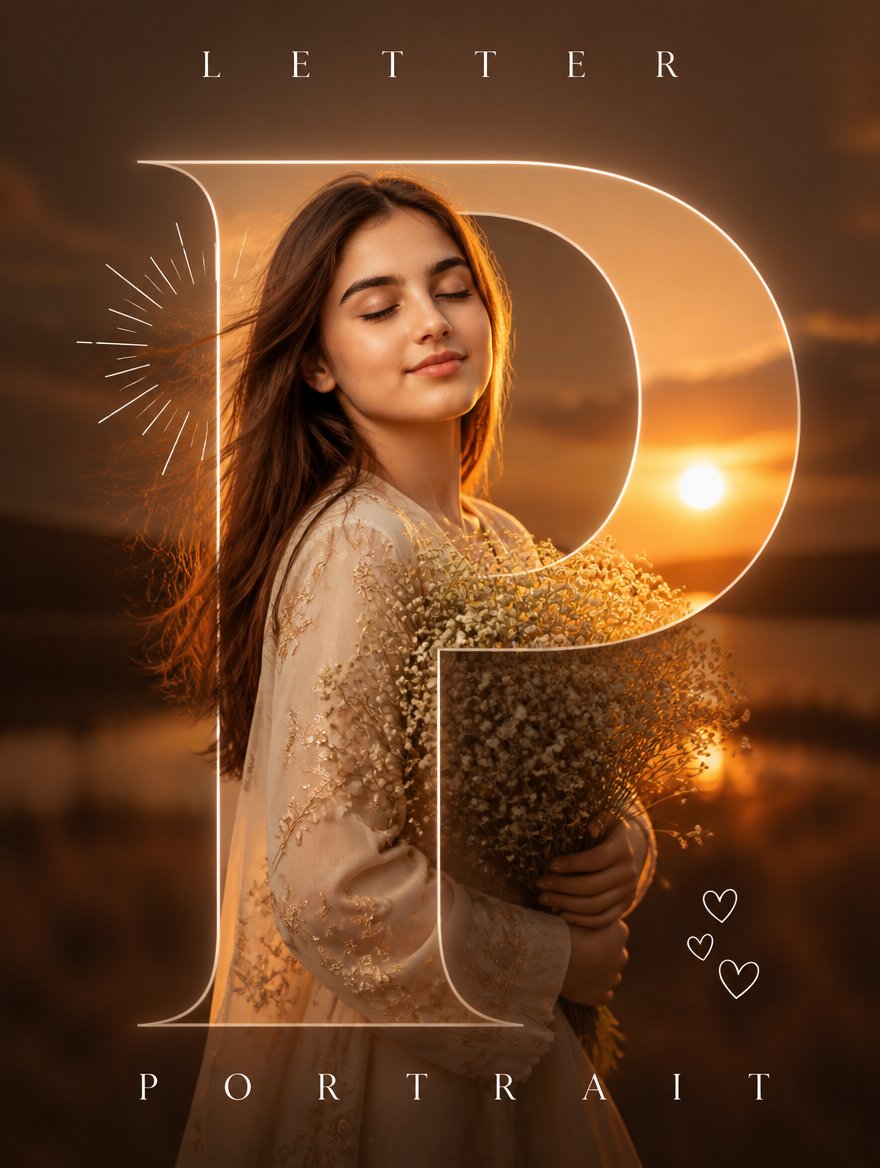
Luxury Sunset Letter Portrait
Generates a romantic cinematic portrait poster with a giant translucent serif letter overlay and elegant luxury typography.
This is a GPT Image 2 prompt case for Graphic & Poster. Use the copy-ready prompt below to generate similar visuals, and review Awesome GPT Image 2 Prompts attribution plus commercial-use rights before reuse.
Free 1K preview
Generate one preview image instantly, no sign-up required.
Prompt
Copy-ready prompt
Create a cinematic luxury typography portrait poster with a warm sunset aesthetic. A vertical 3:4 poster shows {argument name="character name" default="a serene young woman"} standing outdoors by a calm lakeside at golden hour, softly backlit by a low sun on the right. She has long flowing {argument name="hair color" default="chestnut brown hair"}, closed eyes, a peaceful slight smile, natural makeup, and glowing warm skin. She wears an elegant cream embroidered dress with sheer sleeves and delicate floral detailing, holding a large bouquet of tiny white baby's-breath flowers close to her chest. Use shallow depth of field, cinematic amber-orange color grading, soft haze, dark blurred clouds and water in the background, rim light on her hair, and a dreamy high-fashion editorial mood.

Overlay a huge translucent outline serif capital letter {argument name="large letter" default="P"} across most of the portrait, centered and extending from near the top to near the bottom, with thin glowing ivory lines and transparent interior so the portrait remains visible through it. Add top typography reading {argument name="top word" default="LETTER"} in widely spaced elegant white serif capitals. Add bottom typography reading {argument name="bottom word" default="PORTRAIT"} in widely spaced elegant white serif capitals. Include exactly 1 decorative sunburst line motif to the left of her head and exactly 3 small white outline heart doodles near the lower right side. Keep the composition luxurious, minimal, romantic, and poster-like, with no watermark, no extra text, and crisp professional photo-realistic detail.
Prompt variables
Editable argument placeholders found in the prompt, with their default values.
Best for
- - Graphic & Poster visual exploration
- - Image generation and reference-image edits
- - Reusable briefs that keep source attribution visible
Change these parts
- - Subject, product, character, or scene
- - Aspect ratio, camera, lighting, and background
- - Brand, text, color, and output constraints
Recommended model and settings
- - Model: gpt-image-2
- - Input mode: Text to Image
- - Aspect ratio: source
- - Commercial status: review original source
How to use this prompt
- 1. Copy the prompt and preserve its structure for the first test.
- 2. Replace the subject, context, and publishing channel.
- 3. Change one camera, lighting, or style variable per iteration.
- 4. Inspect the output, source, text, and rights before reuse.
Limitations, source, and reuse cautions
- - Generated output is an editable draft, not factual, legal, or rights evidence.
- - Review the linked source, people, brands, logos, text, and third-party media before commercial use.
More cases in this category
Prioritized by category, input mode compatibility, quality, and lower risk.


Reuse and source notes
Use this prompt safely after previewing the case.
- 1.Copy the prompt or open it directly in Dovoo with the generation button.
- 2.Adjust variables, aspect ratio, and reference images for your own use case.
- 3.Before publishing or paid usage, verify source rights, attribution requirements, and brand or likeness risks.
Can I use this prompt commercially?
Commercial-use status is allowed. Review the original source, license, brand constraints, and legal requirements before paid usage.
Where does this case come from?
This case is imported from Awesome GPT Image 2 Prompts; keep attribution visible and check the source URL before reuse.