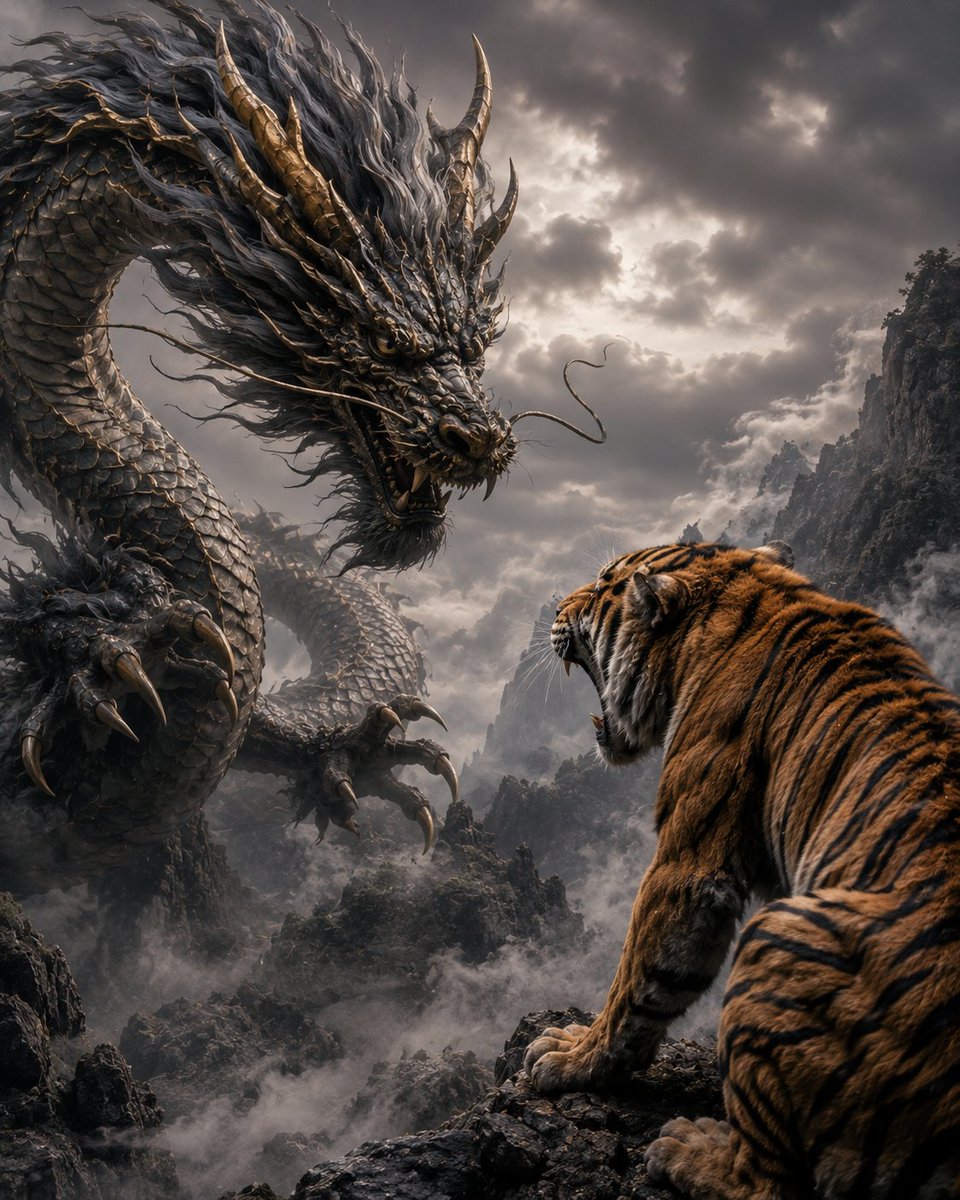
Dragon and Tiger Standoff
A cinematic fantasy prompt for generating a dramatic mountain confrontation between a colossal Eastern dragon and a roaring Bengal tiger.
This is a GPT Image 2 prompt case for Anime & Game. Use the copy-ready prompt below to generate similar visuals, and review Awesome GPT Image 2 Prompts attribution plus commercial-use rights before reuse.
Free 1K preview
Generate one preview image instantly, no sign-up required.
Prompt
Copy-ready prompt
Create an epic cinematic fantasy scene titled visually by its concept: {argument name="scene concept" default="a dragon and a tiger glaring at each other"}. A colossal Eastern dragon dominates the left side of the frame, coiling through a misty mountain valley, its serpentine body covered in dark gunmetal scales, bronze-gold horns and spines, long flowing black-gray mane, whiskers, sharp fangs, and huge clawed talons extended forward. On the right foreground, a massive Bengal tiger is seen from behind and slightly side-on, crouched on a jagged black rock ledge, orange fur with bold black stripes, white cheek fur, mouth open in a roar as it stares directly at the dragon. The composition should emphasize a tense face-off between exactly two creatures: 1 dragon on the left and 1 tiger on the right. Set the scene in a dramatic high mountain gorge filled with low rolling fog, dark craggy cliffs, distant peaks, and a stormy overcast sky with broken light shining through heavy clouds. Use hyper-detailed photorealistic fantasy realism, high contrast, volumetric mist, cinematic lighting, sharp textures on scales, fur, claws, rocks, and clouds, grand sense of scale, ominous atmosphere, dynamic perspective, vertical 4:5 composition. Color palette: charcoal gray, smoky silver, muted bronze, deep orange, black, and cold cloudy highlights. No text, no watermark, no extra animals, no humans.Prompt variables
Editable argument placeholders found in the prompt, with their default values.
Best for
- - Anime & Game visual exploration
- - Image generation and reference-image edits
- - Reusable briefs that keep source attribution visible
Change these parts
- - Subject, product, character, or scene
- - Aspect ratio, camera, lighting, and background
- - Brand, text, color, and output constraints
Recommended model and settings
- - Model: gpt-image-2
- - Input mode: Text to Image
- - Aspect ratio: source
- - Commercial status: review original source
How to use this prompt
- 1. Copy the prompt and preserve its structure for the first test.
- 2. Replace the subject, context, and publishing channel.
- 3. Change one camera, lighting, or style variable per iteration.
- 4. Inspect the output, source, text, and rights before reuse.
Limitations, source, and reuse cautions
- - Generated output is an editable draft, not factual, legal, or rights evidence.
- - Review the linked source, people, brands, logos, text, and third-party media before commercial use.
More cases in this category
Prioritized by category, input mode compatibility, quality, and lower risk.
Reuse and source notes
Use this prompt safely after previewing the case.
- 1.Copy the prompt or open it directly in Dovoo with the generation button.
- 2.Adjust variables, aspect ratio, and reference images for your own use case.
- 3.Before publishing or paid usage, verify source rights, attribution requirements, and brand or likeness risks.
Can I use this prompt commercially?
Commercial-use status is allowed. Review the original source, license, brand constraints, and legal requirements before paid usage.
Where does this case come from?
This case is imported from Awesome GPT Image 2 Prompts; keep attribution visible and check the source URL before reuse.