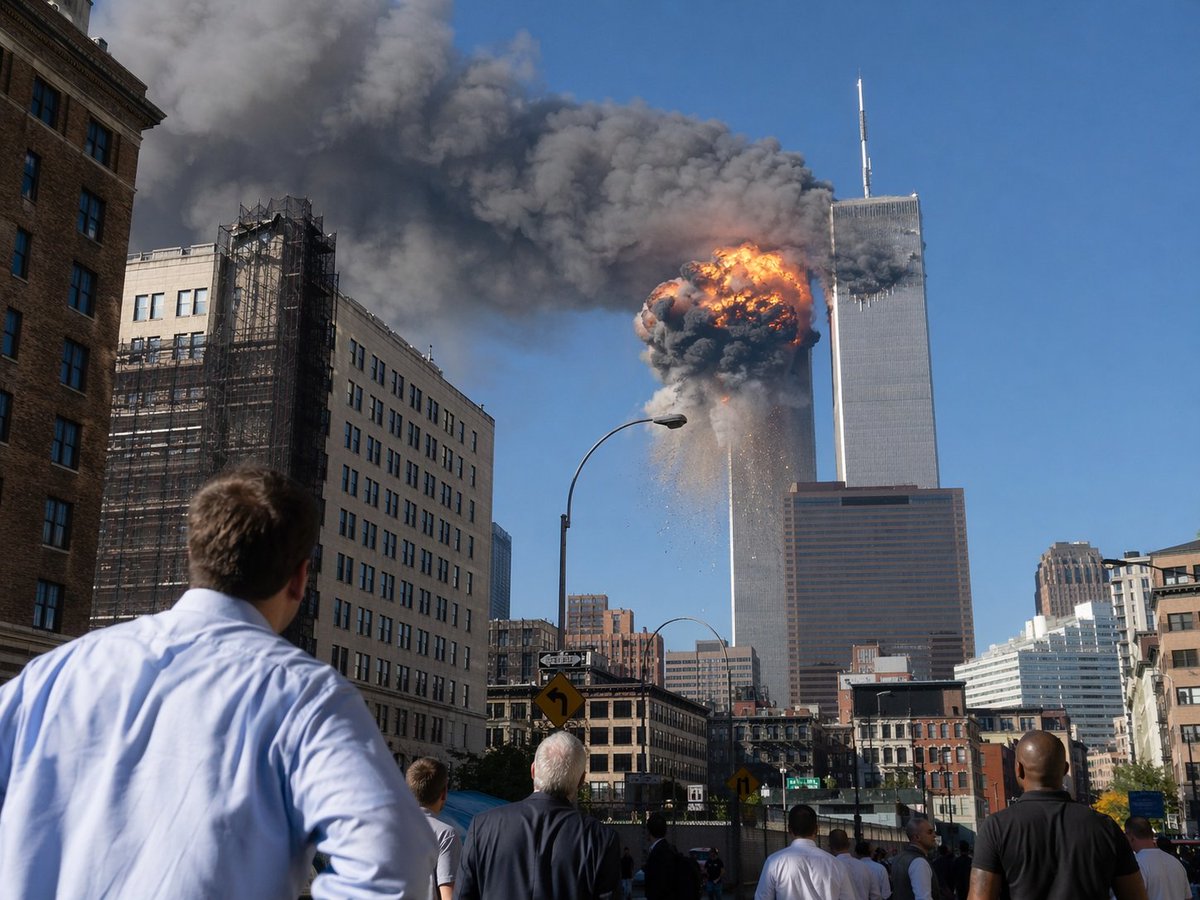
9/11 Twin Towers Street Photo
This prompt generates a realistic documentary-style image of the World Trade Center attack as seen by onlookers from a Manhattan street, suitable for historical or editorial visualizations.
This is a GPT Image 2 prompt case for Landscape & Nature. Use the copy-ready prompt below to generate similar visuals, and review Awesome GPT Image 2 Prompts attribution plus commercial-use rights before reuse.
Free 1K preview
Generate one preview image instantly, no sign-up required.
Prompt
Copy-ready prompt
A dramatic photojournalistic street-level scene in lower Manhattan showing the World Trade Center during the September 11 attacks, viewed from several blocks away on a bright clear blue morning. The composition centers on the Twin Towers, with the left tower engulfed near the upper floors by a massive orange-and-black fireball, thick dark gray smoke billowing horizontally across the sky, and debris falling downward. The right tower stands adjacent with its antenna visible, partially obscured by smoke. In the foreground, exactly 6 visible bystanders stand in the street and on the sidewalk with their backs to the camera, watching in shock; the closest is a man in a light blue dress shirt at lower left. Surrounding the avenue are mid-rise city buildings, including a beige building with black construction scaffolding on the left, older brick and stone facades at street level, a tall curved streetlamp near center, traffic signs, and a dense urban canyon leading the eye toward the towers. Realistic documentary photography, high detail, natural daylight, long-lens compression, urgent historical-news atmosphere, sharp focus, no text, no watermark.
Best for
- - Landscape & Nature visual exploration
- - Image generation and reference-image edits
- - Reusable briefs that keep source attribution visible
Change these parts
- - Subject, product, character, or scene
- - Aspect ratio, camera, lighting, and background
- - Brand, text, color, and output constraints
Recommended model and settings
- - Model: gpt-image-2
- - Input mode: Text to Image
- - Aspect ratio: source
- - Commercial status: review original source
How to use this prompt
- 1. Copy the prompt and preserve its structure for the first test.
- 2. Replace the subject, context, and publishing channel.
- 3. Change one camera, lighting, or style variable per iteration.
- 4. Inspect the output, source, text, and rights before reuse.
Limitations, source, and reuse cautions
- - Generated output is an editable draft, not factual, legal, or rights evidence.
- - Review the linked source, people, brands, logos, text, and third-party media before commercial use.
More cases in this category
Prioritized by category, input mode compatibility, quality, and lower risk.
Reuse and source notes
Use this prompt safely after previewing the case.
- 1.Copy the prompt or open it directly in Dovoo with the generation button.
- 2.Adjust variables, aspect ratio, and reference images for your own use case.
- 3.Before publishing or paid usage, verify source rights, attribution requirements, and brand or likeness risks.
Can I use this prompt commercially?
Commercial-use status is allowed. Review the original source, license, brand constraints, and legal requirements before paid usage.
Where does this case come from?
This case is imported from Awesome GPT Image 2 Prompts; keep attribution visible and check the source URL before reuse.