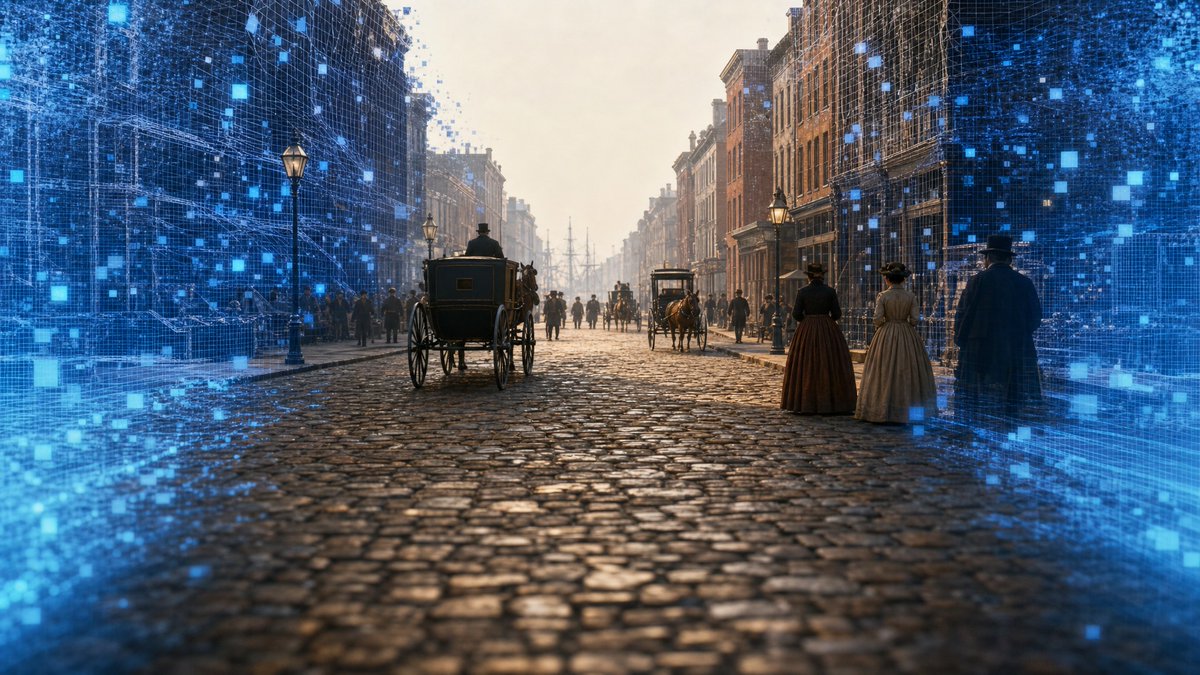
AI Time-Travel Street Panorama
A cinematic historical city street scene blended with blue holographic reconstruction effects for a time-travel GeoGuessr-style visual.
This is a GPT Image 2 prompt case for Landscape & Nature. Use the copy-ready prompt below to generate similar visuals, and review Awesome GPT Image 2 Prompts attribution plus commercial-use rights before reuse.
Free 1K preview
Generate one preview image instantly, no sign-up required.
Prompt
Copy-ready prompt
Create a cinematic ultra-wide historical street-view scene showing {argument name="location and year" default="New York City, 1827"} as if reconstructed by an AI time-travel panorama. The camera is low in the middle of a wet cobblestone street, looking straight down a long urban canyon of brick buildings in one-point perspective. Include horse-drawn carriages, pedestrians in early 19th-century clothing, gas street lamps, distant ship masts at the end of the street, misty golden morning light, and realistic period architecture. Add a futuristic digital reconstruction effect around the left and right edges: glowing blue wireframe building overlays, translucent grid lines, scan particles, and many small luminous blue square pixels dissolving into the historical scene, while the center remains mostly photorealistic. The mood should feel like a 360-degree generated panorama or time-travel GeoGuessr interface, but with no UI text, no logos, and no watermark. Use a 16:9 horizontal composition, high realism, cinematic depth of field, detailed wet stone reflections, atmospheric haze, and a seamless blend between authentic 1820s street life and advanced AI holographic visualization.Prompt variables
Editable argument placeholders found in the prompt, with their default values.
Best for
- - Landscape & Nature visual exploration
- - Image generation and reference-image edits
- - Reusable briefs that keep source attribution visible
Change these parts
- - Subject, product, character, or scene
- - Aspect ratio, camera, lighting, and background
- - Brand, text, color, and output constraints
Recommended model and settings
- - Model: gpt-image-2
- - Input mode: Text to Image
- - Aspect ratio: source
- - Commercial status: review original source
How to use this prompt
- 1. Copy the prompt and preserve its structure for the first test.
- 2. Replace the subject, context, and publishing channel.
- 3. Change one camera, lighting, or style variable per iteration.
- 4. Inspect the output, source, text, and rights before reuse.
Limitations, source, and reuse cautions
- - Generated output is an editable draft, not factual, legal, or rights evidence.
- - Review the linked source, people, brands, logos, text, and third-party media before commercial use.
More cases in this category
Prioritized by category, input mode compatibility, quality, and lower risk.
Reuse and source notes
Use this prompt safely after previewing the case.
- 1.Copy the prompt or open it directly in Dovoo with the generation button.
- 2.Adjust variables, aspect ratio, and reference images for your own use case.
- 3.Before publishing or paid usage, verify source rights, attribution requirements, and brand or likeness risks.
Can I use this prompt commercially?
Commercial-use status is allowed. Review the original source, license, brand constraints, and legal requirements before paid usage.
Where does this case come from?
This case is imported from Awesome GPT Image 2 Prompts; keep attribution visible and check the source URL before reuse.