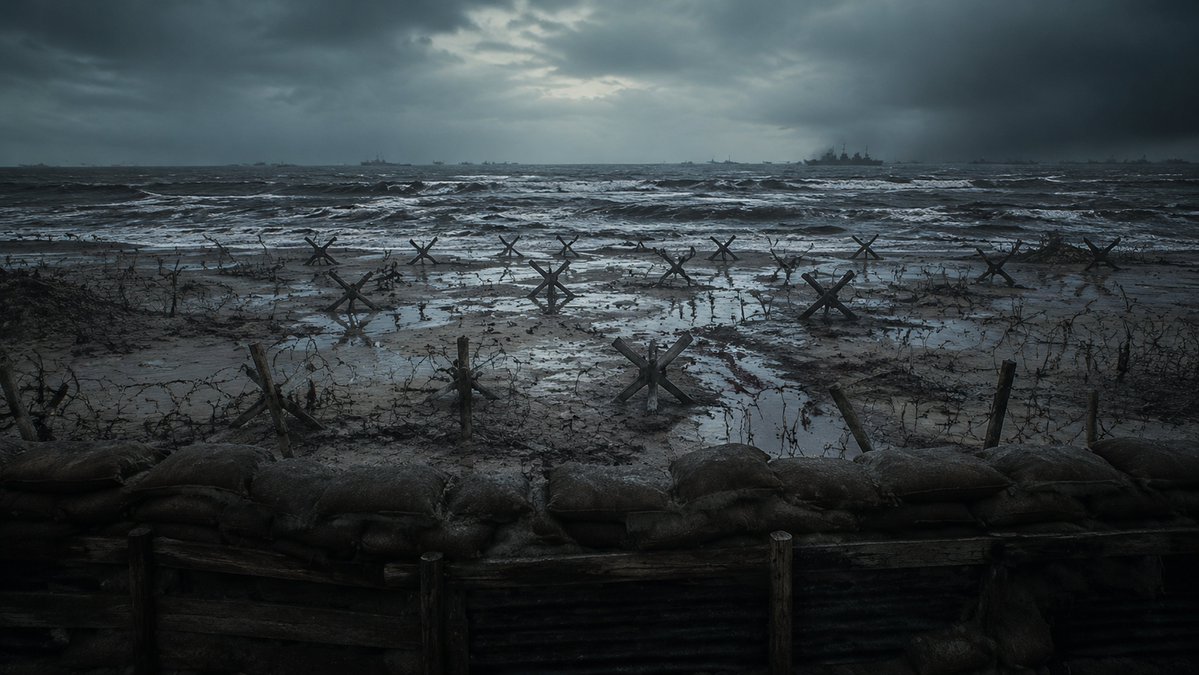
Stormy WWII Beach Defenses
A cinematic photorealistic prompt for generating a grim fortified WWII beach scene with trenches, barbed wire, anti-tank obstacles, rough sea, and distant warships.
This is a GPT Image 2 prompt case for Landscape & Nature. Use the copy-ready prompt below to generate similar visuals, and review Awesome GPT Image 2 Prompts attribution plus commercial-use rights before reuse.
Free 1K preview
Generate one preview image instantly, no sign-up required.
Prompt
Copy-ready prompt
Create a cinematic photorealistic wide shot of a bleak World War II beach invasion defense line viewed from inside a trench, with a low row of muddy sandbags and dark wooden trench planks across the entire foreground. Beyond the trench is a flooded, muddy beach covered in tangled barbed wire, broken stakes, puddles, and exactly 12 visible steel Czech hedgehog anti-tank obstacles scattered from left to right at varying distances. The ocean is rough and dark, with white-capped waves rolling toward shore, and several faint warship silhouettes on the horizon, including one larger battleship slightly right of center. The sky is heavy with storm clouds, with a dim cold break of light near the upper center. Use a desaturated blue-gray and charcoal color palette, gritty realism, wet reflective mud, misty sea spray, dramatic overcast lighting, high-detail cinematic composition, 16:9 aspect ratio, no people, no text, no modern objects. Emphasize the mood of {argument name="battlefield mood" default="grim, tense, abandoned before an amphibious assault"}, set on {argument name="location" default="a Normandy-style fortified beach"}, during {argument name="time of day" default="stormy dawn"}, with {argument name="visual style" default="photorealistic war film still"}.Prompt variables
Editable argument placeholders found in the prompt, with their default values.
Best for
- - Landscape & Nature visual exploration
- - Image generation and reference-image edits
- - Reusable briefs that keep source attribution visible
Change these parts
- - Subject, product, character, or scene
- - Aspect ratio, camera, lighting, and background
- - Brand, text, color, and output constraints
Recommended model and settings
- - Model: gpt-image-2
- - Input mode: Text to Image
- - Aspect ratio: source
- - Commercial status: review original source
How to use this prompt
- 1. Copy the prompt and preserve its structure for the first test.
- 2. Replace the subject, context, and publishing channel.
- 3. Change one camera, lighting, or style variable per iteration.
- 4. Inspect the output, source, text, and rights before reuse.
Limitations, source, and reuse cautions
- - Generated output is an editable draft, not factual, legal, or rights evidence.
- - Review the linked source, people, brands, logos, text, and third-party media before commercial use.
More cases in this category
Prioritized by category, input mode compatibility, quality, and lower risk.

Reuse and source notes
Use this prompt safely after previewing the case.
- 1.Copy the prompt or open it directly in Dovoo with the generation button.
- 2.Adjust variables, aspect ratio, and reference images for your own use case.
- 3.Before publishing or paid usage, verify source rights, attribution requirements, and brand or likeness risks.
Can I use this prompt commercially?
Commercial-use status is allowed. Review the original source, license, brand constraints, and legal requirements before paid usage.
Where does this case come from?
This case is imported from Awesome GPT Image 2 Prompts; keep attribution visible and check the source URL before reuse.