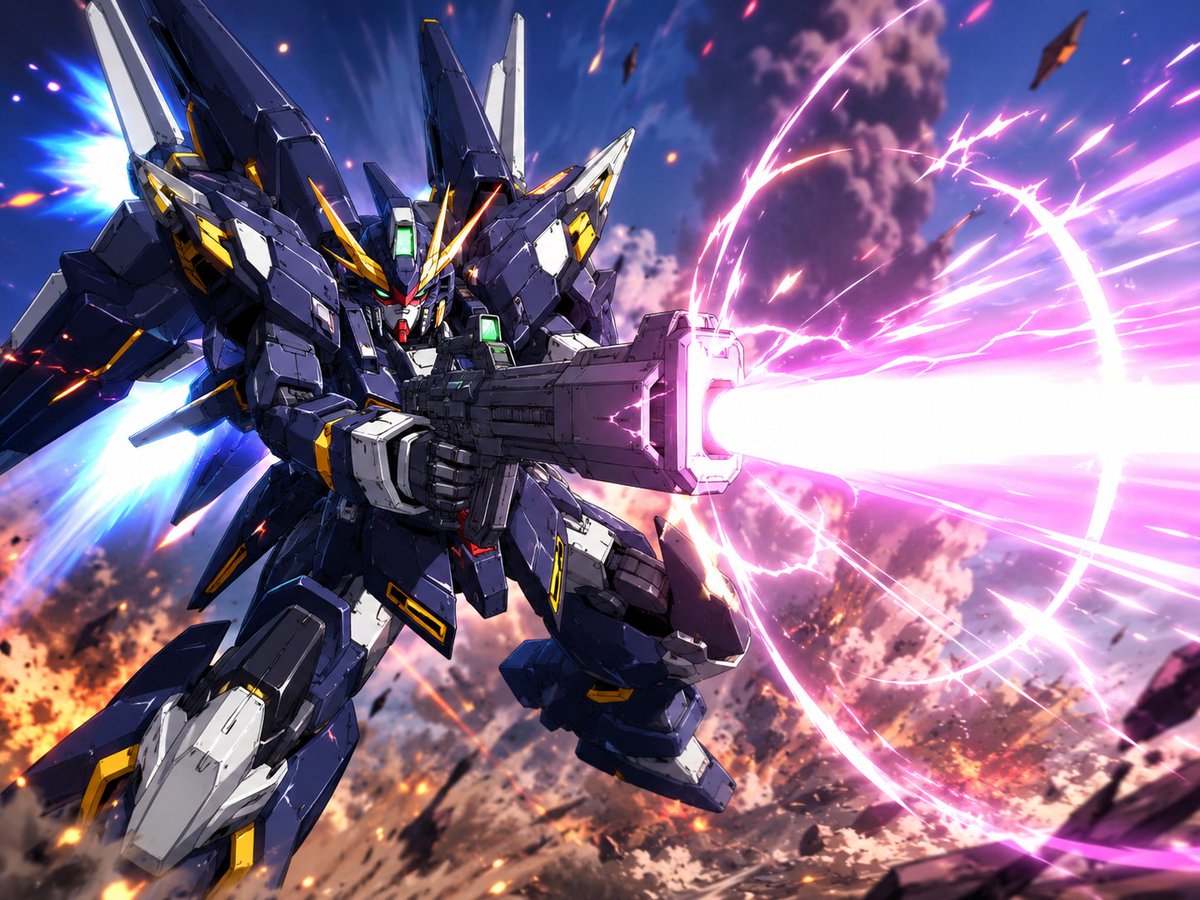
Winged Mecha Beam Cannon Battle
A cinematic anime sci-fi action illustration of a winged giant robot firing a massive neon beam cannon in a smoky battlefield sky.
This is a GPT Image 2 prompt case for Anime & Game. Use the copy-ready prompt below to generate similar visuals, and review Awesome GPT Image 2 Prompts attribution plus commercial-use rights before reuse.
Free 1K preview
Generate one preview image instantly, no sign-up required.
Prompt
Copy-ready prompt
Create a dynamic high-detail anime mecha battle illustration in a cinematic 4:3 landscape frame. Show a single futuristic humanoid giant robot resembling a dark navy blue and white super robot, with angular Gundam-like armor, sharp V-fin helmet, glowing green forehead and chest sensors, yellow accent panels, red chin detail, layered shoulder armor, large wing-like backpack thrusters, and bulky mechanical legs. The mecha is flying diagonally from the upper left toward the lower right, viewed from a low three-quarter front angle, gripping an oversized rectangular beam cannon with both hands. The cannon fires one enormous blinding {argument name="beam color" default="hot pink and white"} energy blast to the right edge of the image, surrounded by a circular glowing energy ring, electric arcs, streaking particles, and radial motion lines. Add two bright blue thruster flames from the rear backpack on the left side. The background is a chaotic aerial battlefield at sunset or dusk with smoky purple clouds, orange explosions, burning debris, sparks, and small dark fragments flying through the sky. Use dramatic foreshortening, intense motion blur on the energy beam, crisp cel-shaded anime linework, highly polished mechanical panel detail, high contrast lighting, vibrant neon effects, and epic sci-fi action composition. The main subject should be {argument name="mecha design" default="dark navy angular winged humanoid battle robot"}; keep exactly one robot, one beam cannon, one main energy beam, one circular energy ring, and two visible blue thruster plumes. No text, no logos, no watermark.Prompt variables
Editable argument placeholders found in the prompt, with their default values.
Best for
- - Anime & Game visual exploration
- - Image generation and reference-image edits
- - Reusable briefs that keep source attribution visible
Change these parts
- - Subject, product, character, or scene
- - Aspect ratio, camera, lighting, and background
- - Brand, text, color, and output constraints
Recommended model and settings
- - Model: gpt-image-2
- - Input mode: Text to Image
- - Aspect ratio: source
- - Commercial status: review original source
How to use this prompt
- 1. Copy the prompt and preserve its structure for the first test.
- 2. Replace the subject, context, and publishing channel.
- 3. Change one camera, lighting, or style variable per iteration.
- 4. Inspect the output, source, text, and rights before reuse.
Limitations, source, and reuse cautions
- - Generated output is an editable draft, not factual, legal, or rights evidence.
- - Review the linked source, people, brands, logos, text, and third-party media before commercial use.
More cases in this category
Prioritized by category, input mode compatibility, quality, and lower risk.
Reuse and source notes
Use this prompt safely after previewing the case.
- 1.Copy the prompt or open it directly in Dovoo with the generation button.
- 2.Adjust variables, aspect ratio, and reference images for your own use case.
- 3.Before publishing or paid usage, verify source rights, attribution requirements, and brand or likeness risks.
Can I use this prompt commercially?
Commercial-use status is allowed. Review the original source, license, brand constraints, and legal requirements before paid usage.
Where does this case come from?
This case is imported from Awesome GPT Image 2 Prompts; keep attribution visible and check the source URL before reuse.