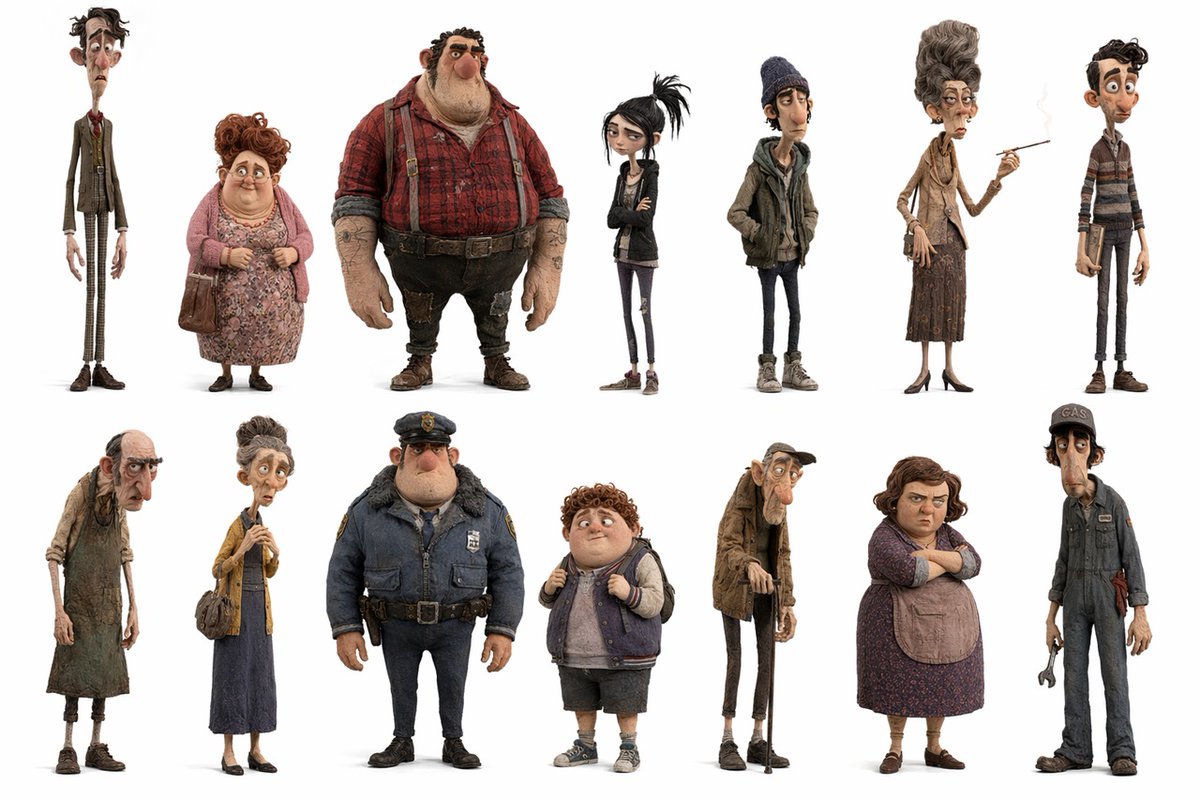
Whimsical Animated Townsfolk Lineup
This prompt generates a 13-character full-body ensemble lineup in a stylized stop-motion-inspired animated film aesthetic, useful for cast sheets, concept art, or character worldbuilding.
This is a GPT Image 2 prompt case for Portrait & Character. Use the copy-ready prompt below to generate similar visuals, and review Awesome GPT Image 2 Prompts attribution plus commercial-use rights before reuse.
Free 1K preview
Generate one preview image instantly, no sign-up required.
Prompt
Copy-ready prompt
A clean character lineup sheet on a pure white background, showing 13 full-body stylized 3D characters in a whimsical stop-motion-inspired design with exaggerated proportions, textured fabrics, worn surfaces, muted earthy colors, and slightly creepy yet charming personality. Arrange them in 2 rows: 7 characters across the top row and 6 across the bottom row, each isolated with soft grounding shadows and plenty of white space, like a studio casting board for an animated film. Top row, left to right: 1) an extremely tall and painfully thin middle-aged man in a shabby brown suit, white shirt, narrow red tie, and checked trousers, with long fingers and slouched posture; 2) a short heavyset older woman with curly reddish hair, wearing a pink cardigan over a floral dress, sensible shoes, and carrying a brown handbag; 3) a very large burly man with tattooed forearms, wearing a red plaid flannel shirt, suspenders, dark worn pants, heavy boots, and a rough worker look; 4) a skinny teenage goth girl with pale skin, black messy ponytail, black jacket, dark shirt, skinny jeans, crossed arms, and a bored expression; 5) a lanky teenage boy in a knit beanie, layered hoodie and jacket, skinny jeans, and sneakers, hands in pockets; 6) a very tall elderly woman with an elegant beehive hairstyle, narrow face, tan blouse, scarf, long brown skirt, heels, handbag, and a cigarette held in one hand; 7) a slim teenage or young adult male with curly dark hair, wearing a striped sweater, narrow pants, and brown shoes. Bottom row, left to right: 8) a gaunt frail old person in ragged layered clothing and a stained apron, stooped forward with tired posture; 9) a thin middle-aged woman with hair in a high bun, mustard cardigan, long blue dress, flats, and a shoulder bag, holding something delicately in front of her chest; 10) a stocky police officer in a bulky navy winter uniform with fur collar, badge, utility belt, dark pants, and black shoes; 11) a chubby curly-haired boy wearing a varsity-style sleeveless jacket over a hoodie, knee-length shorts, socks, and sneakers, gripping his backpack straps; 12) a skeletal elderly man with a cap, huge nose, hunched spine, long coat, skinny trousers, and a cane; 13) a lanky mechanic or gas station worker in a dark blue jumpsuit and cap with the visible text {argument name="cap text" default="GAS"}, holding a wrench. Keep the rendering highly detailed with felt, wool, denim, knit, leather, and dust-like material realism, but maintain caricatured anatomy and expressive silhouettes. Use a subdued palette of browns, rust reds, dusty pinks, charcoal, navy, beige, and faded denim. The overall mood should feel like quirky residents of a rundown small town from a darkly comic animated feature, presented as a polished ensemble cast sheet.Prompt variables
Editable argument placeholders found in the prompt, with their default values.
Best for
- - Portrait & Character visual exploration
- - Image generation and reference-image edits
- - Reusable briefs that keep source attribution visible
Change these parts
- - Subject, product, character, or scene
- - Aspect ratio, camera, lighting, and background
- - Brand, text, color, and output constraints
Recommended model and settings
- - Model: gpt-image-2
- - Input mode: Text to Image
- - Aspect ratio: source
- - Commercial status: review original source
How to use this prompt
- 1. Copy the prompt and preserve its structure for the first test.
- 2. Replace the subject, context, and publishing channel.
- 3. Change one camera, lighting, or style variable per iteration.
- 4. Inspect the output, source, text, and rights before reuse.
Limitations, source, and reuse cautions
- - Generated output is an editable draft, not factual, legal, or rights evidence.
- - Review the linked source, people, brands, logos, text, and third-party media before commercial use.
More cases in this category
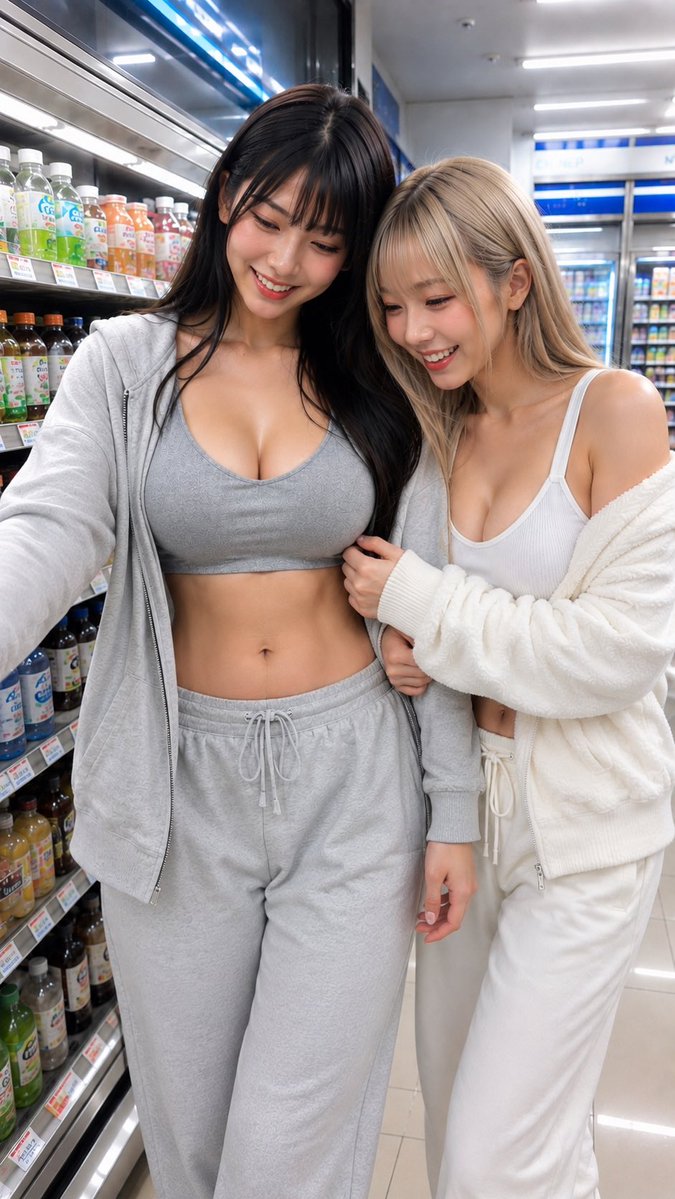
Prioritized by category, input mode compatibility, quality, and lower risk.




Reuse and source notes
Use this prompt safely after previewing the case.
- 1.Copy the prompt or open it directly in Dovoo with the generation button.
- 2.Adjust variables, aspect ratio, and reference images for your own use case.
- 3.Before publishing or paid usage, verify source rights, attribution requirements, and brand or likeness risks.
Can I use this prompt commercially?
Commercial-use status is allowed. Review the original source, license, brand constraints, and legal requirements before paid usage.
Where does this case come from?
This case is imported from Awesome GPT Image 2 Prompts; keep attribution visible and check the source URL before reuse.