
Hyper-realistic Contact Sheet Prompt
Generates a 3x3 grid of hyper-realistic photos featuring a specific person from an uploaded reference, with varied poses and Mediterranean lighting.
This is a GPT Image 2 prompt case for Portrait & Character. Use the copy-ready prompt below to generate similar visuals, and review Awesome GPT Image 2 Prompts attribution plus commercial-use rights before reuse.
Free 1K preview
Generate one preview image instantly, no sign-up required.
Prompt
Copy-ready prompt
Create a hyper-realistic 3×3 photographic contact sheet featuring this woman from the uploaded face reference, preserving her exact facial identity, skin tone, hairstyle, and natural proportions in every frame.

Set all nine photographs beneath an intensely azure sky dotted with dramatic white clouds. She wears a textured ivory henley shirt with the top buttons open, dark indigo jeans, and a delicate silver chain. Bright Mediterranean sunlight creates crisp shadows and luminous skin.

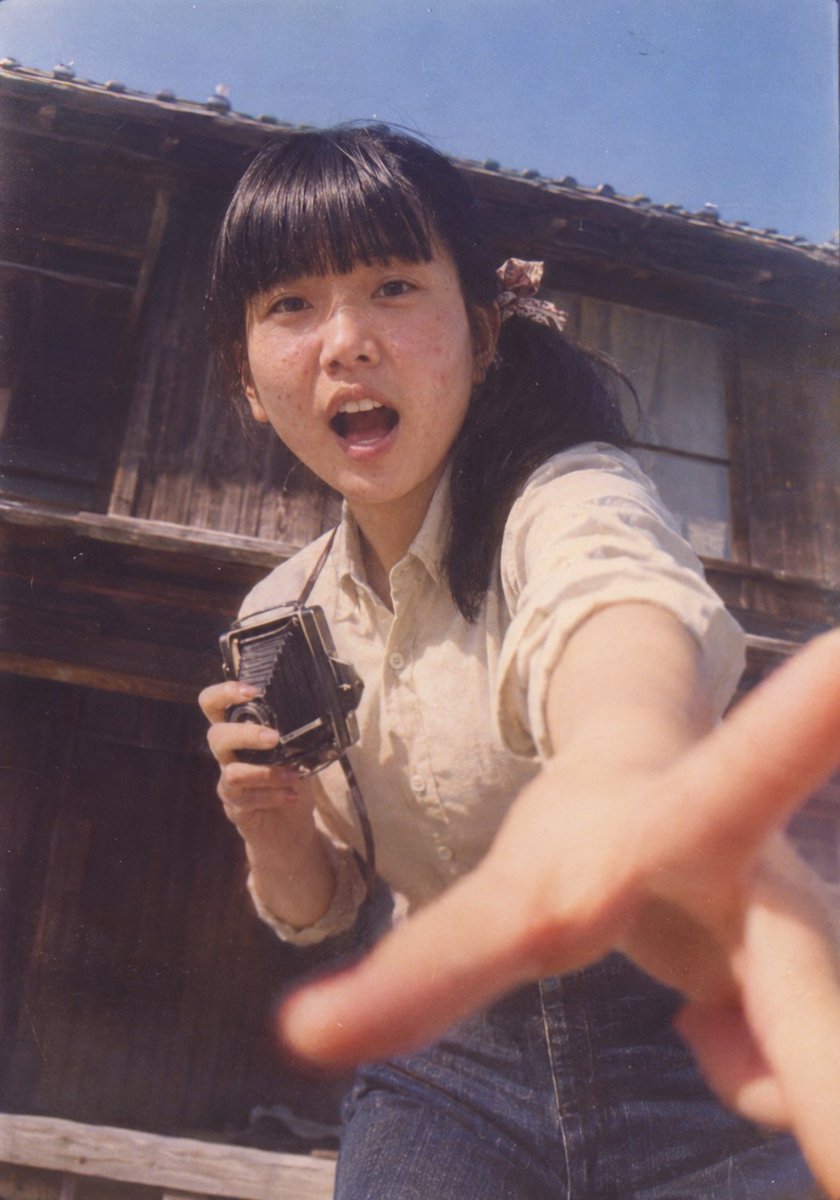
Each of the nine panels captures a distinct pose and camera perspective: a confident wide-legged stance with hands behind his head; a foreshortened palm reaching toward the lens; an OK hand gesture framing one eye; a relaxed smile with chin resting on both hands; a mysterious half-face covered by her hand; a low-angle walking shot; a windblown candid laugh; a close-up with direct eye contact; and a seated pose looking away into the distance.

Alternate 35mm full-body compositions with intimate 85mm portraits. Authentic skin pores, individual hair strands, realistic denim texture, natural hands, accurate anatomy, subtle film grain, luxury fashion editorial, exceptional photographic realism. Perfectly aligned 3×3 grid, nine distinct photographs, no borders between panels, no text, no watermarks, 4:5 overall canvas.
Best for
- - Portrait & Character visual exploration
- - Image generation and reference-image edits
- - Reusable briefs that keep source attribution visible
Change these parts
- - Subject, product, character, or scene
- - Aspect ratio, camera, lighting, and background
- - Brand, text, color, and output constraints
Recommended model and settings
- - Model: gpt-image-2
- - Input mode: Text to Image
- - Aspect ratio: source
- - Commercial status: review original source
How to use this prompt
- 1. Copy the prompt and preserve its structure for the first test.
- 2. Replace the subject, context, and publishing channel.
- 3. Change one camera, lighting, or style variable per iteration.
- 4. Inspect the output, source, text, and rights before reuse.
Limitations, source, and reuse cautions
- - Generated output is an editable draft, not factual, legal, or rights evidence.
- - Review the linked source, people, brands, logos, text, and third-party media before commercial use.
More cases in this category
Prioritized by category, input mode compatibility, quality, and lower risk.

Reuse and source notes
Use this prompt safely after previewing the case.
- 1.Copy the prompt or open it directly in Dovoo with the generation button.
- 2.Adjust variables, aspect ratio, and reference images for your own use case.
- 3.Before publishing or paid usage, verify source rights, attribution requirements, and brand or likeness risks.
Can I use this prompt commercially?
Commercial-use status is allowed. Review the original source, license, brand constraints, and legal requirements before paid usage.
Where does this case come from?
This case is imported from Awesome GPT Image 2 Prompts; keep attribution visible and check the source URL before reuse.