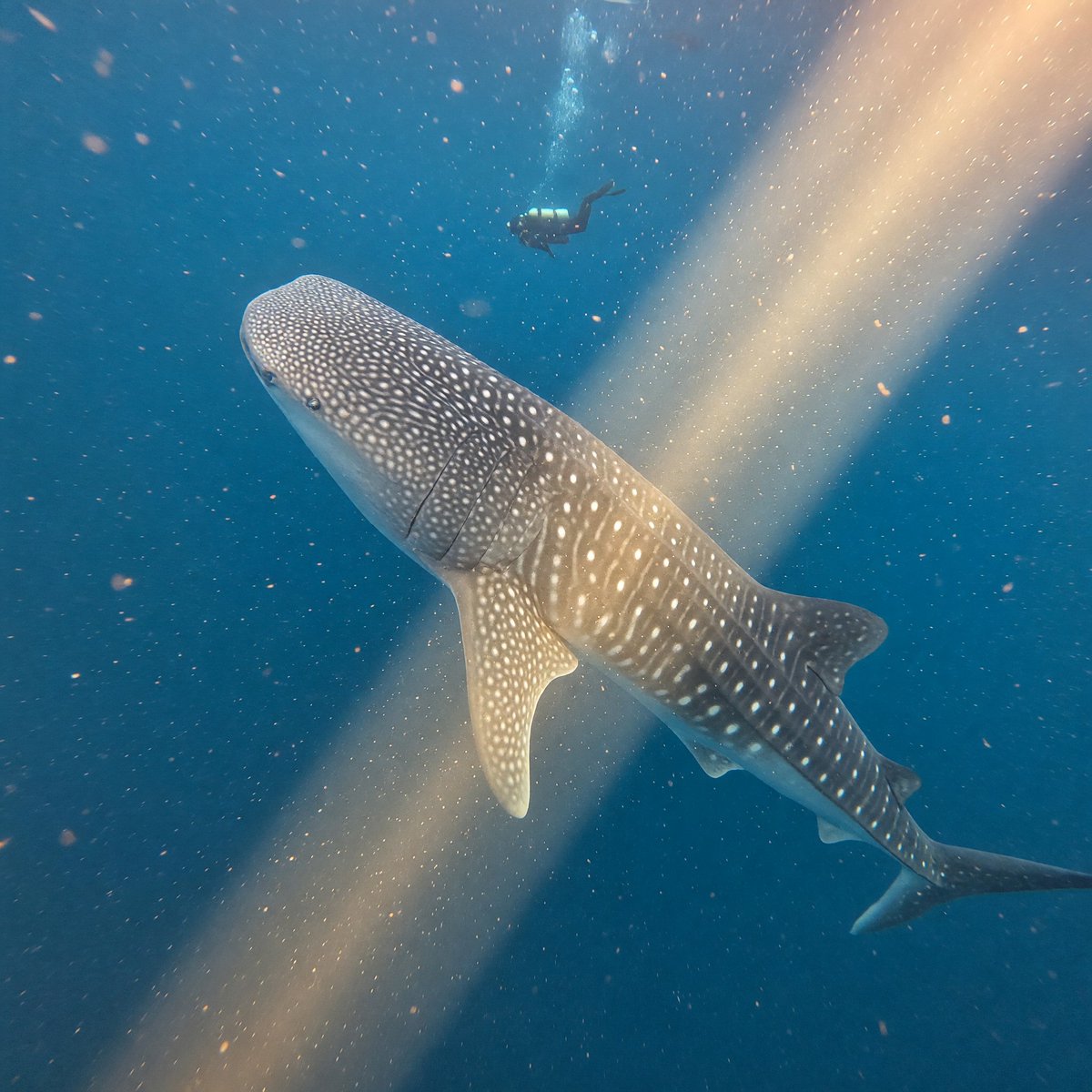
Whale Shark in Sunbeam
A realistic underwater wildlife scene showing a whale shark crossing a golden sunbeam with a distant diver for scale, ideal for ocean documentary visuals.
This is a GPT Image 2 prompt case for Landscape & Nature. Use the copy-ready prompt below to generate similar visuals, and review Awesome GPT Image 2 Prompts attribution plus commercial-use rights before reuse.
Free 1K preview
Generate one preview image instantly, no sign-up required.
Prompt
Copy-ready prompt
Create a realistic wide-angle underwater wildlife photograph of a {argument name="main animal" default="whale shark"} swimming diagonally through deep blue ocean water, viewed from slightly above and in front so its broad spotted head dominates the lower-left foreground and its tapering body and tail recede toward the lower-right. The whale shark should have accurate white polka-dot and stripe markings across gray-blue skin, visible gill slits, pectoral fins, dorsal fins, and a graceful slow-swimming posture. A single scuba diver silhouette with fins and tank appears far above the shark near the upper center, small for scale. A warm golden sunbeam cuts diagonally from the upper-right toward the lower-left, illuminating suspended particles, bubbles, and plankton in the water. Use natural light, deep turquoise-to-navy color grading, soft underwater haze, realistic caustic glow, cinematic depth, subtle motion blur in drifting particles, and an immersive documentary feel. No text, no borders, no artificial aquarium setting.Prompt variables
Editable argument placeholders found in the prompt, with their default values.
Best for
- - Landscape & Nature visual exploration
- - Image generation and reference-image edits
- - Reusable briefs that keep source attribution visible
Change these parts
- - Subject, product, character, or scene
- - Aspect ratio, camera, lighting, and background
- - Brand, text, color, and output constraints
Recommended model and settings
- - Model: gpt-image-2
- - Input mode: Text to Image
- - Aspect ratio: source
- - Commercial status: review original source
How to use this prompt
- 1. Copy the prompt and preserve its structure for the first test.
- 2. Replace the subject, context, and publishing channel.
- 3. Change one camera, lighting, or style variable per iteration.
- 4. Inspect the output, source, text, and rights before reuse.
Limitations, source, and reuse cautions
- - Generated output is an editable draft, not factual, legal, or rights evidence.
- - Review the linked source, people, brands, logos, text, and third-party media before commercial use.
More cases in this category
Prioritized by category, input mode compatibility, quality, and lower risk.
Reuse and source notes
Use this prompt safely after previewing the case.
- 1.Copy the prompt or open it directly in Dovoo with the generation button.
- 2.Adjust variables, aspect ratio, and reference images for your own use case.
- 3.Before publishing or paid usage, verify source rights, attribution requirements, and brand or likeness risks.
Can I use this prompt commercially?
Commercial-use status is allowed. Review the original source, license, brand constraints, and legal requirements before paid usage.
Where does this case come from?
This case is imported from Awesome GPT Image 2 Prompts; keep attribution visible and check the source URL before reuse.