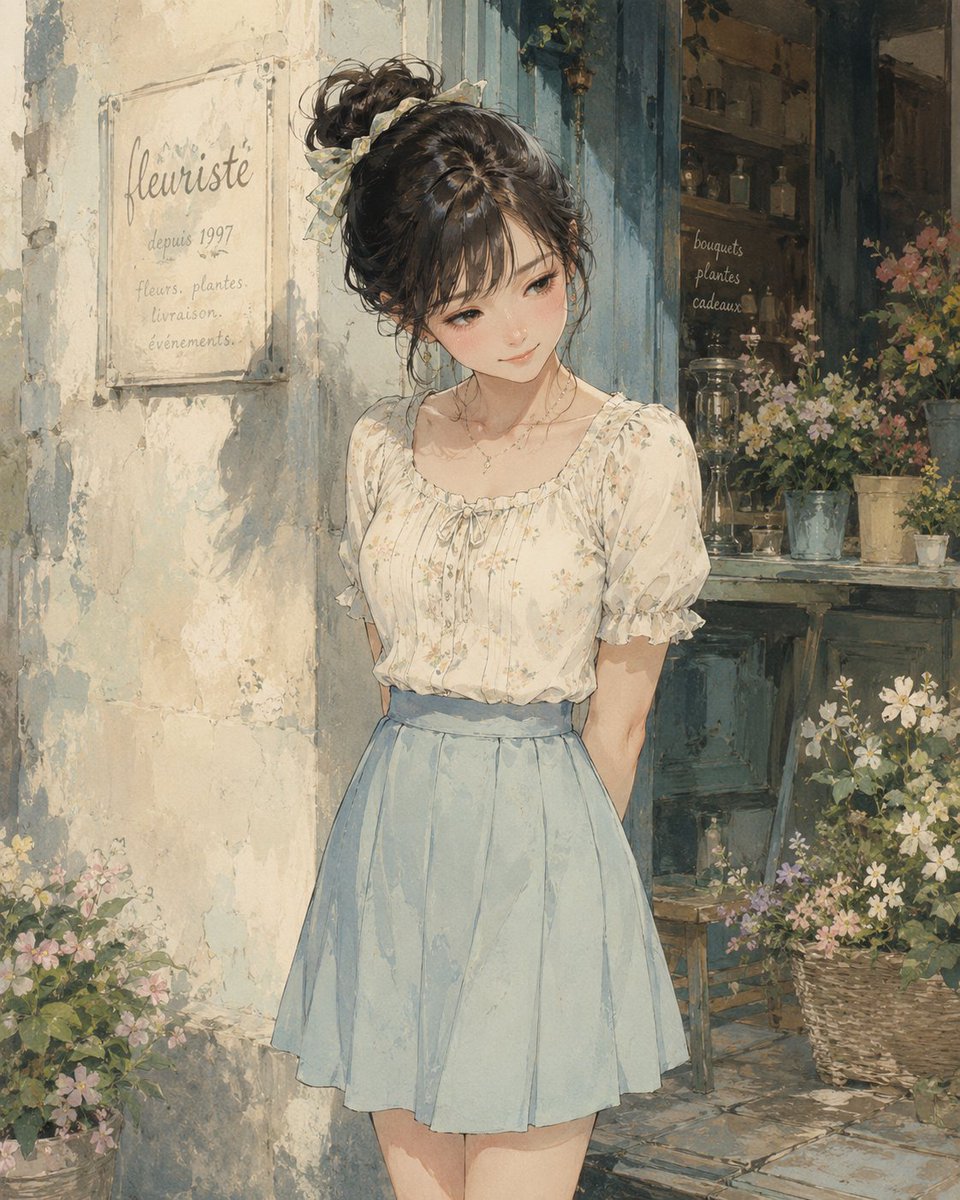
Watercolor Flower Shop Portrait
Generates a soft anime watercolor portrait of a young woman outside a vintage French florist storefront, useful for romantic illustration concepts.
This is a GPT Image 2 prompt case for Portrait & Character. Use the copy-ready prompt below to generate similar visuals, and review Awesome GPT Image 2 Prompts attribution plus commercial-use rights before reuse.
Free 1K preview
Generate one preview image instantly, no sign-up required.
Prompt
Copy-ready prompt
Create a romantic watercolor-style anime illustration of {argument name="character description" default="a young woman with dark brown hair in a messy high bun tied with a pale ribbon"} standing in front of a quaint vintage French flower shop. She wears {argument name="outfit" default="a cream floral puff-sleeve blouse with a gathered neckline and a high-waisted pale blue pleated skirt"}, with a delicate necklace, soft feminine posture, and her hands held behind her back. Her face is intentionally covered by a centered opaque square censor block in a warm brown skin-tone gradient, Show every face clearly with natural, detailed facial features, neck, outfit, and body visible. The setting is a sunlit, weathered plaster storefront with peeling paint, muted blue wooden trim, an open shop window full of potted flowers, glass bottles, shelves, and rustic decor. On the left wall is a translucent sign reading “fleuriste”, “depuis 1997”, and “fleurs. plantes. livraison. événements.”; inside the shop window, small handwritten text reads “bouquets”, “plantes”, “cadeaux”. Surround the entrance with baskets and pots of wildflowers in soft pink, white, yellow, and green. Use {argument name="art style" default="delicate hand-painted watercolor and gouache anime realism"}, soft natural daylight, warm beige and powder-blue palette, textured paper grain, loose painterly edges, gentle shadows, nostalgic European street atmosphere, vertical portrait composition, highly detailed flowers and fabric folds, no modern objects.Prompt variables
Editable argument placeholders found in the prompt, with their default values.
Best for
- - Portrait & Character visual exploration
- - Image generation and reference-image edits
- - Reusable briefs that keep source attribution visible
Change these parts
- - Subject, product, character, or scene
- - Aspect ratio, camera, lighting, and background
- - Brand, text, color, and output constraints
Recommended model and settings
- - Model: gpt-image-2
- - Input mode: Text to Image
- - Aspect ratio: source
- - Commercial status: review original source
How to use this prompt
- 1. Copy the prompt and preserve its structure for the first test.
- 2. Replace the subject, context, and publishing channel.
- 3. Change one camera, lighting, or style variable per iteration.
- 4. Inspect the output, source, text, and rights before reuse.
Limitations, source, and reuse cautions
- - Generated output is an editable draft, not factual, legal, or rights evidence.
- - Review the linked source, people, brands, logos, text, and third-party media before commercial use.
More cases in this category
Prioritized by category, input mode compatibility, quality, and lower risk.

Reuse and source notes
Use this prompt safely after previewing the case.
- 1.Copy the prompt or open it directly in Dovoo with the generation button.
- 2.Adjust variables, aspect ratio, and reference images for your own use case.
- 3.Before publishing or paid usage, verify source rights, attribution requirements, and brand or likeness risks.
Can I use this prompt commercially?
Commercial-use status is allowed. Review the original source, license, brand constraints, and legal requirements before paid usage.
Where does this case come from?
This case is imported from Awesome GPT Image 2 Prompts; keep attribution visible and check the source URL before reuse.