
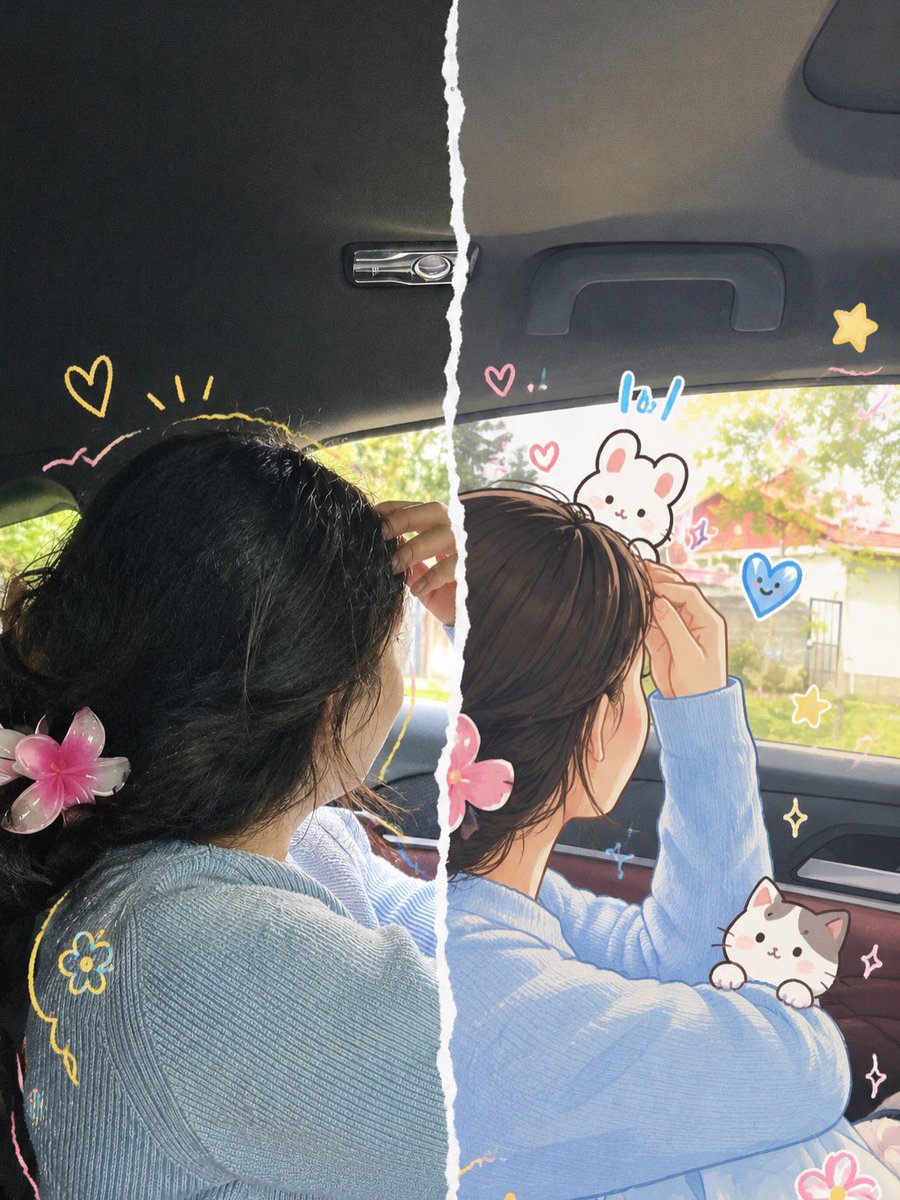
Vibrant Trendy Anime Illustration Transform
A creative prompt that transforms real photos into high-saturation, vibrant anime-style posters with exaggerated poses and imaginative backgrounds.
This is a GPT Image 2 prompt case for Anime & Game. Use the copy-ready prompt below to generate similar visuals, and review Awesome GPT Image 2 Prompts attribution plus commercial-use rights before reuse.
Free 1K preview
Generate one preview image instantly, no sign-up required.
Free text preview doesn’t preserve reference-image consistency.
Prompt
Copy-ready prompt
Based on the daily photo uploaded by the user, create a high-saturation trendy anime illustration. Retain the basic recognizability of the person, including face shape, facial feature relationships, basic hairstyle, and overall temperament, but the overall result must be clearly animated and non-realistic. The style refers to energetic and quirky popular anime illustrations: lines are confident and strong with slight thickness variations; coloring uses simple cel-shading with large blocks of shadow; colors are bright, high-saturation, and high-contrast. Character expressions and movements can be boldly exaggerated, with simpler facial features and more emotional tension. Limbs and perspective are allowed to stretch and deform appropriately. The scene can be freely imagined away from the original photo, reconstructed into a cartoon world with interesting wide-angle perspective and slight spatial deformation, adding stickers, hearts, stars, onomatopoeia, dialogue boxes, small animals, or fun props. The overall composition should be dynamic, lively, funny, and impactful, like a vital trendy anime poster.
Best for
- - Anime & Game visual exploration
- - Image generation and reference-image edits
- - Reusable briefs that keep source attribution visible
Change these parts
- - Subject, product, character, or scene
- - Aspect ratio, camera, lighting, and background
- - Brand, text, color, and output constraints
Recommended model and settings
- - Model: gpt-image-2
- - Input mode: Image to Image
- - Aspect ratio: source
- - Commercial status: review original source
How to use this prompt
- 1. Copy the prompt and preserve its structure for the first test.
- 2. Replace the subject, context, and publishing channel.
- 3. Change one camera, lighting, or style variable per iteration.
- 4. Inspect the output, source, text, and rights before reuse.
Limitations, source, and reuse cautions
- - Generated output is an editable draft, not factual, legal, or rights evidence.
- - Review the linked source, people, brands, logos, text, and third-party media before commercial use.
More cases in this category
Prioritized by category, input mode compatibility, quality, and lower risk.
Reuse and source notes
Use this prompt safely after previewing the case.
- 1.Copy the prompt or open it directly in Dovoo with the generation button.
- 2.Adjust variables, aspect ratio, and reference images for your own use case.
- 3.Before publishing or paid usage, verify source rights, attribution requirements, and brand or likeness risks.
Can I use this prompt commercially?
Commercial-use status is allowed. Review the original source, license, brand constraints, and legal requirements before paid usage.
Where does this case come from?
This case is imported from Awesome GPT Image 2 Prompts; keep attribution visible and check the source URL before reuse.