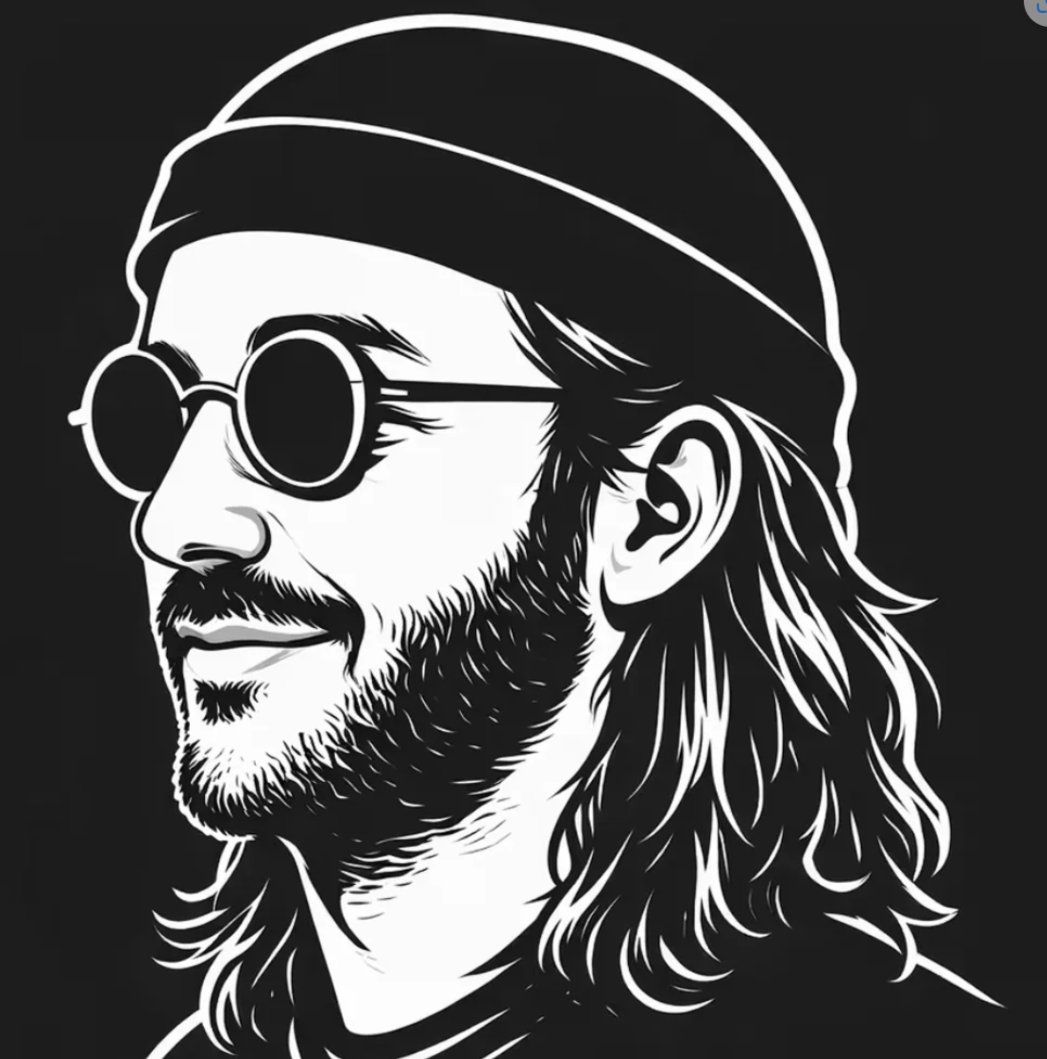
Black White Vector Musician Avatar
A prompt for generating a stark black-and-white vector side-profile avatar of a bearded long-haired musician with a beanie, sunglasses, and a gray privacy block.
This is a GPT Image 2 prompt case for Portrait & Character. Use the copy-ready prompt below to generate similar visuals, and review Awesome GPT Image 2 Prompts attribution plus commercial-use rights before reuse.
Free 1K preview
Generate one preview image instantly, no sign-up required.
Prompt
Copy-ready prompt
Create a minimalist high-contrast black-and-white vector portrait on a square canvas, showing {argument name="character description" default="a long-haired bearded male indie musician"} in left-facing side profile against a solid near-black background. Use bold clean white vector outlines, thick graphic linework, and sharp negative-space shadows. The subject wears exactly 2 visible accessories: a slouchy knit beanie with a curved brim line across the forehead, and round vintage sunglasses visible as one partial circular lens on the far left edge. Show exactly 3 prominent facial/hair features that remain visible: one detailed ear, shoulder-length layered wavy hair flowing behind the neck, and a short beard along the jaw and chin. Place a large opaque vertical rectangle over the central face area, colored {argument name="overlay color" default="medium gray"}, covering most of the sunglasses, nose, mouth, and front hair; the rectangle should be centered slightly left, with straight edges and no border, like a privacy block. Keep the composition cropped tightly like a social media avatar, with the beanie nearly touching the top edge, hair reaching the lower edge, and shoulders only minimally indicated. The style should feel like an indie musician or street artist logo, suitable for an avatar, poster, T-shirt print, or brand mark. Use only {argument name="palette" default="black, white, and gray"}, no gradients except subtle flat gray variation inside the overlay, no text, no watermark, no photorealism.Prompt variables
Editable argument placeholders found in the prompt, with their default values.
Best for
- - Portrait & Character visual exploration
- - Image generation and reference-image edits
- - Reusable briefs that keep source attribution visible
Change these parts
- - Subject, product, character, or scene
- - Aspect ratio, camera, lighting, and background
- - Brand, text, color, and output constraints
Recommended model and settings
- - Model: gpt-image-2
- - Input mode: Text to Image
- - Aspect ratio: source
- - Commercial status: review original source
How to use this prompt
- 1. Copy the prompt and preserve its structure for the first test.
- 2. Replace the subject, context, and publishing channel.
- 3. Change one camera, lighting, or style variable per iteration.
- 4. Inspect the output, source, text, and rights before reuse.
Limitations, source, and reuse cautions
- - Generated output is an editable draft, not factual, legal, or rights evidence.
- - Review the linked source, people, brands, logos, text, and third-party media before commercial use.
More cases in this category
Prioritized by category, input mode compatibility, quality, and lower risk.


Reuse and source notes
Use this prompt safely after previewing the case.
- 1.Copy the prompt or open it directly in Dovoo with the generation button.
- 2.Adjust variables, aspect ratio, and reference images for your own use case.
- 3.Before publishing or paid usage, verify source rights, attribution requirements, and brand or likeness risks.
Can I use this prompt commercially?
Commercial-use status is allowed. Review the original source, license, brand constraints, and legal requirements before paid usage.
Where does this case come from?
This case is imported from Awesome GPT Image 2 Prompts; keep attribution visible and check the source URL before reuse.