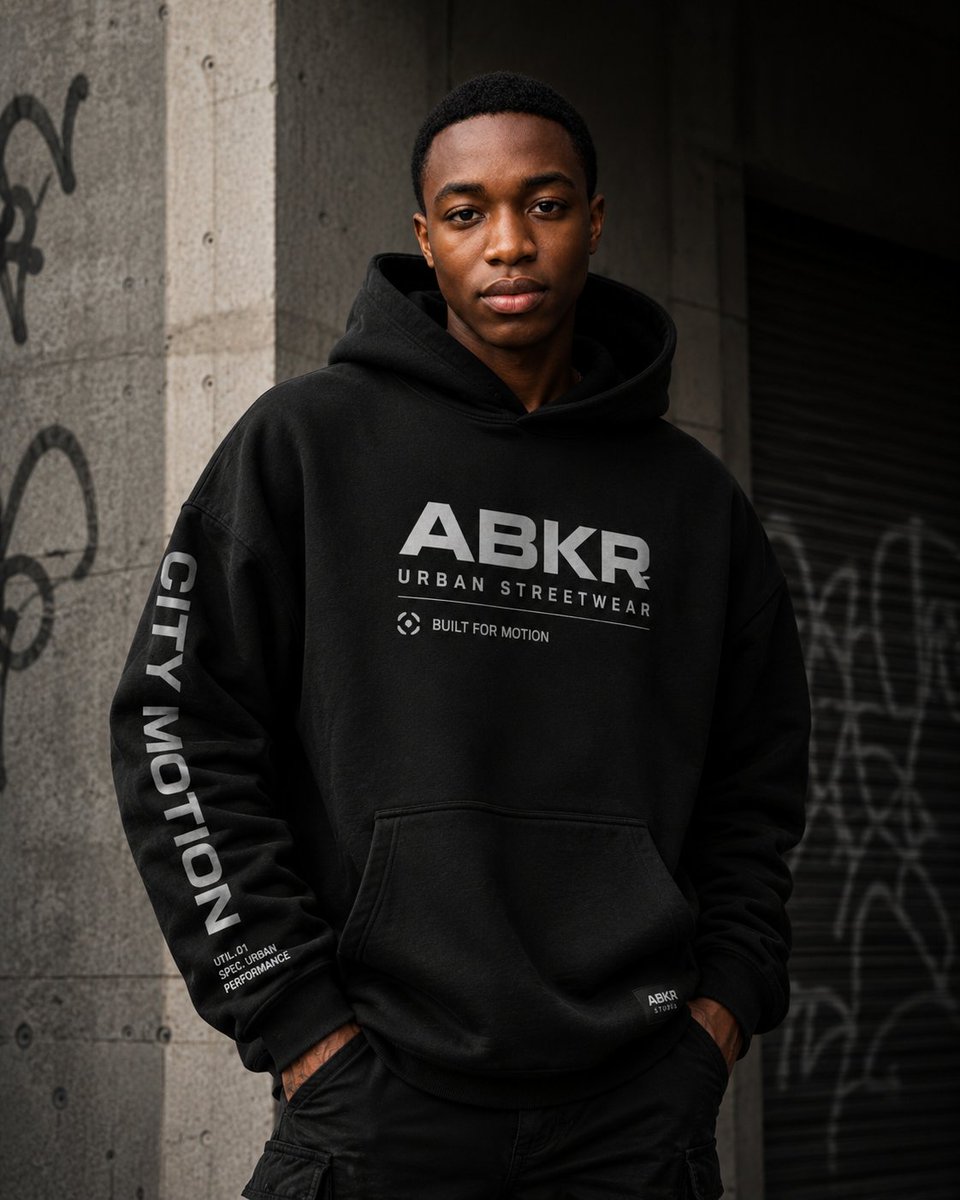
Urban Streetwear Hoodie Mockup
A realistic fashion campaign prompt for showcasing customizable branding on a premium black urban hoodie.
This is a GPT Image 2 prompt case for Product & Commercial. Use the copy-ready prompt below to generate similar visuals, and review Awesome GPT Image 2 Prompts attribution plus commercial-use rights before reuse.
Free 1K preview
Generate one preview image instantly, no sign-up required.
Prompt
Copy-ready prompt
Create a premium urban streetwear fashion campaign photograph featuring a confident male model wearing an oversized black hoodie in a gritty city setting. The model has a medium-dark skin tone, short black hair, and stands front-facing from mid-thigh up with his hands in his pants pockets, shoulders relaxed, projecting calm confidence. Show every face clearly with natural, detailed facial features, while the top of the hair and ears remain partly visible. The hoodie is heavy black fleece with a large hood, dropped shoulders, ribbed cuffs, kangaroo pocket, and subtle realistic fabric texture. Add bold light gray chest branding: large text “{argument name="main logo text" default="ABKR"}”, smaller spaced text “{argument name="brand subtitle" default="URBAN STREETWEAR"}”, and a small circular icon plus the phrase “{argument name="small chest slogan" default="BUILT FOR MOTION"}”. On the model’s left sleeve, place vertical bold text “{argument name="sleeve text" default="CITY MOTION"}” and small stacked technical microtext near the cuff reading “UTIL.01 / SPEC URBAN / PERFORMANCE”. Add a tiny woven label near the lower right hem reading “ABKR / STUDIO”. Pair the hoodie with black cargo-style pants. Background: an urban concrete wall and pillar with visible bolt holes and graffiti on the left, plus a dark metal roll-up shutter with blurred graffiti on the right. Lighting is moody and cinematic, soft directional daylight from the upper left, deep shadows, muted gray-black palette, shallow depth of field, high-end editorial realism, sharp focus on the hoodie graphics and fabric, vertical 4:5 composition. Avoid extra accessories, avoid bright colors, avoid additional people, and keep all typography clean, modern, and legible.Prompt variables
Editable argument placeholders found in the prompt, with their default values.
Best for
- - Product & Commercial visual exploration
- - Image generation and reference-image edits
- - Reusable briefs that keep source attribution visible
Change these parts
- - Subject, product, character, or scene
- - Aspect ratio, camera, lighting, and background
- - Brand, text, color, and output constraints
Recommended model and settings
- - Model: gpt-image-2
- - Input mode: Text to Image
- - Aspect ratio: source
- - Commercial status: review original source
How to use this prompt
- 1. Copy the prompt and preserve its structure for the first test.
- 2. Replace the subject, context, and publishing channel.
- 3. Change one camera, lighting, or style variable per iteration.
- 4. Inspect the output, source, text, and rights before reuse.
Limitations, source, and reuse cautions
- - Generated output is an editable draft, not factual, legal, or rights evidence.
- - Review the linked source, people, brands, logos, text, and third-party media before commercial use.
More cases in this category
Prioritized by category, input mode compatibility, quality, and lower risk.

Reuse and source notes
Use this prompt safely after previewing the case.
- 1.Copy the prompt or open it directly in Dovoo with the generation button.
- 2.Adjust variables, aspect ratio, and reference images for your own use case.
- 3.Before publishing or paid usage, verify source rights, attribution requirements, and brand or likeness risks.
Can I use this prompt commercially?
Commercial-use status is allowed. Review the original source, license, brand constraints, and legal requirements before paid usage.
Where does this case come from?
This case is imported from Awesome GPT Image 2 Prompts; keep attribution visible and check the source URL before reuse.