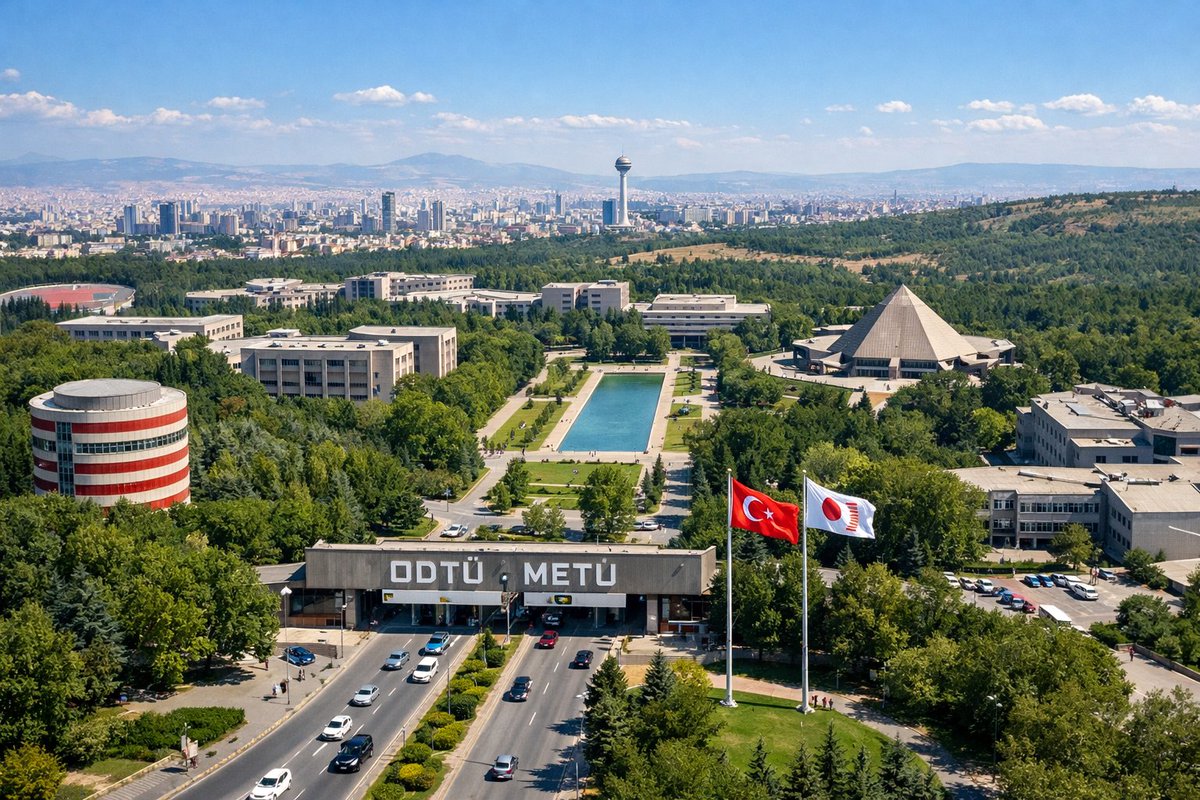
University Campus Aerial View
Generates a realistic aerial photograph of a large university campus with specific architectural landmarks, entrance gates, and a distant city skyline.
This is a GPT Image 2 prompt case for Landscape & Nature. Use the copy-ready prompt below to generate similar visuals, and review Awesome GPT Image 2 Prompts attribution plus commercial-use rights before reuse.
Free 1K preview
Generate one preview image instantly, no sign-up required.
Prompt
Copy-ready prompt
An aerial drone photograph of a sprawling, lush green university campus on a sunny day. In the foreground, a wide multi-lane road with cars passes through a large concrete entrance gate bearing the large white text "{argument name="university name" default="ODTÜ METÜ"}". To the right of the gate, two tall flagpoles fly a {argument name="flag 1" default="Turkish flag"} and a {argument name="flag 2" default="white flag with a red circular logo"}. The midground features a long rectangular reflecting pool surrounded by green lawns and pedestrian paths, flanked by various modernist concrete academic buildings. Notable structures include a cylindrical building with red and white horizontal stripes on the left and a large pyramid-shaped building on the right. In the background, a dense city skyline representing {argument name="city skyline" default="Ankara"} stretches across the horizon, featuring a prominent tall observation tower, backed by rolling hills and mountains under a clear blue sky with scattered white clouds.Prompt variables
Editable argument placeholders found in the prompt, with their default values.
Best for
- - Landscape & Nature visual exploration
- - Image generation and reference-image edits
- - Reusable briefs that keep source attribution visible
Change these parts
- - Subject, product, character, or scene
- - Aspect ratio, camera, lighting, and background
- - Brand, text, color, and output constraints
Recommended model and settings
- - Model: gpt-image-2
- - Input mode: Text to Image
- - Aspect ratio: source
- - Commercial status: review original source
How to use this prompt
- 1. Copy the prompt and preserve its structure for the first test.
- 2. Replace the subject, context, and publishing channel.
- 3. Change one camera, lighting, or style variable per iteration.
- 4. Inspect the output, source, text, and rights before reuse.
Limitations, source, and reuse cautions
- - Generated output is an editable draft, not factual, legal, or rights evidence.
- - Review the linked source, people, brands, logos, text, and third-party media before commercial use.
More cases in this category
Prioritized by category, input mode compatibility, quality, and lower risk.
Reuse and source notes
Use this prompt safely after previewing the case.
- 1.Copy the prompt or open it directly in Dovoo with the generation button.
- 2.Adjust variables, aspect ratio, and reference images for your own use case.
- 3.Before publishing or paid usage, verify source rights, attribution requirements, and brand or likeness risks.
Can I use this prompt commercially?
Commercial-use status is allowed. Review the original source, license, brand constraints, and legal requirements before paid usage.
Where does this case come from?
This case is imported from Awesome GPT Image 2 Prompts; keep attribution visible and check the source URL before reuse.