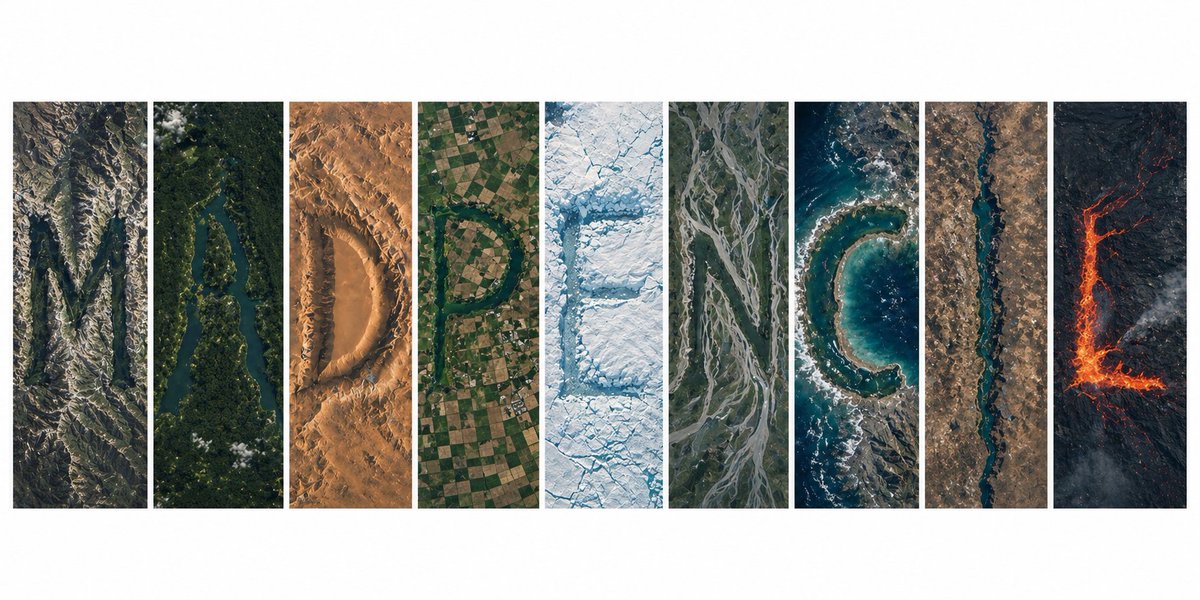
Topography Typography Satellite View
A complex prompt creating an organic word formation from Earth's topography, seen from a hyper-realistic satellite perspective.
This is a GPT Image 2 prompt case for Graphic & Poster. Use the copy-ready prompt below to generate similar visuals, and review Awesome GPT Image 2 Prompts attribution plus commercial-use rights before reuse.
Free 1K preview
Generate one preview image instantly, no sign-up required.
Prompt
Copy-ready prompt
Ultra-realistic satellite view from space, a clean modern editorial layout of 9 vertical panels arranged side-by-side on a white background, together forming the word "{argument name="word" default="MADPENCIL"}", each panel containing one letter created entirely from natural Earth topography, no artificial text overlays: Panel 1 (M): rugged mountain ranges and deep valleys forming a sharp, angular "M", rocky textures, high elevation shadows Panel 2 (A): winding river cutting through dense green forest forming an organic "A", strong contrast between water and vegetation Panel 3 (D): desert dunes and wind-sculpted sand patterns shaping a smooth "D", warm tones, soft gradients Panel 4 (P): agricultural farmland grids and patchwork fields forming a structured "P", geometric patterns clearly visible Panel 5 (E): glacier and ice formations carving a crisp "E", bright whites and icy blues, fractured textures Panel 6 (N): braided river system across floodplains forming "N", branching channels with natural flow lines Panel 7 (C): coastal shoreline and ocean edge shaping a curved "C", waves and sediment gradients visible Panel 8 (I): narrow canyon or straight river cutting through terrain forming a minimal "I", strong vertical emphasis Panel 9 (L): volcanic terrain with lava flows forming an "L", dark rock with glowing red/orange lava accents top-down satellite perspective, NASA Earth observation style, hyper-detailed textures, realistic geography, consistent scale and lighting across all panels, minimal clouds, high contrast, sharp focus, subtle atmospheric haze, natural color grading, ultra high resolution 8K, clean spacing between panels, modern gallery-style composition, visually cohesive but each panel distinctly different biome, letters clearly readable yet organically integrated into terrainPrompt variables
Editable argument placeholders found in the prompt, with their default values.
Best for
- - Graphic & Poster visual exploration
- - Image generation and reference-image edits
- - Reusable briefs that keep source attribution visible
Change these parts
- - Subject, product, character, or scene
- - Aspect ratio, camera, lighting, and background
- - Brand, text, color, and output constraints
Recommended model and settings
- - Model: gpt-image-2
- - Input mode: Text to Image
- - Aspect ratio: source
- - Commercial status: review original source
How to use this prompt
- 1. Copy the prompt and preserve its structure for the first test.
- 2. Replace the subject, context, and publishing channel.
- 3. Change one camera, lighting, or style variable per iteration.
- 4. Inspect the output, source, text, and rights before reuse.
Limitations, source, and reuse cautions
- - Generated output is an editable draft, not factual, legal, or rights evidence.
- - Review the linked source, people, brands, logos, text, and third-party media before commercial use.
More cases in this category
Prioritized by category, input mode compatibility, quality, and lower risk.




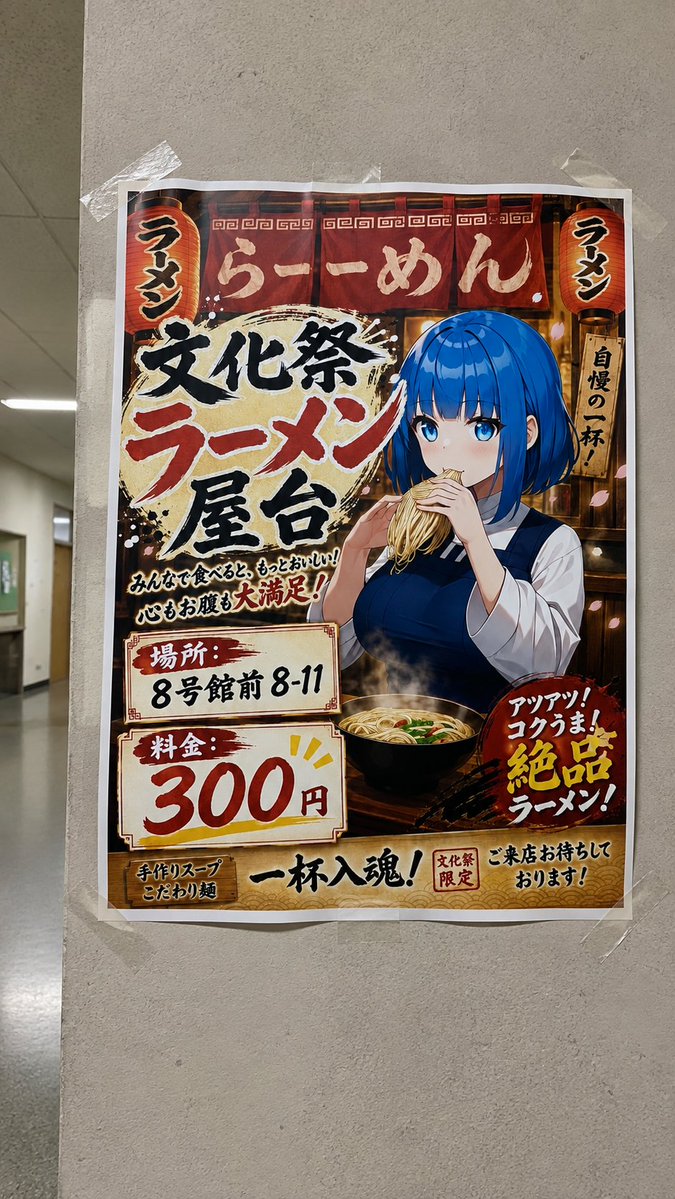

Reuse and source notes
Use this prompt safely after previewing the case.
- 1.Copy the prompt or open it directly in Dovoo with the generation button.
- 2.Adjust variables, aspect ratio, and reference images for your own use case.
- 3.Before publishing or paid usage, verify source rights, attribution requirements, and brand or likeness risks.
Can I use this prompt commercially?
Commercial-use status is allowed. Review the original source, license, brand constraints, and legal requirements before paid usage.
Where does this case come from?
This case is imported from Awesome GPT Image 2 Prompts; keep attribution visible and check the source URL before reuse.