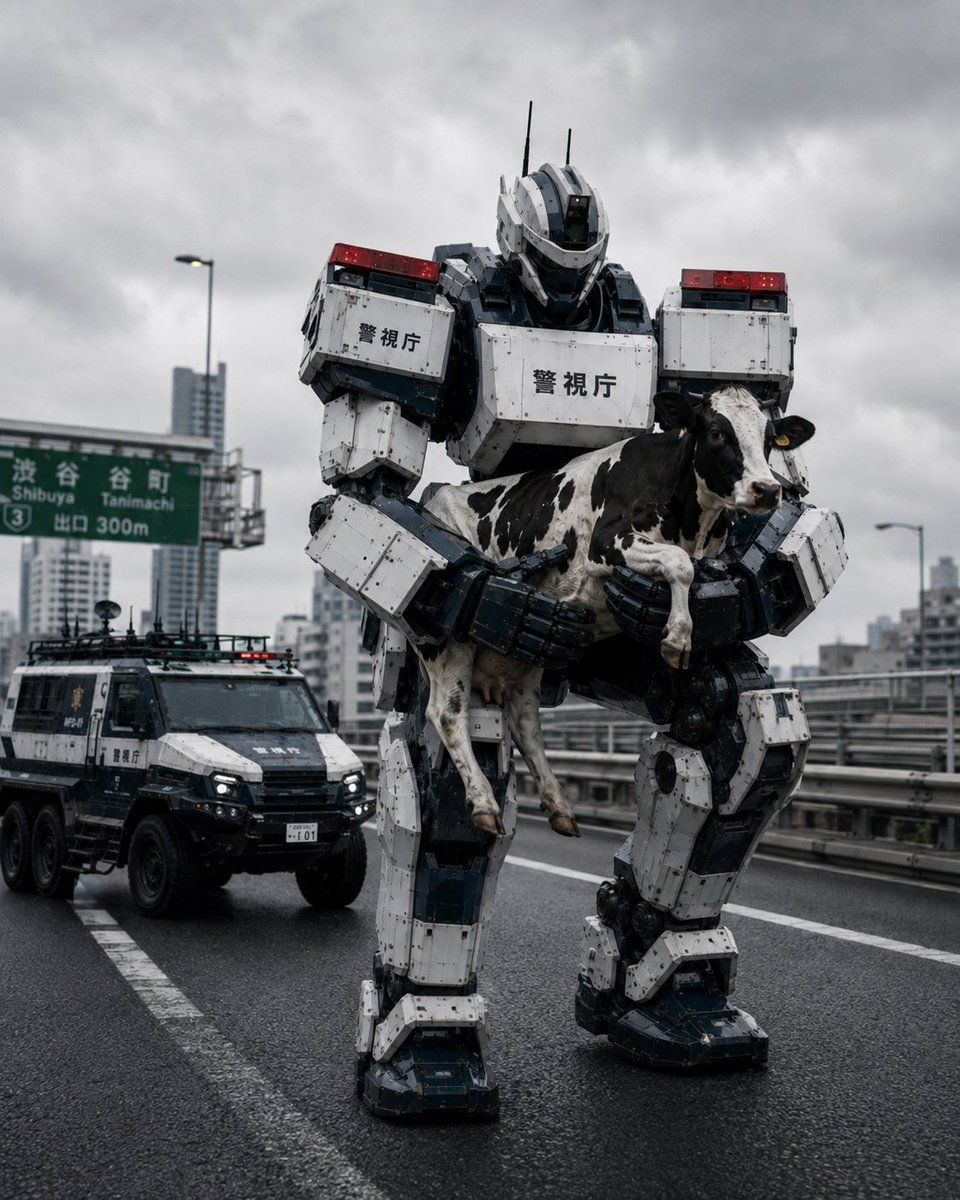
Tokyo Police Robot Rescuing Cow
A cinematic photorealistic scene of a giant Japanese police mech carrying a cow on a rainy Tokyo expressway, useful for sci-fi news or concept art.
This is a GPT Image 2 prompt case for Illustration & Art. Use the copy-ready prompt below to generate similar visuals, and review Awesome GPT Image 2 Prompts attribution plus commercial-use rights before reuse.
Free 1K preview
Generate one preview image instantly, no sign-up required.
Prompt
Copy-ready prompt
Create a photorealistic cinematic news-style image of a massive humanoid police robot from the Tokyo Metropolitan Police heavy machinery response unit standing on a wet elevated expressway in Tokyo, carefully carrying one black-and-white Holstein cow in both armored hands as if rescuing or detaining it. The robot is about three stories tall, built from white and dark navy modular armor plates with visible bolts, hydraulic joints, scuffed paint, rain grime, red emergency light bars on both shoulders, thin antennae on its helmet, and Japanese police markings reading {argument name="police marking text" default="Metropolitan Police Department"} on the chest and shoulder armor. The cow should be full-sized, dangling but unharmed, with four visible legs, black patches, a white face stripe, yellow ear tag, and a confused expression. Behind the robot on the left, include exactly one futuristic armored police vehicle with six large wheels, black-and-white livery, roof equipment, small red-and-blue lights, headlights on, and Japanese police markings. Set the scene on a rainy urban highway with reflective asphalt, lane markings, guardrails, and a green overhead road sign showing Shibuya and Tanimachi with an exit distance, plus blurred high-rise buildings in the background. Use an overcast stormy gray sky, misty atmosphere, damp surfaces, realistic scale, low-angle street-level perspective, 35mm documentary photography look, sharp foreground detail, subtle motion realism, dramatic but plausible lighting, no cartoon style, no extra animals, no extra robots, no people, no watermark.Prompt variables
Editable argument placeholders found in the prompt, with their default values.
Best for
- - Illustration & Art visual exploration
- - Image generation and reference-image edits
- - Reusable briefs that keep source attribution visible
Change these parts
- - Subject, product, character, or scene
- - Aspect ratio, camera, lighting, and background
- - Brand, text, color, and output constraints
Recommended model and settings
- - Model: gpt-image-2
- - Input mode: Text to Image
- - Aspect ratio: source
- - Commercial status: review original source
How to use this prompt
- 1. Copy the prompt and preserve its structure for the first test.
- 2. Replace the subject, context, and publishing channel.
- 3. Change one camera, lighting, or style variable per iteration.
- 4. Inspect the output, source, text, and rights before reuse.
Limitations, source, and reuse cautions
- - Generated output is an editable draft, not factual, legal, or rights evidence.
- - Review the linked source, people, brands, logos, text, and third-party media before commercial use.
More cases in this category
Prioritized by category, input mode compatibility, quality, and lower risk.




Reuse and source notes
Use this prompt safely after previewing the case.
- 1.Copy the prompt or open it directly in Dovoo with the generation button.
- 2.Adjust variables, aspect ratio, and reference images for your own use case.
- 3.Before publishing or paid usage, verify source rights, attribution requirements, and brand or likeness risks.
Can I use this prompt commercially?
Commercial-use status is allowed. Review the original source, license, brand constraints, and legal requirements before paid usage.
Where does this case come from?
This case is imported from Awesome GPT Image 2 Prompts; keep attribution visible and check the source URL before reuse.