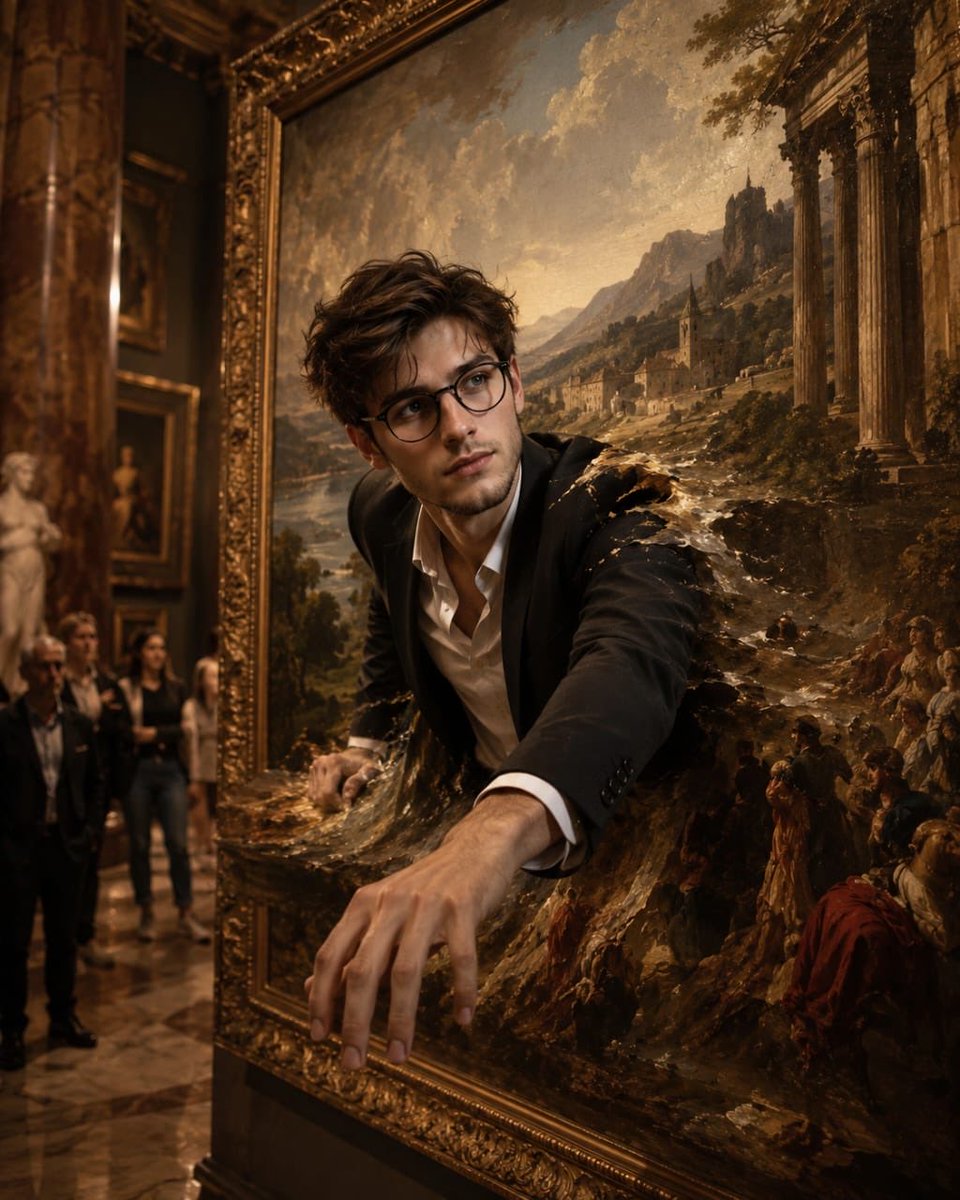
Man Entering Classical Oil Painting
A surreal photography prompt depicting a man physically transitioning from a modern art gallery into a 17th-century European landscape painting.
This is a GPT Image 2 prompt case for Illustration & Art. Use the copy-ready prompt below to generate similar visuals, and review Awesome GPT Image 2 Prompts attribution plus commercial-use rights before reuse.
Free 1K preview
Generate one preview image instantly, no sign-up required.
Prompt
Copy-ready prompt
Ultra-realistic cinematic surreal photography of a {argument name="subject" default="young South Asian man"} physically entering a gigantic classical oil painting displayed inside an elegant historic art gallery. The man is standing directly in front of the enormous ornate golden frame, wearing a sophisticated modern outfit: black tailored blazer, crisp white shirt, black trousers, and elegant leather shoes. His upper body has already passed through the canvas, while one hand grips the edge of the painted world and the other reaches forward into the scene. His expression is filled with wonder and curiosity. His body appears to naturally transition from the three-dimensional gallery into the two-dimensional painted artwork, creating an incredibly convincing illusion. Inside the painting is a {argument name="painting style" default="breathtaking 17th-century European landscape"}: dramatic mountains in the distance, an ancient stone village, winding river, lush green countryside, atmospheric mist, warm golden sunlight, classical architecture, tiny distant figures, horses, trees moving gently in the breeze, and a dramatic cloudy sky. The painted world has authentic Renaissance/Baroque oil-paint texture, visible brush strokes, rich pigments, subtle canvas grain, and traditional chiaroscuro lighting. The boundary between reality and painting is physically distorted: the canvas ripples around the man's body like liquid paint, with tiny fragments of paint and glowing pigment particles floating around the transition point. Parts of his clothing remain photorealistic while gradually becoming painted brushwork as they enter the artwork. The surrounding museum is grand and atmospheric, with polished marble floors, towering columns, warm museum spotlights, classical sculptures, dark wooden walls, and several other framed masterpieces softly visible in the background. A few amazed visitors stand at a distance, looking toward the impossible scene. Strong visual contrast between photorealistic modern reality and richly textured classical oil painting, seamless dimensional transition, believable physical interaction with the canvas, surreal perspective, cinematic storytelling, realistic human anatomy, natural pose, detailed facial features, realistic skin texture, volumetric light rays, subtle dust particles, dramatic shadows, shallow depth of field, sophisticated composition, museum-quality art photography. Shot as an ultra-high-end cinematic photograph, 35mm lens, f/2.8, realistic depth of field, HDR, extremely detailed textures, cinematic color grading, natural skin tones, realistic reflections, physically accurate lighting, subtle film grain, 8K photorealism, masterpiece composition, surreal but believable, visually striking, viral AI artwork. NEGATIVE PROMPT: {argument name="negative items" default="cartoon, anime, illustration, low resolution, Show every face clearly with natural, detailed facial features, distorted anatomy, extra fingers"}Prompt variables
Editable argument placeholders found in the prompt, with their default values.
Best for
- - Illustration & Art visual exploration
- - Image generation and reference-image edits
- - Reusable briefs that keep source attribution visible
Change these parts
- - Subject, product, character, or scene
- - Aspect ratio, camera, lighting, and background
- - Brand, text, color, and output constraints
Recommended model and settings
- - Model: gpt-image-2
- - Input mode: Text to Image
- - Aspect ratio: source
- - Commercial status: review original source
How to use this prompt
- 1. Copy the prompt and preserve its structure for the first test.
- 2. Replace the subject, context, and publishing channel.
- 3. Change one camera, lighting, or style variable per iteration.
- 4. Inspect the output, source, text, and rights before reuse.
Limitations, source, and reuse cautions
- - Generated output is an editable draft, not factual, legal, or rights evidence.
- - Review the linked source, people, brands, logos, text, and third-party media before commercial use.
More cases in this category
Prioritized by category, input mode compatibility, quality, and lower risk.


Reuse and source notes
Use this prompt safely after previewing the case.
- 1.Copy the prompt or open it directly in Dovoo with the generation button.
- 2.Adjust variables, aspect ratio, and reference images for your own use case.
- 3.Before publishing or paid usage, verify source rights, attribution requirements, and brand or likeness risks.
Can I use this prompt commercially?
Commercial-use status is allowed. Review the original source, license, brand constraints, and legal requirements before paid usage.
Where does this case come from?
This case is imported from Awesome GPT Image 2 Prompts; keep attribution visible and check the source URL before reuse.