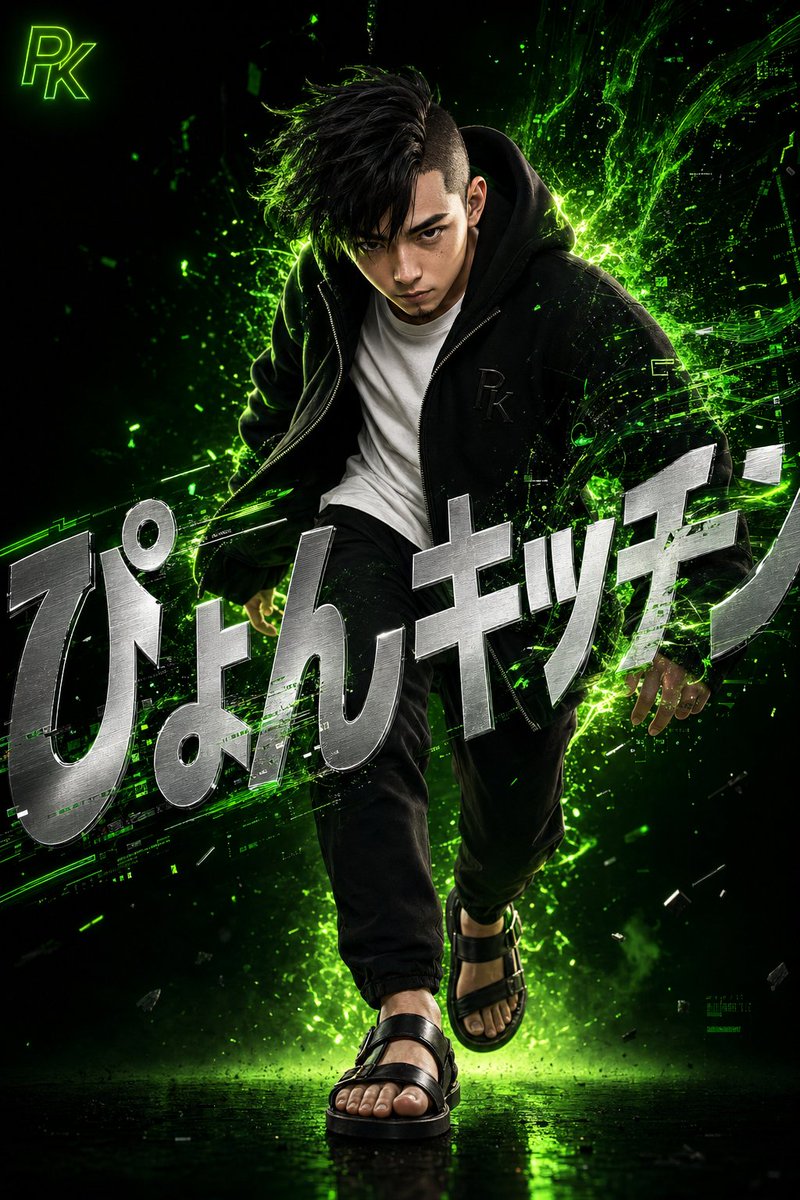
Surreal Japanese Tech Style Poster
A detailed 3D digital artwork prompt featuring a stylish Japanese man with neon green digital energy effects and integrated typography.
This is a GPT Image 2 prompt case for Graphic & Poster. Use the copy-ready prompt below to generate similar visuals, and review Awesome GPT Image 2 Prompts attribution plus commercial-use rights before reuse.
Free 1K preview
Generate one preview image instantly, no sign-up required.
Prompt
Copy-ready prompt
A highly detailed 3D digital artwork in a surreal and dynamic style. Capturing the moment a young Japanese man with black hair in an asymmetrical undercut and a sharp, intensely focused expression steps forward, leaning slightly forward as if quiet confidence and energy are exploding from within. Precise and realistic 3D rendering, depicting skin texture, pores, and individual hairs. He wears a loose black zip-up hoodie with a subtle embossed '{argument name="monogram" default="PK"}' monogram on the chest, over a clean white crew-neck T-shirt. Below are tapered black pants and leather sandals on his feet. Vibrant neon green digital energy and light particles erupt dramatically from behind him, swirling and blending into glitch-like data stream shapes, interacting with his clothes and hair to represent the fusion of technology and humanity. The background is a deep, moody gradient from deep black to glowing neon green, emphasizing a minimal yet striking composition. Large, bold metallic silver text '{argument name="title" default="Pyon Kitchen"}' in a sharp modern sans-serif font is overlaid across the screen, distorted and tilted for design while remaining readable, partially integrated and hidden by the energy effects and the figure to feel like an organic part of the scene. In the upper left corner, place a small '{argument name="logo" default="PK"}' logo mark in glowing neon green.Prompt variables
Editable argument placeholders found in the prompt, with their default values.
Best for
- - Graphic & Poster visual exploration
- - Image generation and reference-image edits
- - Reusable briefs that keep source attribution visible
Change these parts
- - Subject, product, character, or scene
- - Aspect ratio, camera, lighting, and background
- - Brand, text, color, and output constraints
Recommended model and settings
- - Model: gpt-image-2
- - Input mode: Text to Image
- - Aspect ratio: source
- - Commercial status: review original source
How to use this prompt
- 1. Copy the prompt and preserve its structure for the first test.
- 2. Replace the subject, context, and publishing channel.
- 3. Change one camera, lighting, or style variable per iteration.
- 4. Inspect the output, source, text, and rights before reuse.
Limitations, source, and reuse cautions
- - Generated output is an editable draft, not factual, legal, or rights evidence.
- - Review the linked source, people, brands, logos, text, and third-party media before commercial use.
More cases in this category
Prioritized by category, input mode compatibility, quality, and lower risk.




Reuse and source notes
Use this prompt safely after previewing the case.
- 1.Copy the prompt or open it directly in Dovoo with the generation button.
- 2.Adjust variables, aspect ratio, and reference images for your own use case.
- 3.Before publishing or paid usage, verify source rights, attribution requirements, and brand or likeness risks.
Can I use this prompt commercially?
Commercial-use status is allowed. Review the original source, license, brand constraints, and legal requirements before paid usage.
Where does this case come from?
This case is imported from Awesome GPT Image 2 Prompts; keep attribution visible and check the source URL before reuse.