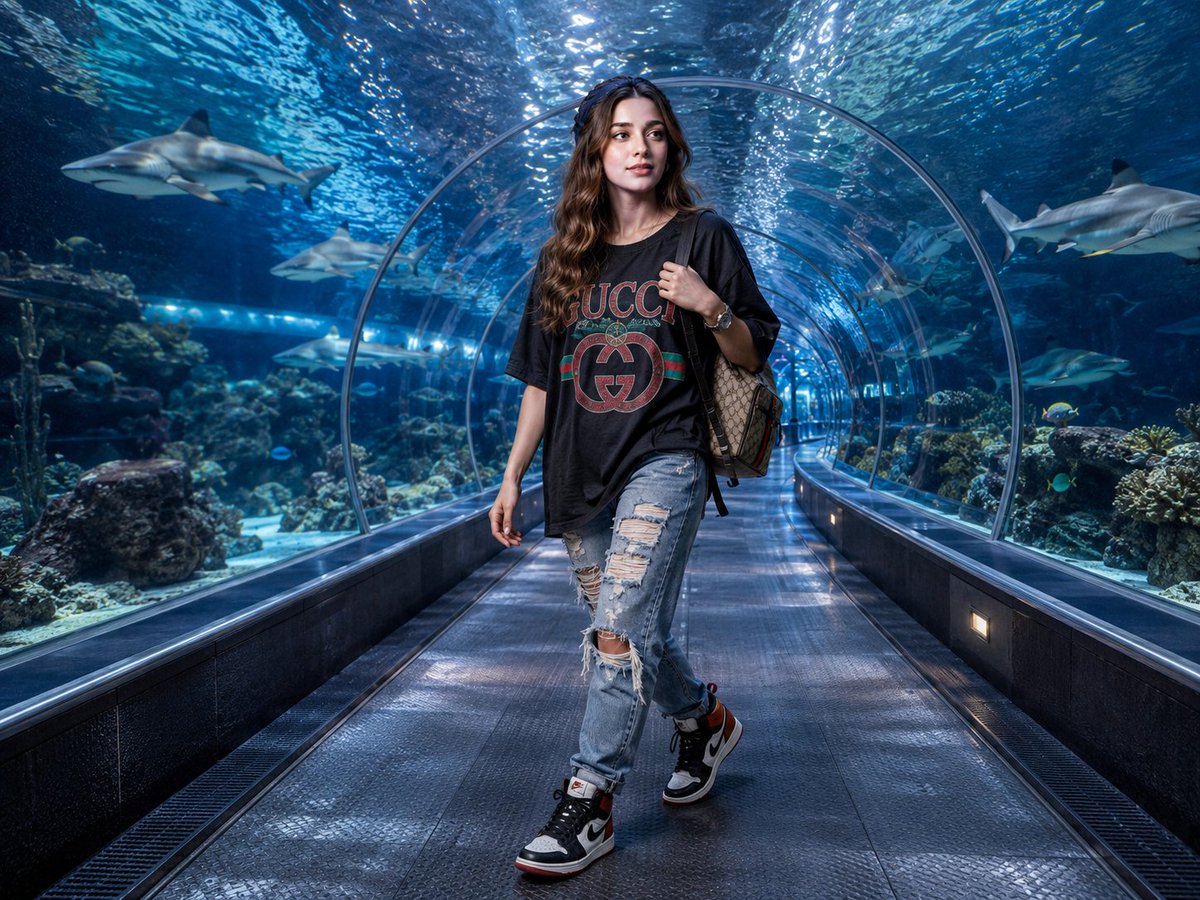
Luxury Streetwear Shark Tunnel Portrait
Generates a hyper-realistic wide-angle fashion portrait of a young woman in designer streetwear walking through a sharply focused underwater shark tunnel.
This is a GPT Image 2 prompt case for Fashion & Beauty. Use the copy-ready prompt below to generate similar visuals, and review Awesome GPT Image 2 Prompts attribution plus commercial-use rights before reuse.
Free 1K preview
Generate one preview image instantly, no sign-up required.
Prompt
Copy-ready prompt
Hyper-realistic wide-angle fashion editorial photograph of a {argument name="subject" default="young woman"} walking mid-stride through a transparent underwater aquarium shark tunnel, looking toward the camera. She has {argument name="hair style" default="long loose brown waves with a silk headband"} and simple fresh-faced makeup. Outfit: oversized black Gucci-inspired graphic streetwear T-shirt with a large red-and-green luxury logo motif, light blue distressed high-end denim jeans with heavy rips at the thighs and knees, black white and red limited-edition high-top sneakers, wristwatch, and a beige designer canvas backpack with dark monogram pattern worn over one shoulder. The tunnel is a long arched acrylic walkway with wet reflective dark floor panels, low rectangular wall lights, blue aquarium lighting, and strong leading lines receding into the distance. Surrounding water is vivid deep blue with rippling caustic highlights overhead. Background contains exactly 6 visible sharks: 1 large shark on the upper left, 1 medium shark left-center, 1 smaller shark mid-left, 1 large shark on the upper right, 1 shark in the right-center distance, and 1 smaller shark near the center-right distance. Coral and rock reef structures line both sides of the tunnel, with small tropical fish scattered around, all background sharks, coral, and distant tunnel details sharp and in perfect focus. Shot as a full-body portrait from a low-to-eye-level perspective using a Canon R5 look, 24mm lens, f/8 deep focus, ISO 800, neutral studio-grade daylight simulation mixed with aquarium blue lighting, crisp realistic textures, glossy reflections, high dynamic range, natural skin tones, no blur, no text overlays.Prompt variables
Editable argument placeholders found in the prompt, with their default values.
Best for
- - Fashion & Beauty visual exploration
- - Image generation and reference-image edits
- - Reusable briefs that keep source attribution visible
Change these parts
- - Subject, product, character, or scene
- - Aspect ratio, camera, lighting, and background
- - Brand, text, color, and output constraints
Recommended model and settings
- - Model: gpt-image-2
- - Input mode: Text to Image
- - Aspect ratio: source
- - Commercial status: review original source
How to use this prompt
- 1. Copy the prompt and preserve its structure for the first test.
- 2. Replace the subject, context, and publishing channel.
- 3. Change one camera, lighting, or style variable per iteration.
- 4. Inspect the output, source, text, and rights before reuse.
Limitations, source, and reuse cautions
- - Generated output is an editable draft, not factual, legal, or rights evidence.
- - Review the linked source, people, brands, logos, text, and third-party media before commercial use.
More cases in this category
Prioritized by category, input mode compatibility, quality, and lower risk.

Reuse and source notes
Use this prompt safely after previewing the case.
- 1.Copy the prompt or open it directly in Dovoo with the generation button.
- 2.Adjust variables, aspect ratio, and reference images for your own use case.
- 3.Before publishing or paid usage, verify source rights, attribution requirements, and brand or likeness risks.
Can I use this prompt commercially?
Commercial-use status is allowed. Review the original source, license, brand constraints, and legal requirements before paid usage.
Where does this case come from?
This case is imported from Awesome GPT Image 2 Prompts; keep attribution visible and check the source URL before reuse.