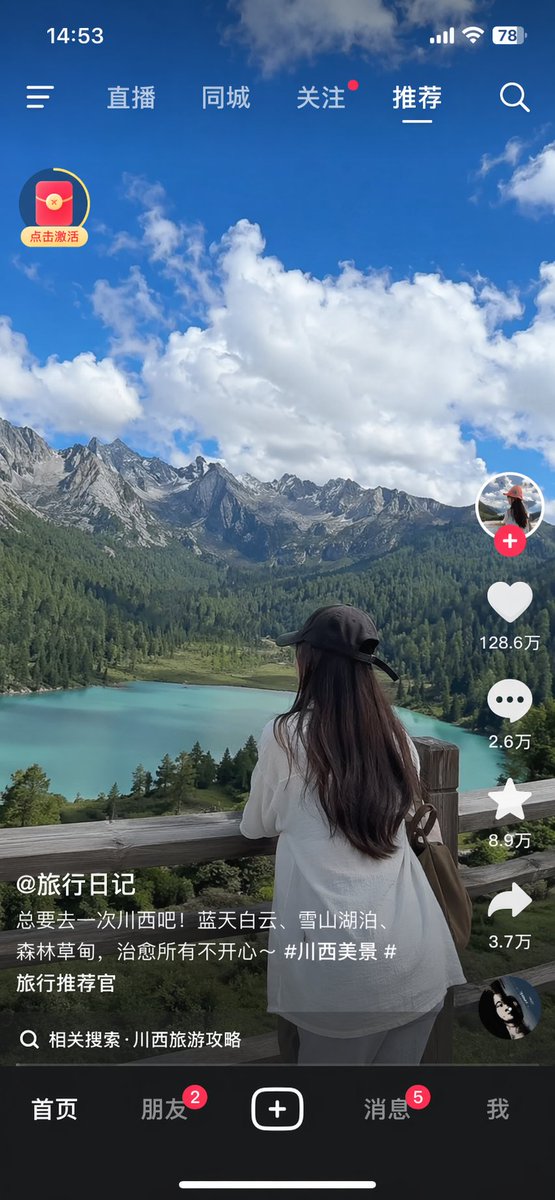
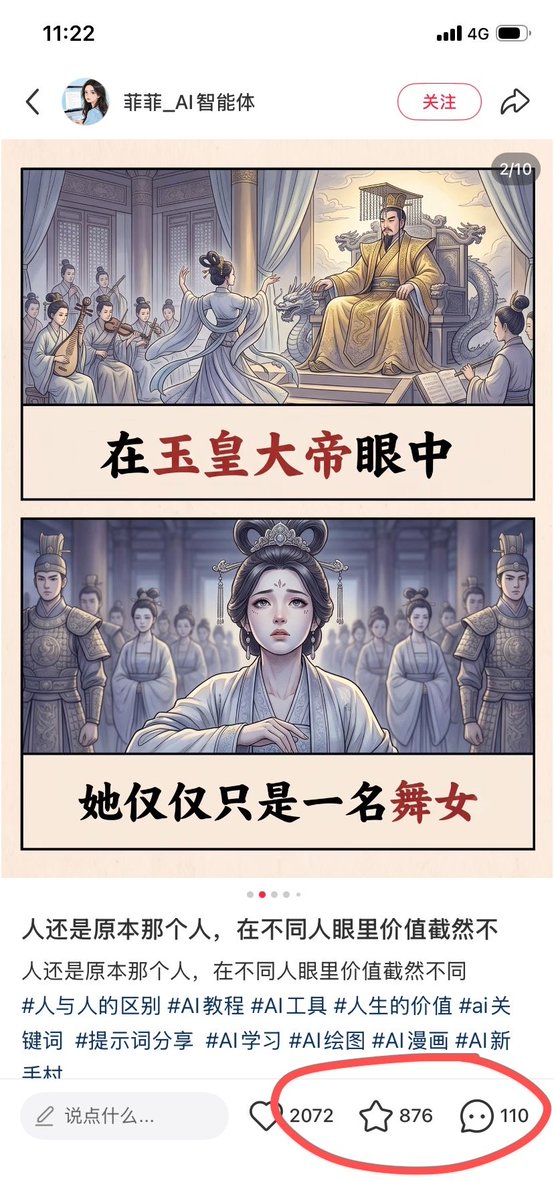
Short-Video App Interface Mockup
Generates a realistic screenshot of a mobile short-video application featuring a scenic travel video and standard social media UI overlays.
This is a GPT Image 2 prompt case for Graphic & Poster. Use the copy-ready prompt below to generate similar visuals, and review Awesome GPT Image 2 Prompts attribution plus commercial-use rights before reuse.
Free 1K preview
Generate one preview image instantly, no sign-up required.
Prompt
Copy-ready prompt
{
  "type": "mobile short-video app interface screenshot",
  "main_content": {
    "scene": "{argument name=\"scenic background\" default=\"turquoise alpine lake, green pine forests, jagged snow-capped mountains, blue sky with fluffy white clouds\"}",
    "subject": "{argument name=\"main subject\" default=\"woman with long dark hair wearing a black baseball cap backwards and a white shirt, leaning on a wooden fence looking at the view\"}"
  },
  "ui_elements": {
    "status_bar": {
      "time": "14:53",
      "icons": [
        "signal bars",
        "Wi-Fi",
        "battery 78"
      ]
    },
    "top_navigation": {
      "left_icon": "hamburger menu",
      "tabs": [
        "Live",
        "Local",
        "Follow",
        "Recommended"
      ],
      "active_tab": "Recommended",
      "right_icon": "search magnifying glass"
    },
    "floating_widget": {
      "position": "top left",
      "icon": "red envelope with yellow circular progress bar",
      "text": "点击激活"
    },
    "right_action_bar": {
      "count": 6,
      "items": [
        {
          "icon": "profile picture with red plus button"
        },
        {
          "icon": "heart",
          "text": "{argument name=\"like count\" default=\"128.6万\"}"
        },
        {
          "icon": "speech bubble",
          "text": "26,000"
        },
        {
          "icon": "star",
          "text": "8.9万"
        },
        {
          "icon": "share arrow",
          "text": "3.7万"
        },
        {
          "icon": "spinning record album"
        }
      ]
    },
    "bottom_left_info": {
      "username": "{argument name=\"username\" default=\"@旅行日记\"}",
      "caption": "{argument name=\"video caption\" default=\"总要去一次川西吧!蓝天白云、雪山湖泊、森林草甸,治愈所有不开心~ #川西美景 #旅行推荐官\"}",
      "search_prompt": "相关搜索 · 川西旅游攻略"
    },
    "bottom_navigation": {
      "count": 5,
      "tabs": [
        {
          "label": "Home"
        },
        {
          "label": "Friend",
          "badge": "2"
        },
        {
          "label": "plus button in rounded rectangle"
        },
        {
          "label": "Message",
          "badge": "5"
        },
        {
          "label": "I"
        }
      ]
    },
    "system_ui": "iOS home indicator line at the bottom"
  }
}
Prompt variables
Editable argument placeholders found in the prompt, with their default values.
Best for
- - Graphic & Poster visual exploration
- - Image generation and reference-image edits
- - Reusable briefs that keep source attribution visible
Change these parts
- - Subject, product, character, or scene
- - Aspect ratio, camera, lighting, and background
- - Brand, text, color, and output constraints
Recommended model and settings
- - Model: gpt-image-2
- - Input mode: Text to Image
- - Aspect ratio: source
- - Commercial status: review original source
How to use this prompt
- 1. Copy the prompt and preserve its structure for the first test.
- 2. Replace the subject, context, and publishing channel.
- 3. Change one camera, lighting, or style variable per iteration.
- 4. Inspect the output, source, text, and rights before reuse.
Limitations, source, and reuse cautions
- - Generated output is an editable draft, not factual, legal, or rights evidence.
- - Review the linked source, people, brands, logos, text, and third-party media before commercial use.
More cases in this category
Prioritized by category, input mode compatibility, quality, and lower risk.





Reuse and source notes
Use this prompt safely after previewing the case.
- 1.Copy the prompt or open it directly in Dovoo with the generation button.
- 2.Adjust variables, aspect ratio, and reference images for your own use case.
- 3.Before publishing or paid usage, verify source rights, attribution requirements, and brand or likeness risks.
Can I use this prompt commercially?
Commercial-use status is allowed. Review the original source, license, brand constraints, and legal requirements before paid usage.
Where does this case come from?
This case is imported from Awesome GPT Image 2 Prompts; keep attribution visible and check the source URL before reuse.