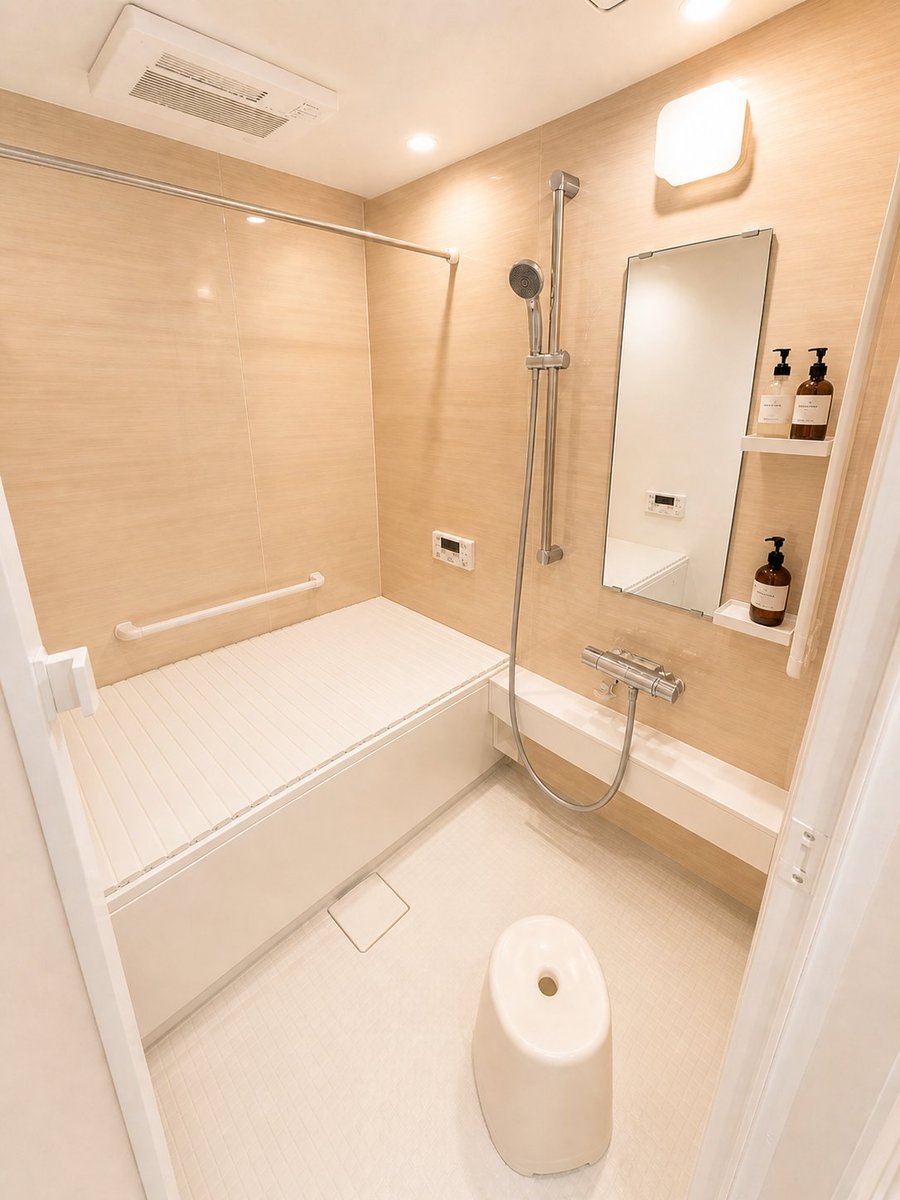
Hotel-Style Real Estate Bathroom Staging
A prompt designed to clean up and stage messy bathroom photos for real estate listings, making them look organized and hotel-like while preserving the structural integrity of the room.
This is a GPT Image 2 prompt case for Interior & Architecture. Use the copy-ready prompt below to generate similar visuals, and review Awesome GPT Image 2 Prompts attribution plus commercial-use rights before reuse.
Free 1K preview
Generate one preview image instantly, no sign-up required.
Free text preview doesn’t preserve reference-image consistency.
Prompt
Copy-ready prompt
Please take this photo of the {argument name="location" default="bathroom"} and naturally organize the lived-in clutter into a {argument name="atmosphere" default="clean, well-ordered, hotel-like"} bathroom without changing the layout or structural elements like the tub, shower, mirror, lighting, walls, or flooring. Specifically, remove or organize the numerous bottles, refill bags, small items, cleaning supplies, nets, and extra storage baskets found on the tub lid, counter, floor, and shelves into just a few uniform bottles. Clear the floor and areas around the tub to make the space look larger. Naturally remove mirror fog, water spots, and stains from the walls and counter for a bright, clean finish. Maintain a warm, natural lighting atmosphere while making the overall photo slightly brighter and correcting distortions or dark areas. However, keep the bathroom shape, door position, tub, shower fixtures, mirror, lighting, wall panels, and floor textures faithful to the original image. Do not add new furniture or unnatural decorations. Aim for a natural, realistic finish similar to actual real estate or professional cleaning before-and-after photos.Prompt variables
Editable argument placeholders found in the prompt, with their default values.
Best for
- - Interior & Architecture visual exploration
- - Image generation and reference-image edits
- - Reusable briefs that keep source attribution visible
Change these parts
- - Subject, product, character, or scene
- - Aspect ratio, camera, lighting, and background
- - Brand, text, color, and output constraints
Recommended model and settings
- - Model: gpt-image-2
- - Input mode: Image to Image
- - Aspect ratio: source
- - Commercial status: review original source
How to use this prompt
- 1. Copy the prompt and preserve its structure for the first test.
- 2. Replace the subject, context, and publishing channel.
- 3. Change one camera, lighting, or style variable per iteration.
- 4. Inspect the output, source, text, and rights before reuse.
Limitations, source, and reuse cautions
- - Generated output is an editable draft, not factual, legal, or rights evidence.
- - Review the linked source, people, brands, logos, text, and third-party media before commercial use.
More cases in this category
Prioritized by category, input mode compatibility, quality, and lower risk.
Reuse and source notes
Use this prompt safely after previewing the case.
- 1.Copy the prompt or open it directly in Dovoo with the generation button.
- 2.Adjust variables, aspect ratio, and reference images for your own use case.
- 3.Before publishing or paid usage, verify source rights, attribution requirements, and brand or likeness risks.
Can I use this prompt commercially?
Commercial-use status is allowed. Review the original source, license, brand constraints, and legal requirements before paid usage.
Where does this case come from?
This case is imported from Awesome GPT Image 2 Prompts; keep attribution visible and check the source URL before reuse.