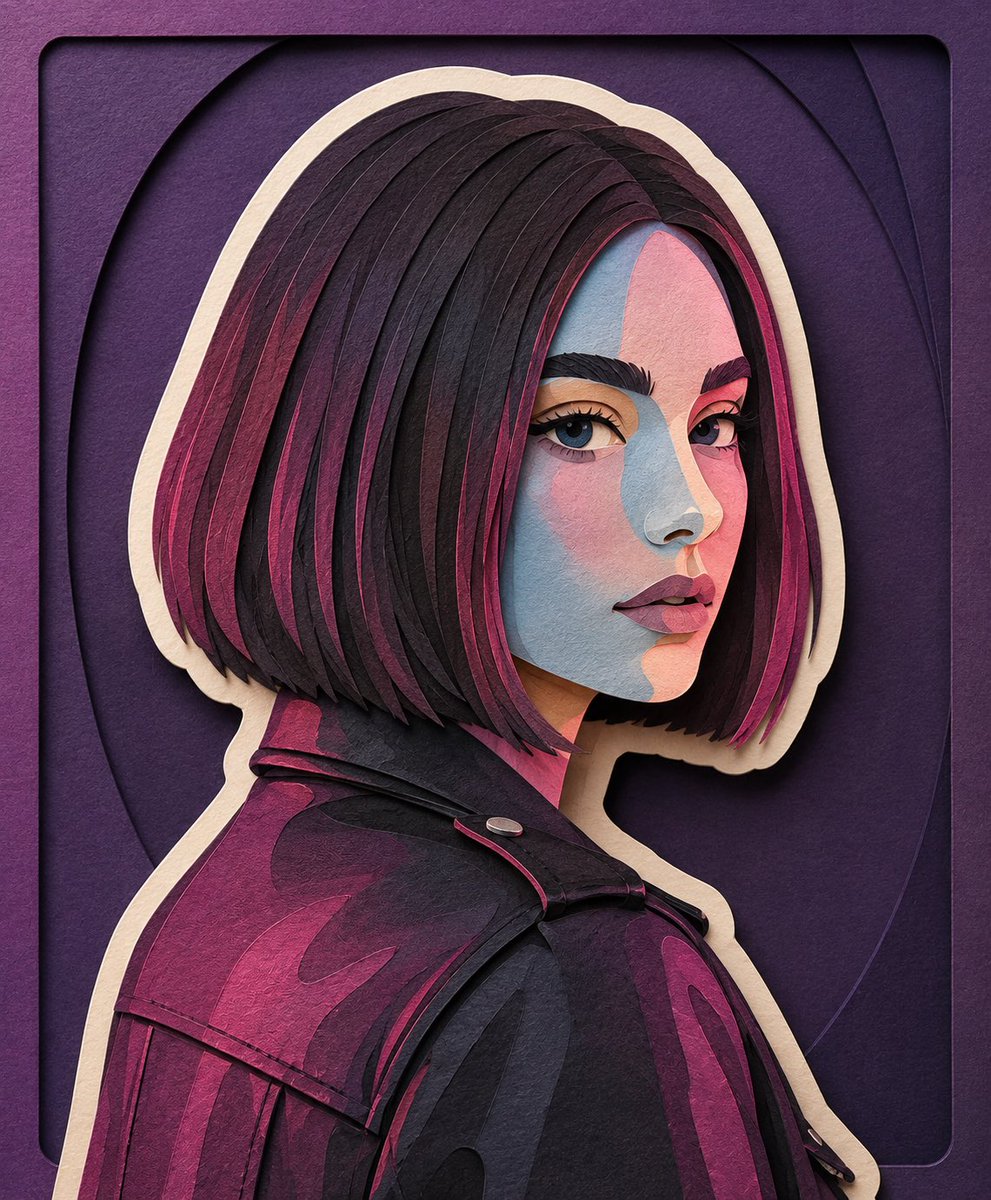
Handcrafted Paper-Cut Illustration Transformation
Transforms a reference image into a soft, handcrafted paper-cut layered illustration with simplified cute character proportions and matte textures.
This is a GPT Image 2 prompt case for 插画艺术. Use the copy-ready prompt below to generate similar visuals, and review Awesome GPT Image 2 Prompts attribution plus commercial-use rights before reuse.
Prompt
Copy-ready prompt
将此图像转换为 {argument name="illustration style" default="柔和的手工剪纸分层插画风格"},灵感源自纸艺立体模型美学。使用圆润平滑的形状、简约可爱的角色比例以及极简的面部细节(豆豆眼、腮红),营造出温暖迷人的视觉效果。应用堆叠的纸张层,展现明显的深度感、层与层之间微妙的阴影,以及类似激光切割卡纸的干净边缘。++ 在每个主要角色周围添加一层明显的白色外轮廓,类似于厚贴纸边框或白色剪纸背衬,将角色与背景清晰区分开来。这层白色部分应呈现出刻意的纸张质感,而非发光效果。使用 {argument name="color palette" default="以柔和蓝、绿和暖中性色为主的马卡龙色系"},色彩平衡且令人放松。光线应柔和、均匀且具有弥散感,在不产生强烈对比的情况下增强纸张的立体层次。++++ 纹理应呈现哑光且具有触感的质感,如同厚实的艺术纸或手工泡沫板。整体氛围:{argument name="mood" default="舒适、治愈、温和且充满童话感"},兼具趣味性与精致的手工质感,适用于现代插画、儿童绘本或装饰艺术。Prompt variables
Editable argument placeholders found in the prompt, with their default values.
More cases in this category
Prioritized by category, input mode compatibility, quality, and lower risk.


Reuse and source notes
Use this prompt safely after previewing the case.
- 1.Copy the prompt or open it directly in Dovoo with the generation button.
- 2.Adjust variables, aspect ratio, and reference images for your own use case.
- 3.Before publishing or paid usage, verify source rights, attribution requirements, and brand or likeness risks.
Can I use this prompt commercially?
Commercial-use status is allowed. Review the original source, license, brand constraints, and legal requirements before paid usage.
Where does this case come from?
This case is imported from Awesome GPT Image 2 Prompts; keep attribution visible and check the source URL before reuse.