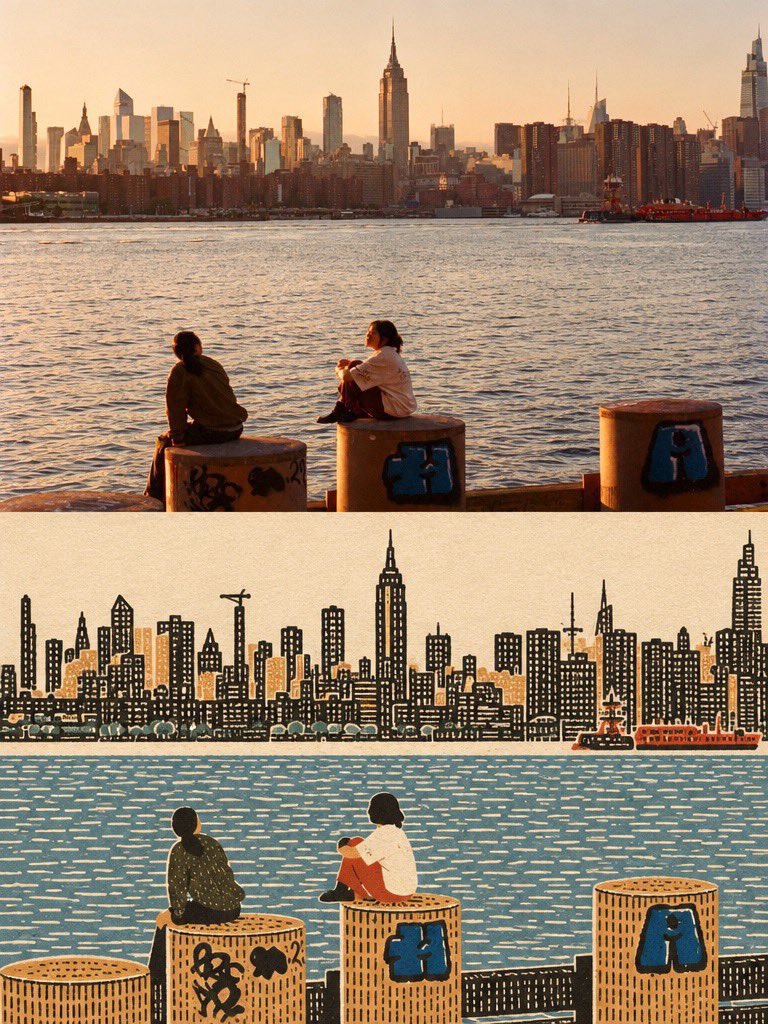
GPT Image 2 Before-After Folk Art Transformation
A prompt for GPT Image 2 that creates a vertically stacked before-and-after comparison, transforming an original photo into a flat, densely textured naive folk-art print while preserving the composition.
This is a GPT Image 2 prompt case for Illustration & Art. Use the copy-ready prompt below to generate similar visuals, and review Awesome GPT Image 2 Prompts attribution plus commercial-use rights before reuse.
Free 1K preview
Generate one preview image instantly, no sign-up required.
Free text preview doesn’t preserve reference-image consistency.
Prompt
Copy-ready prompt
Create one vertically stacked before-and-after comparison using the supplied image as the only source.
LAYOUT:Exactly two equal-height panels: original image on top, transformed image on bottom. Both panels have the source image's aspect ratio and identical width. The complete canvas is twice the source image's height. Join the panels directly at a clean horizontal seam. No thick divider, extra panel, decorative frame, labels, or added text.
TOP PANEL — ORIGINAL:Place the supplied image unchanged in the upper half. Preserve its full composition, original colors, lighting, details, existing text, and crop. Do not redraw, retouch, stylize, or apply texture to this panel.
BOTTOM PANEL — OUTSIDER ART:Redraw the same scene as a flat, densely textured naïve folk-art print. Preserve the main subject, recognizable silhouettes, relative positions, important objects, and overall composition. Do not invent additional subjects or props.
Flatten the ground into map-like color zones, with people, trees, buildings, and objects shown in simple frontal or side elevation. Remove converging perspective, photographic depth, directional lighting, and cast shadows.Use warm paper white, warm ink black, and two to four subdued colors derived from the source. Choose one existing object or connected detail as the only saturated accent. Give each large zone one consistent handmade texture: stitch marks, irregular window grids, or dense foliage marks. Keep the texture dense, rhythmic, and slightly imperfect.
Where people appear, use small, solid, faceless figures with filled clothing and limbs of visible width. Render every surface as opaque printed ink on matte paper, with no photographic remnants.Keep all illustration, paper texture, and color changes strictly inside the lower panel. No gradients, glossy vector finish, watercolor, stick figures, cute cartoon proportions, invented lettering, or watermark.
Best for
- - Illustration & Art visual exploration
- - Image generation and reference-image edits
- - Reusable briefs that keep source attribution visible
Change these parts
- - Subject, product, character, or scene
- - Aspect ratio, camera, lighting, and background
- - Brand, text, color, and output constraints
Recommended model and settings
- - Model: gpt-image-2
- - Input mode: Image to Image
- - Aspect ratio: source
- - Commercial status: review original source
How to use this prompt
- 1. Copy the prompt and preserve its structure for the first test.
- 2. Replace the subject, context, and publishing channel.
- 3. Change one camera, lighting, or style variable per iteration.
- 4. Inspect the output, source, text, and rights before reuse.
Limitations, source, and reuse cautions
- - Generated output is an editable draft, not factual, legal, or rights evidence.
- - Review the linked source, people, brands, logos, text, and third-party media before commercial use.
More cases in this category
Prioritized by category, input mode compatibility, quality, and lower risk.
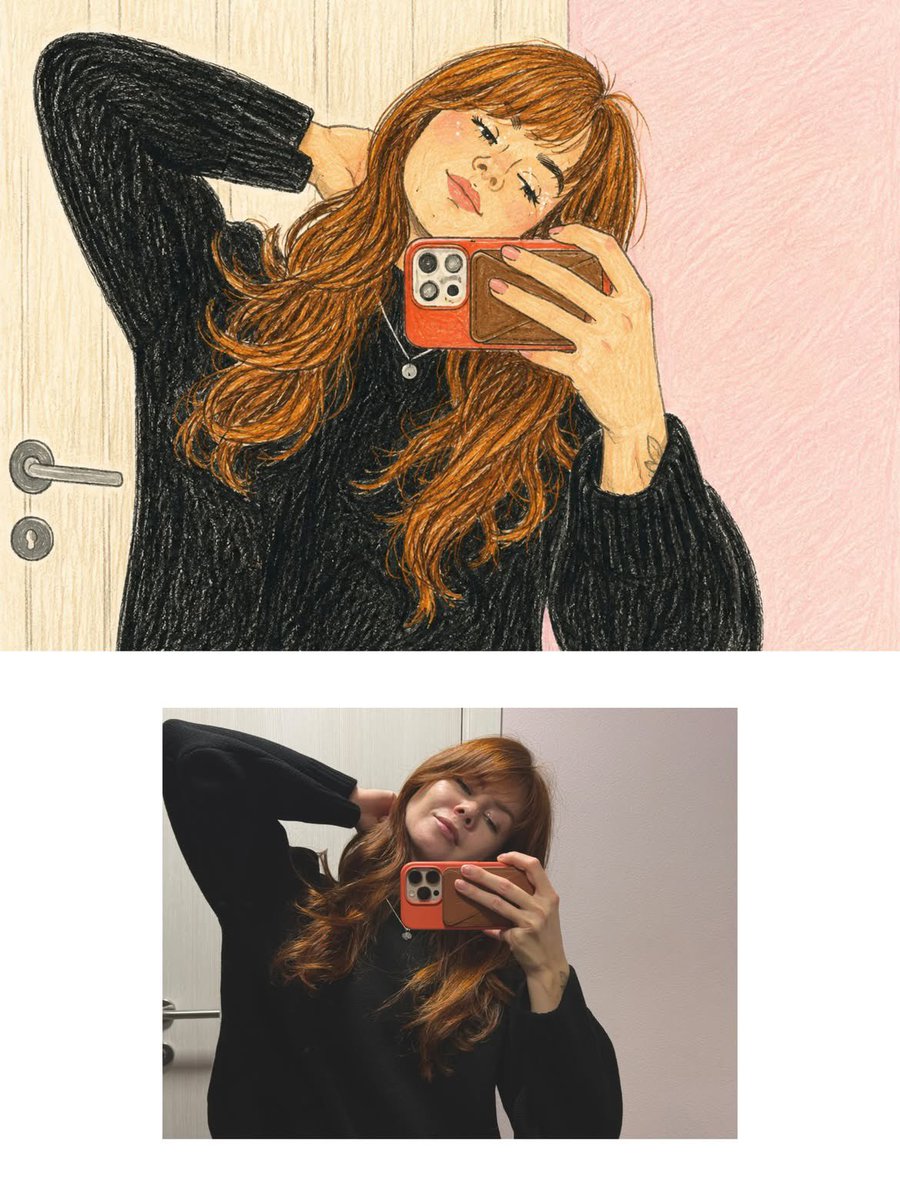


Reuse and source notes
Use this prompt safely after previewing the case.
- 1.Copy the prompt or open it directly in Dovoo with the generation button.
- 2.Adjust variables, aspect ratio, and reference images for your own use case.
- 3.Before publishing or paid usage, verify source rights, attribution requirements, and brand or likeness risks.
Can I use this prompt commercially?
Commercial-use status is allowed. Review the original source, license, brand constraints, and legal requirements before paid usage.
Where does this case come from?
This case is imported from Awesome GPT Image 2 Prompts; keep attribution visible and check the source URL before reuse.