
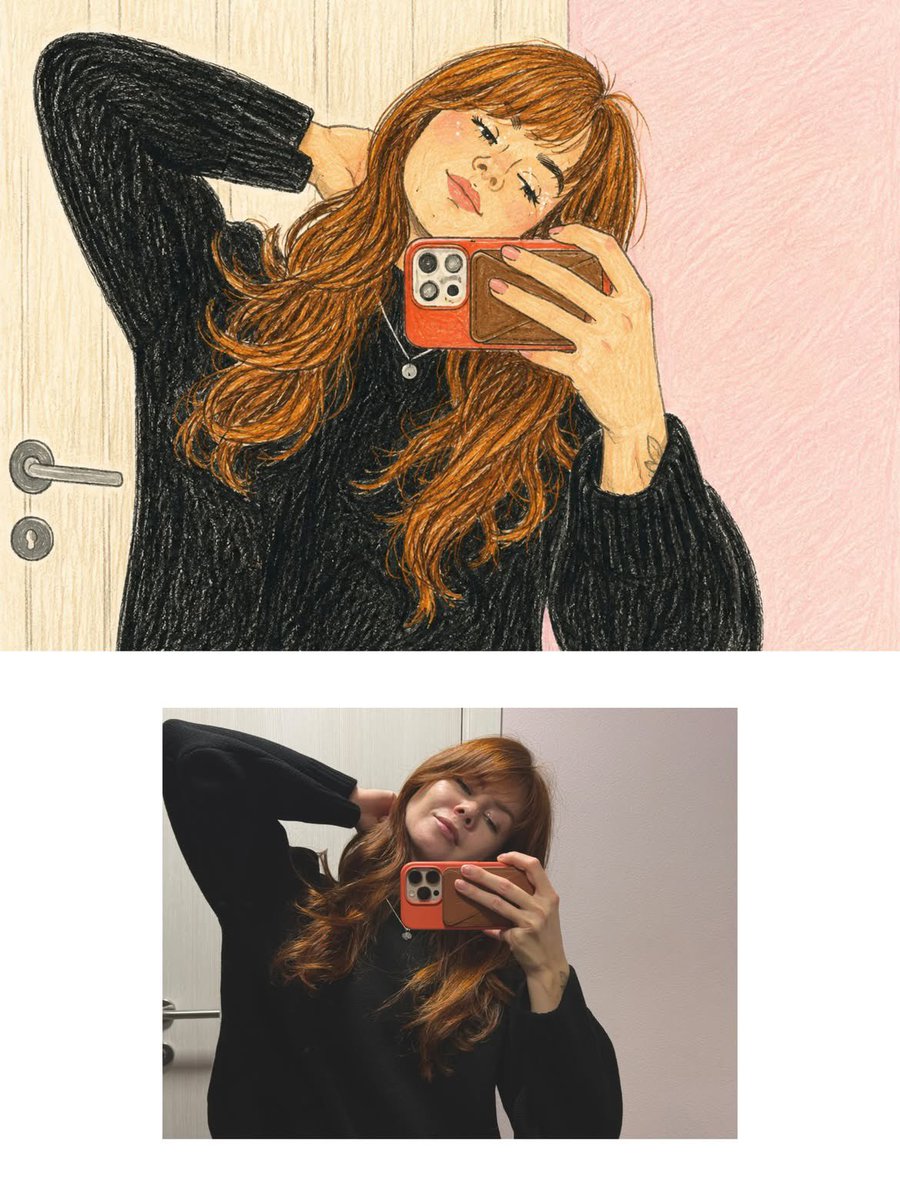
Vintage Storybook Illustration Style Transfer
A prompt to transform an uploaded photo into a charming vintage children's storybook illustration using gouache and watercolor styles.
This is a GPT Image 2 prompt case for Illustration & Art. Use the copy-ready prompt below to generate similar visuals, and review Awesome GPT Image 2 Prompts attribution plus commercial-use rights before reuse.
Free 1K preview
Generate one preview image instantly, no sign-up required.
Free text preview doesn’t preserve reference-image consistency.
Prompt
Copy-ready prompt
Transform the uploaded photo into a beautiful hand-painted storybook illustration with a charming vintage children's book aesthetic.

Art Style: Traditional gouache and watercolor painting, visible paper grain, soft brushstrokes, subtle canvas texture, warm earthy colors, delicate hand-drawn outlines, and rich painterly details.

Character: Preserve the original subject's identity, facial features, hairstyle, clothing, pose, and distinctive details while translating everything into a charming illustrated form. Use expressive eyes, soft facial features, and naturally flowing shapes.

Environment: Recreate the original surroundings as a beautifully illustrated storybook setting, adding intricate environmental details, organic textures, and a dreamy atmosphere.

Color Palette: Warm autumn oranges, golden yellows, burnt reds, earthy browns, muted beige, and soft sky blues. Maintain rich but harmonious colors.

Lighting & Mood: Soft natural daylight, warm nostalgic atmosphere, whimsical storytelling feeling, cozy and magical visual appeal.

Final Look: A richly detailed, full-frame traditional children's storybook illustration, resembling a hand-painted vintage picture book. Absolutely no photorealism, 3D rendering, digital glossy effects, or artificial AI appearance.
Best for
- - Illustration & Art visual exploration
- - Image generation and reference-image edits
- - Reusable briefs that keep source attribution visible
Change these parts
- - Subject, product, character, or scene
- - Aspect ratio, camera, lighting, and background
- - Brand, text, color, and output constraints
Recommended model and settings
- - Model: gpt-image-2
- - Input mode: Image to Image
- - Aspect ratio: source
- - Commercial status: review original source
How to use this prompt
- 1. Copy the prompt and preserve its structure for the first test.
- 2. Replace the subject, context, and publishing channel.
- 3. Change one camera, lighting, or style variable per iteration.
- 4. Inspect the output, source, text, and rights before reuse.
Limitations, source, and reuse cautions
- - Generated output is an editable draft, not factual, legal, or rights evidence.
- - Review the linked source, people, brands, logos, text, and third-party media before commercial use.
More cases in this category
Prioritized by category, input mode compatibility, quality, and lower risk.




Reuse and source notes
Use this prompt safely after previewing the case.
- 1.Copy the prompt or open it directly in Dovoo with the generation button.
- 2.Adjust variables, aspect ratio, and reference images for your own use case.
- 3.Before publishing or paid usage, verify source rights, attribution requirements, and brand or likeness risks.
Can I use this prompt commercially?
Commercial-use status is allowed. Review the original source, license, brand constraints, and legal requirements before paid usage.
Where does this case come from?
This case is imported from Awesome GPT Image 2 Prompts; keep attribution visible and check the source URL before reuse.