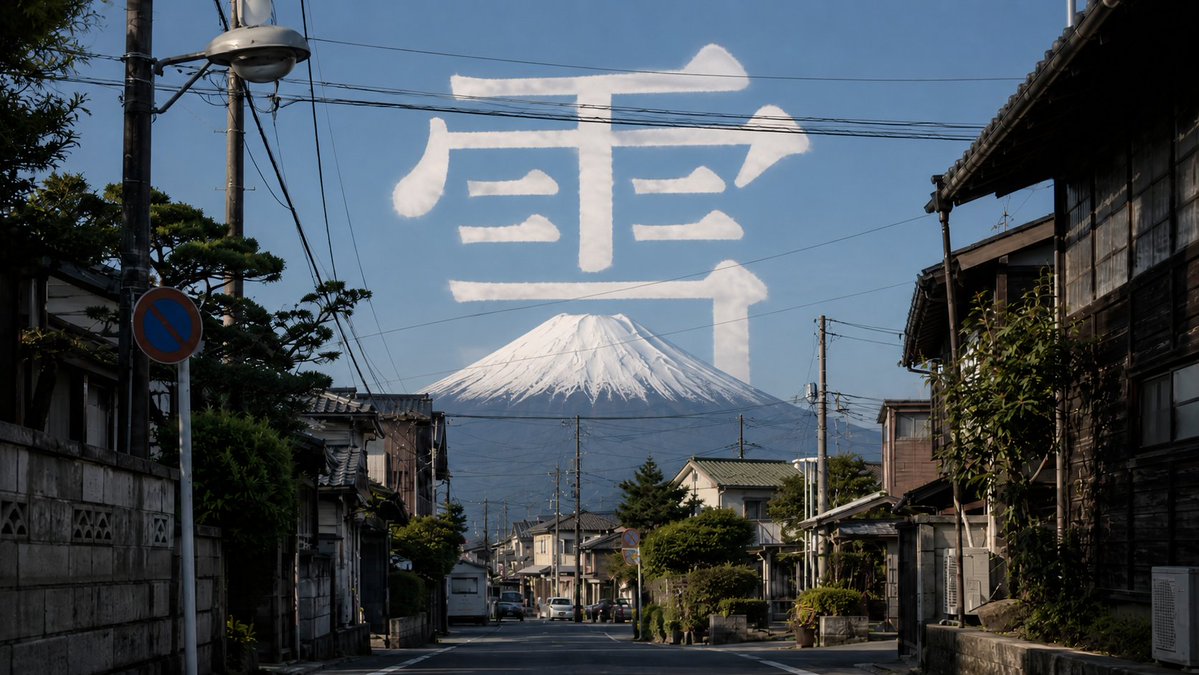
Mount Fuji Street With Cloud Kanji
A photorealistic Japanese street scene with Mount Fuji in the distance and a giant cloud-written kanji character in the sky.
This is a GPT Image 2 prompt case for Landscape & Nature. Use the copy-ready prompt below to generate similar visuals, and review Awesome GPT Image 2 Prompts attribution plus commercial-use rights before reuse.
Free 1K preview
Generate one preview image instantly, no sign-up required.
Prompt
Copy-ready prompt
Create a photorealistic wide-angle street photograph in a quiet traditional Japanese neighborhood, looking straight down an empty residential road lined with old wooden houses, tiled roofs, concrete walls, small gardens, utility poles, overhead power lines, a streetlamp, parked compact cars, and a blue no-parking road sign. In the far background, place a large snow-capped {argument name="mountain" default="Mount Fuji"} centered at the end of the street under a clear deep blue sky. Across the upper sky, form one enormous white cloud-like Japanese character reading {argument name="sky character" default="snow"}, as if written with soft fluffy clouds or vapor trails, semi-translucent and naturally lit, spanning almost the full width of the frame above the mountain. Use realistic midday sunlight with crisp shadows, documentary travel-photography composition, high detail, natural colors, atmospheric depth, and no people in the foreground.Prompt variables
Editable argument placeholders found in the prompt, with their default values.
Best for
- - Landscape & Nature visual exploration
- - Image generation and reference-image edits
- - Reusable briefs that keep source attribution visible
Change these parts
- - Subject, product, character, or scene
- - Aspect ratio, camera, lighting, and background
- - Brand, text, color, and output constraints
Recommended model and settings
- - Model: gpt-image-2
- - Input mode: Text to Image
- - Aspect ratio: source
- - Commercial status: review original source
How to use this prompt
- 1. Copy the prompt and preserve its structure for the first test.
- 2. Replace the subject, context, and publishing channel.
- 3. Change one camera, lighting, or style variable per iteration.
- 4. Inspect the output, source, text, and rights before reuse.
Limitations, source, and reuse cautions
- - Generated output is an editable draft, not factual, legal, or rights evidence.
- - Review the linked source, people, brands, logos, text, and third-party media before commercial use.
More cases in this category
Prioritized by category, input mode compatibility, quality, and lower risk.
Reuse and source notes
Use this prompt safely after previewing the case.
- 1.Copy the prompt or open it directly in Dovoo with the generation button.
- 2.Adjust variables, aspect ratio, and reference images for your own use case.
- 3.Before publishing or paid usage, verify source rights, attribution requirements, and brand or likeness risks.
Can I use this prompt commercially?
Commercial-use status is allowed. Review the original source, license, brand constraints, and legal requirements before paid usage.
Where does this case come from?
This case is imported from Awesome GPT Image 2 Prompts; keep attribution visible and check the source URL before reuse.