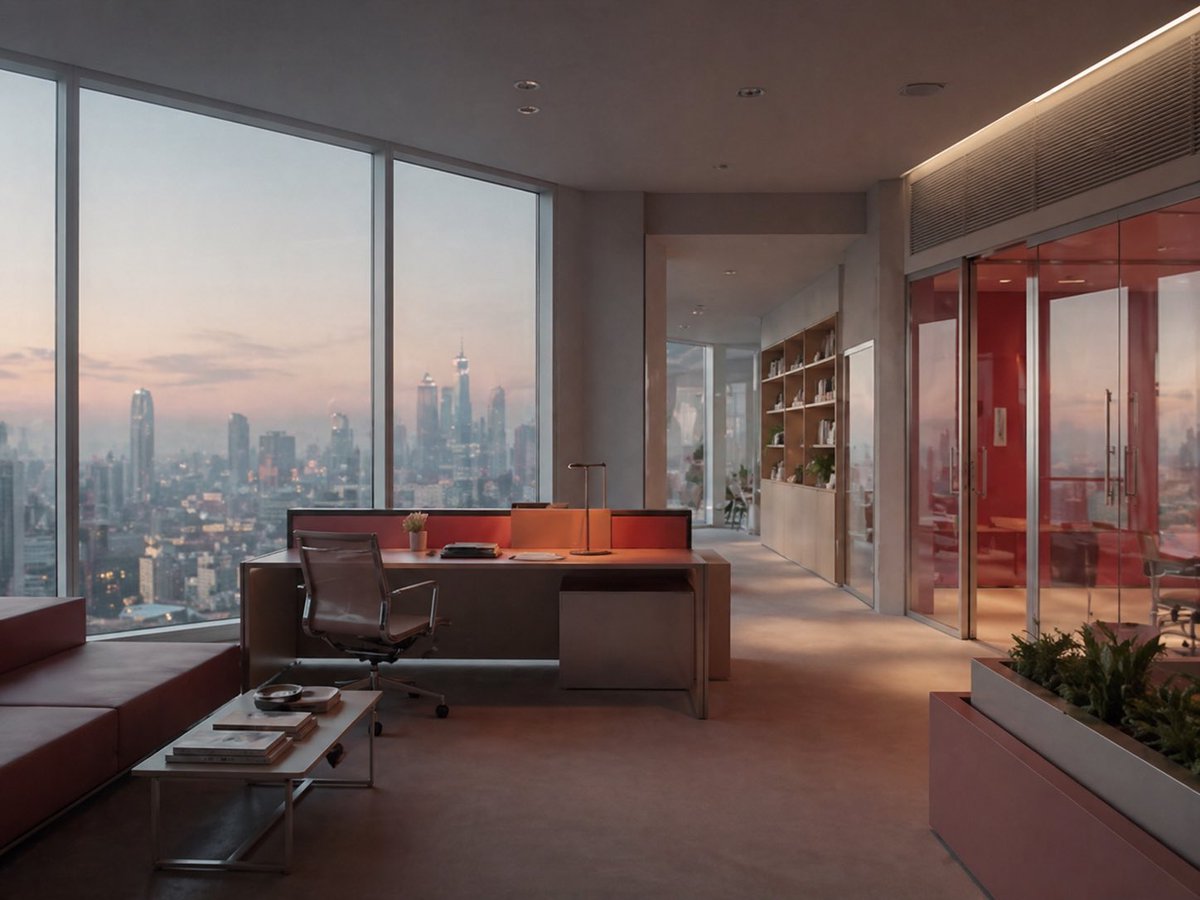
Luxury Office at Dusk Skyline View
This prompt generates a photorealistic high-rise executive office interior with panoramic city views, ideal for architectural visualization, real estate marketing, or corporate mood imagery.
This is a GPT Image 2 prompt case for Interior & Architecture. Use the copy-ready prompt below to generate similar visuals, and review Awesome GPT Image 2 Prompts attribution plus commercial-use rights before reuse.
Free 1K preview
Generate one preview image instantly, no sign-up required.
Prompt
Copy-ready prompt
A photorealistic modern executive office interior at dusk, viewed from a slightly wide angle inside the room, with floor-to-ceiling corner windows revealing a hazy metropolitan skyline in the distance. The space is minimalist and upscale, with warm ambient lighting, soft sunset tones, and a calm corporate luxury mood. In the center foreground, place a large contemporary desk in matte dark wood or charcoal finish with a clean rectangular shape, a slim task lamp, a closed laptop or folder, and an ergonomic black office chair. Along the left side, include a low modern leather sofa in deep brown and a minimalist metal coffee table holding exactly 3 stacked books or magazines and 1 decorative bowl. On the right side, show a built-in rectangular planter with green foliage in the foreground, and behind it a glass-walled meeting room with red-tinted interior walls and glass double doors. In the back corridor, add built-in wooden shelving with books and a few small decor objects, leading deeper into the office. Use recessed ceiling lights, subtle LED strip lighting near the ceiling edge, polished concrete or smooth stone flooring, and a restrained palette of gray, taupe, dark wood, black, and warm orange reflections from sunset. The windows should dominate the composition, with the skyline softly atmospheric and slightly diffused, emphasizing height, luxury, and quiet evening productivity.
Best for
- - Interior & Architecture visual exploration
- - Image generation and reference-image edits
- - Reusable briefs that keep source attribution visible
Change these parts
- - Subject, product, character, or scene
- - Aspect ratio, camera, lighting, and background
- - Brand, text, color, and output constraints
Recommended model and settings
- - Model: gpt-image-2
- - Input mode: Text to Image
- - Aspect ratio: source
- - Commercial status: review original source
How to use this prompt
- 1. Copy the prompt and preserve its structure for the first test.
- 2. Replace the subject, context, and publishing channel.
- 3. Change one camera, lighting, or style variable per iteration.
- 4. Inspect the output, source, text, and rights before reuse.
Limitations, source, and reuse cautions
- - Generated output is an editable draft, not factual, legal, or rights evidence.
- - Review the linked source, people, brands, logos, text, and third-party media before commercial use.
More cases in this category
Prioritized by category, input mode compatibility, quality, and lower risk.
Reuse and source notes
Use this prompt safely after previewing the case.
- 1.Copy the prompt or open it directly in Dovoo with the generation button.
- 2.Adjust variables, aspect ratio, and reference images for your own use case.
- 3.Before publishing or paid usage, verify source rights, attribution requirements, and brand or likeness risks.
Can I use this prompt commercially?
Commercial-use status is allowed. Review the original source, license, brand constraints, and legal requirements before paid usage.
Where does this case come from?
This case is imported from Awesome GPT Image 2 Prompts; keep attribution visible and check the source URL before reuse.