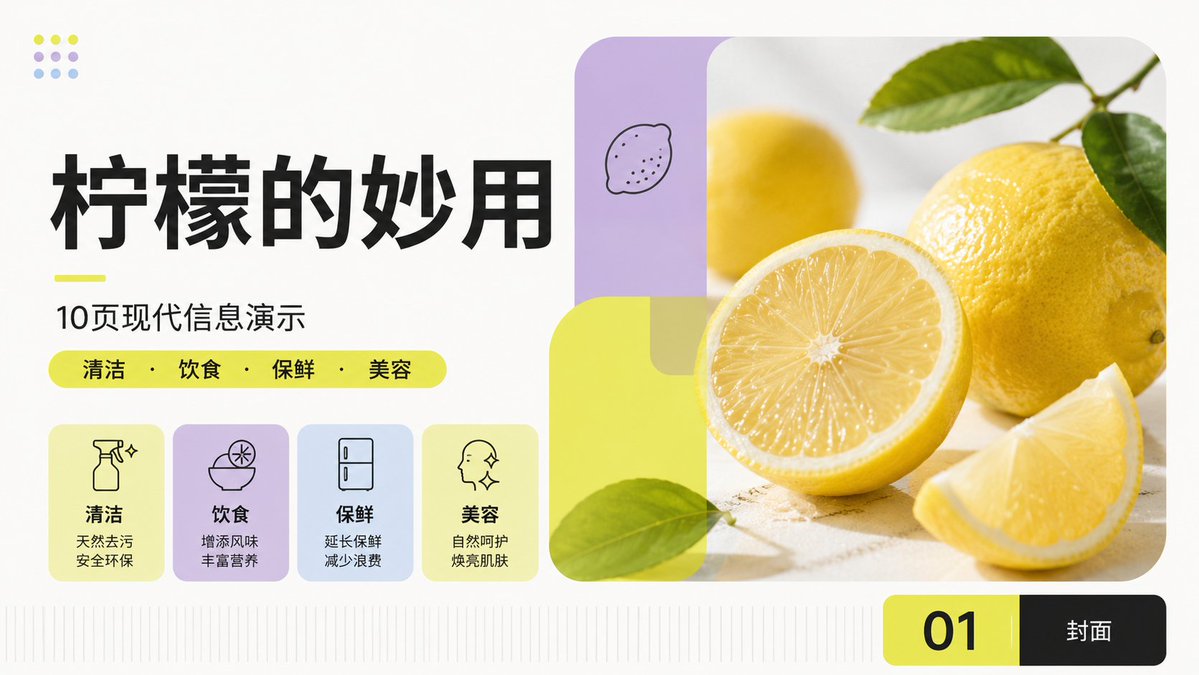
Modern Lemon Uses PPT Cover
Generates a fresh Chinese 16:9 presentation cover slide about lemon uses with modular cards, lemon photography, and clean modern PPT styling.
This is a GPT Image 2 prompt case for Graphic & Poster. Use the copy-ready prompt below to generate similar visuals, and review Awesome GPT Image 2 Prompts attribution plus commercial-use rights before reuse.
Free 1K preview
Generate one preview image instantly, no sign-up required.
Prompt
Copy-ready prompt
Objective: Create a simple and modern Chinese PPT cover with the theme of {argument name="topic" default="The Wonderful Uses of Lemons"}, adopting the international Swiss style of modular grids, fresh lemon yellow accents, soft light color blocks, and bright, healthy/lifestyle editing style.

Canvas: 16:9 widescreen slide, off-white background, ample whitespace, clear typography, and no watermarks. Employ an asymmetrical balanced layout: large-area text layout on the left and a large-sized rounded-corner photo composition on the right.

Layout: The left side includes stacked titles and four feature cards. The right side contains a large rounded-corner lemon photography panel occupying approximately half the slide width. A black and yellow page tab bar is located in the lower right corner. Add subtle vertical baselines/grid scales along the bottom edge.

Text Content: The main title uses a very large, bold, black Chinese font: {argument name="headline text" default="The Wonderful Uses of Lemons"}. Add a short fluorescent yellow underline below, followed by the subtitle: {argument name="subtitle text" default="10 Pages of Modern Information Presentation"}. Below the subtitle, place a rounded-corner fluorescent yellow capsule-shaped label containing 4 categories separated by centered dots: {argument name="category text" default="Cleaning · Diet · Preservation · Beauty"}. The bottom page tab displays a large black “01” on a fluorescent yellow rounded rectangle, and “Cover” in white font on a black rounded rectangle.

Feature Cards: Horizontally arrange 4 rounded-corner light-colored cards below the category capsule, each containing a simple black line icon, a bold Chinese label, and two lines of description: 1) Sparkling spray bottle icon, label “Cleaning,” description “Natural decontamination / Safe and environmentally friendly”; 2) Bowl of lemon slices icon, label “Diet,” description “Add flavor / Enrich nutrition”; 3) Refrigerator icon, label “Preservation,” description “Extend freshness / Reduce waste”; 4) Side face with sparkle icon, label “Beauty,” description “Natural care / Brighten skin.” Card colors from left to right are: light lemon yellow, light purple, light blue, light lemon yellow.

Right-Side Image Composition: Use fresh, high-key lemon photography taken on a light-colored stone surface: a whole lemon with green leaves in the upper right corner, a half lemon with visible juicy radial pulp in the foreground center, a lemon wedge in the lower right corner, and a soft-focus yellow lemon in the background. Overlay modern rounded-corner translucent geometric panels: a vertical light purple rounded rectangle with a small hand-drawn lemon doodle in the upper left corner, and a large translucent fluorescent yellow rounded square/rectangle with green leaves interspersed covering the lower left corner of the photo. Maintain large rounded corners for the photo.

Decorative Details: Add a 3x3 dot pattern in the upper left corner, consisting of 9 dots, alternating lemon yellow, light purple, and light blue. All icons should be single-line black, typography should be bold and modern, emphasizing alignment and leaving ample whitespace. Avoid adding extra text or additional cards.
Prompt variables
Editable argument placeholders found in the prompt, with their default values.
Best for
- - Graphic & Poster visual exploration
- - Image generation and reference-image edits
- - Reusable briefs that keep source attribution visible
Change these parts
- - Subject, product, character, or scene
- - Aspect ratio, camera, lighting, and background
- - Brand, text, color, and output constraints
Recommended model and settings
- - Model: gpt-image-2
- - Input mode: Text to Image
- - Aspect ratio: source
- - Commercial status: review original source
How to use this prompt
- 1. Copy the prompt and preserve its structure for the first test.
- 2. Replace the subject, context, and publishing channel.
- 3. Change one camera, lighting, or style variable per iteration.
- 4. Inspect the output, source, text, and rights before reuse.
Limitations, source, and reuse cautions
- - Generated output is an editable draft, not factual, legal, or rights evidence.
- - Review the linked source, people, brands, logos, text, and third-party media before commercial use.
More cases in this category
Prioritized by category, input mode compatibility, quality, and lower risk.




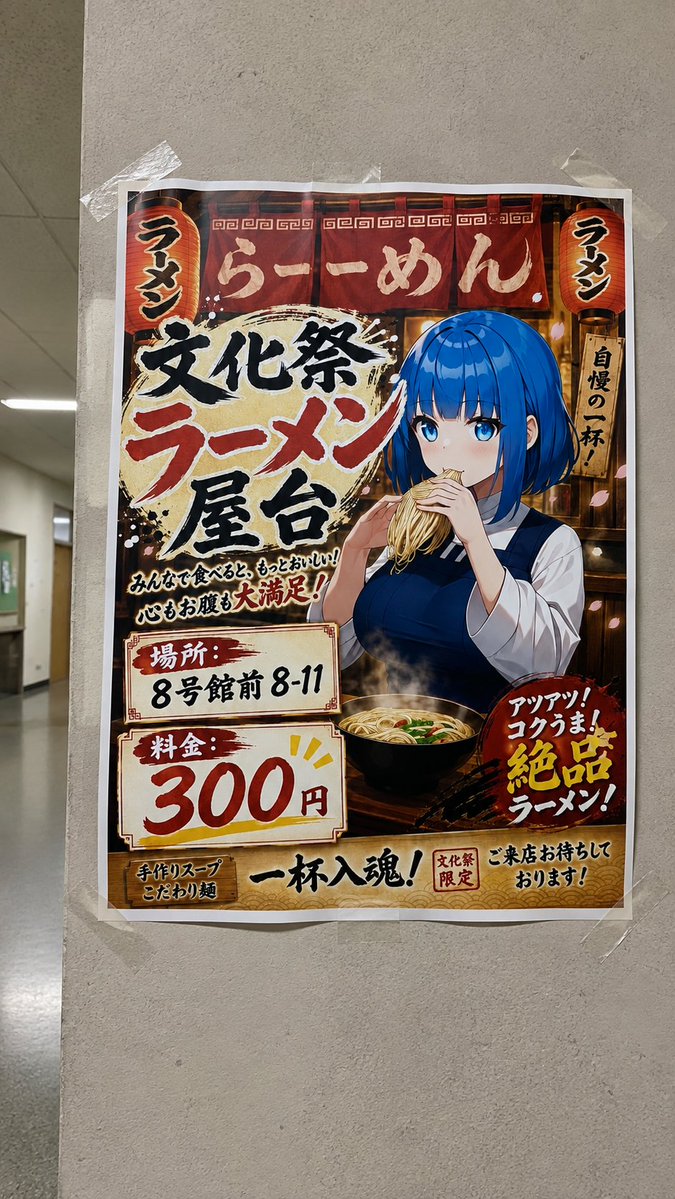

Reuse and source notes
Use this prompt safely after previewing the case.
- 1.Copy the prompt or open it directly in Dovoo with the generation button.
- 2.Adjust variables, aspect ratio, and reference images for your own use case.
- 3.Before publishing or paid usage, verify source rights, attribution requirements, and brand or likeness risks.
Can I use this prompt commercially?
Commercial-use status is allowed. Review the original source, license, brand constraints, and legal requirements before paid usage.
Where does this case come from?
This case is imported from Awesome GPT Image 2 Prompts; keep attribution visible and check the source URL before reuse.