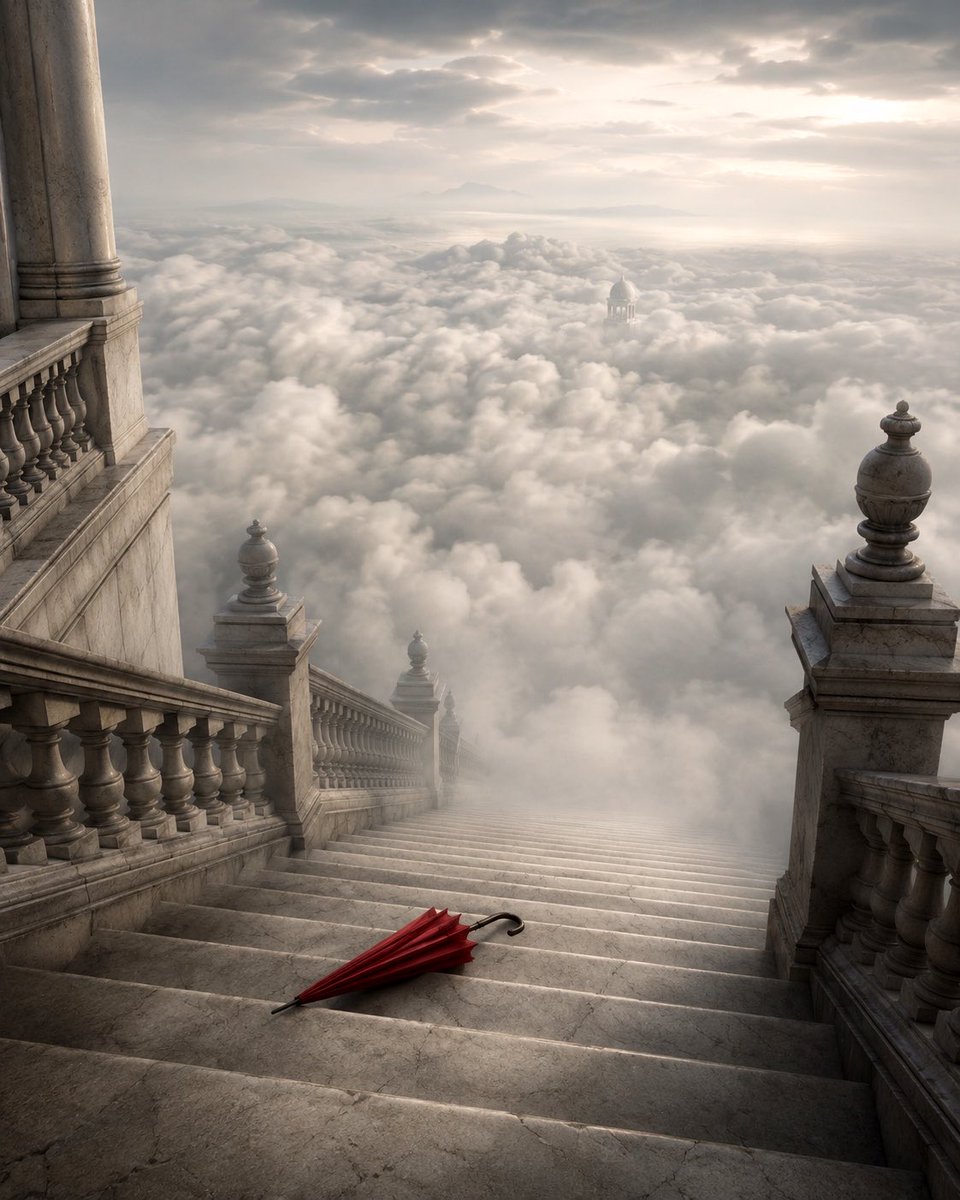
Grand Staircase Above the Clouds
A cinematic fantasy scene of a marble palace staircase descending into clouds with a single red umbrella as a dramatic focal point.
This is a GPT Image 2 prompt case for Interior & Architecture. Use the copy-ready prompt below to generate similar visuals, and review Awesome GPT Image 2 Prompts attribution plus commercial-use rights before reuse.
Free 1K preview
Generate one preview image instantly, no sign-up required.
Prompt
Copy-ready prompt
Create a cinematic surreal architectural scene of a vast {argument name="staircase material" default="weathered pale marble"} grand staircase descending steeply from a monumental palace into an endless sea of clouds. The viewpoint is from near the top of the stairs, looking downward along the steps toward the misty horizon, with ornate classical balustrades on both sides, massive stone pillars at the upper left, square pedestal posts topped with carved urn finials, cracked stone texture, and soft atmospheric haze. Place exactly one object on the lower foreground steps: a closed {argument name="umbrella color" default="deep red"} umbrella lying diagonally across the marble, with a black curved handle and pointed tip, acting as the only bright color accent. Beyond the staircase, show thick rolling white and gray clouds filling the entire valley, with a small distant domed temple or pavilion barely visible emerging from the clouds near the center-right, and faint mountains on the far horizon. Lighting should be {argument name="lighting mood" default="soft dawn light through overcast clouds"}, with muted gold and silver tones, gentle volumetric rays, realistic shadows, and a moody dreamlike atmosphere. Use a vertical 4:5 composition, high-detail photorealistic fantasy matte painting style, grand scale, elegant melancholy, no people, no text, no watermark.Prompt variables
Editable argument placeholders found in the prompt, with their default values.
Best for
- - Interior & Architecture visual exploration
- - Image generation and reference-image edits
- - Reusable briefs that keep source attribution visible
Change these parts
- - Subject, product, character, or scene
- - Aspect ratio, camera, lighting, and background
- - Brand, text, color, and output constraints
Recommended model and settings
- - Model: gpt-image-2
- - Input mode: Text to Image
- - Aspect ratio: source
- - Commercial status: review original source
How to use this prompt
- 1. Copy the prompt and preserve its structure for the first test.
- 2. Replace the subject, context, and publishing channel.
- 3. Change one camera, lighting, or style variable per iteration.
- 4. Inspect the output, source, text, and rights before reuse.
Limitations, source, and reuse cautions
- - Generated output is an editable draft, not factual, legal, or rights evidence.
- - Review the linked source, people, brands, logos, text, and third-party media before commercial use.
More cases in this category
Prioritized by category, input mode compatibility, quality, and lower risk.
Reuse and source notes
Use this prompt safely after previewing the case.
- 1.Copy the prompt or open it directly in Dovoo with the generation button.
- 2.Adjust variables, aspect ratio, and reference images for your own use case.
- 3.Before publishing or paid usage, verify source rights, attribution requirements, and brand or likeness risks.
Can I use this prompt commercially?
Commercial-use status is allowed. Review the original source, license, brand constraints, and legal requirements before paid usage.
Where does this case come from?
This case is imported from Awesome GPT Image 2 Prompts; keep attribution visible and check the source URL before reuse.