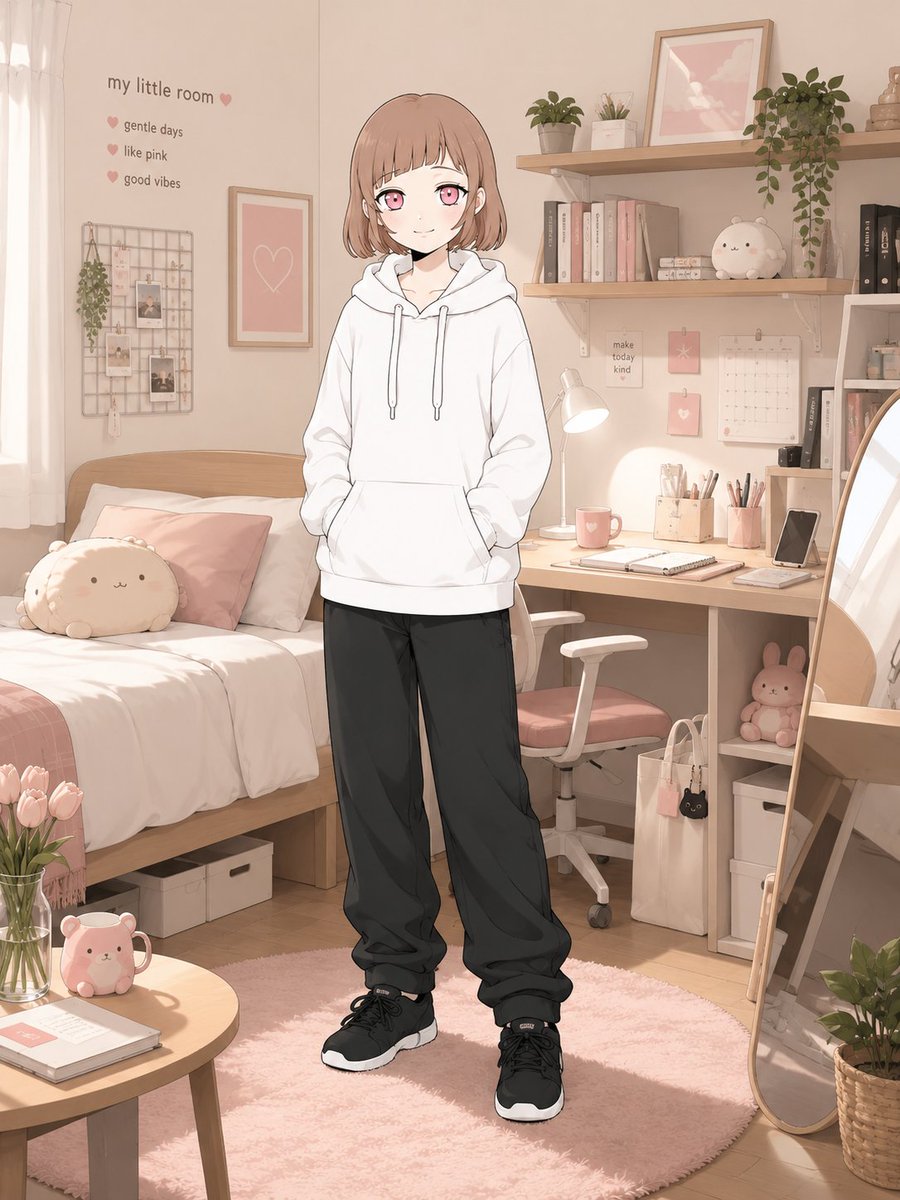
Character-Specific Room Synthesis Prompt
A sophisticated prompt for GPT Images that generates a personalized private room based on a character's visual identity, mood, and color palette.
This is a GPT Image 2 prompt case for Interior & Architecture. Use the copy-ready prompt below to generate similar visuals, and review Awesome GPT Image 2 Prompts attribution plus commercial-use rights before reuse.
Free 1K preview
Generate one preview image instantly, no sign-up required.
Prompt
Copy-ready prompt
[Mode] character_room_synthesis
[Input] 1 reference character image
[Output] 1 final image only

[Core Binding]
Bind identity to source-character tokens:
- face topology
- eye geometry / iris color
- hair shape / color mapping / accent placement
- body proportion
- age read
- costume mood
- signature accessories
- source rendering logic if non-photographic

[Latent Derivation]
Infer room-language from observable signals only:
chromatic cues, expression tone, styling logic, object affinity, atmospheric read.
Translate into one owned private room.
Prefer per-character divergence; avoid generic “cute room” defaults.

[Scene Assembly]
Construct a believable inhabited room:
furniture + storage + desk/bed/shelf system + lighting + wall elements + hobby artifacts + small daily-use objects.
The room must communicate personality through space planning and object selection.
Not messy-chaotic. Not showroom-sterile.

[Framing]
Character present in-room as main subject.
Environment must remain legible.
Single character only.
Approx framing: knees-up to full figure.
Face visibility priority high.

[Text Budget | optional]
room name
short copy
up to 3 micro-profile items
Keep sparse and readable.

[Result Goal]
Stylish character-room reveal image with lifestyle and worldbuilding value.

[Canvas] vertical 3:4

Avoid converging on a universal ideal room; let each output reflect a distinct interpretation of the attached character.
Best for
- - Interior & Architecture visual exploration
- - Image generation and reference-image edits
- - Reusable briefs that keep source attribution visible
Change these parts
- - Subject, product, character, or scene
- - Aspect ratio, camera, lighting, and background
- - Brand, text, color, and output constraints
Recommended model and settings
- - Model: gpt-image-2
- - Input mode: Text to Image
- - Aspect ratio: source
- - Commercial status: review original source
How to use this prompt
- 1. Copy the prompt and preserve its structure for the first test.
- 2. Replace the subject, context, and publishing channel.
- 3. Change one camera, lighting, or style variable per iteration.
- 4. Inspect the output, source, text, and rights before reuse.
Limitations, source, and reuse cautions
- - Generated output is an editable draft, not factual, legal, or rights evidence.
- - Review the linked source, people, brands, logos, text, and third-party media before commercial use.
More cases in this category
Prioritized by category, input mode compatibility, quality, and lower risk.
Reuse and source notes
Use this prompt safely after previewing the case.
- 1.Copy the prompt or open it directly in Dovoo with the generation button.
- 2.Adjust variables, aspect ratio, and reference images for your own use case.
- 3.Before publishing or paid usage, verify source rights, attribution requirements, and brand or likeness risks.
Can I use this prompt commercially?
Commercial-use status is allowed. Review the original source, license, brand constraints, and legal requirements before paid usage.
Where does this case come from?
This case is imported from Awesome GPT Image 2 Prompts; keep attribution visible and check the source URL before reuse.