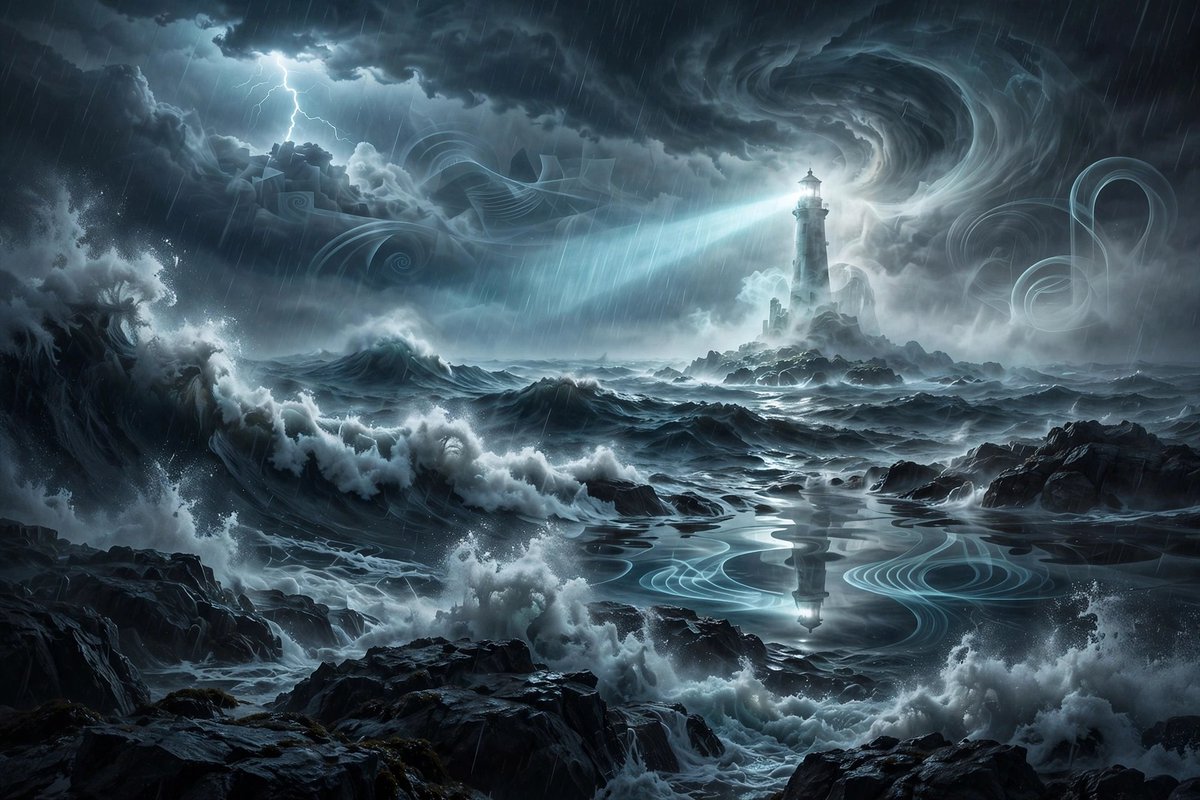
Ghostly Lighthouse Storm Seascape
A detailed prompt for generating a cinematic dark fantasy ocean storm with jagged rocks, spectral mist, swirling clouds, and a haunted lighthouse.
This is a GPT Image 2 prompt case for Landscape & Nature. Use the copy-ready prompt below to generate similar visuals, and review Awesome GPT Image 2 Prompts attribution plus commercial-use rights before reuse.
Free 1K preview
Generate one preview image instantly, no sign-up required.
Prompt
Copy-ready prompt
Create a cinematic dark fantasy surreal seascape during a violent night storm. The scene shows enormous dark ocean waves crashing against jagged black rocks in the foreground and midground, with white sea foam exploding upward and rain streaking diagonally across the image. In the distance, place a tall ghostly lighthouse on a small rocky island, partially translucent and surrounded by pale spectral mist; its lamp emits a bright cold blue-white beam sweeping left across the ocean. Above it, form massive swirling thunderclouds with a dramatic vortex-like spiral in the sky, illuminated by moonlit cyan-gray highlights, and include one branching lightning strike in the upper left. Add ethereal translucent ribbon-like wave patterns and ghostly spiral shapes drifting through the clouds and reflected on a calmer pool of water in the center foreground, where the lighthouse reflection appears. Use a wide landscape composition, high-detail digital concept art, moody blue-gray monochrome palette, strong contrast, volumetric fog, wet rock reflections, turbulent water, sharp painterly realism, atmospheric depth, no people, no text, no border, no watermark.
Best for
- - Landscape & Nature visual exploration
- - Image generation and reference-image edits
- - Reusable briefs that keep source attribution visible
Change these parts
- - Subject, product, character, or scene
- - Aspect ratio, camera, lighting, and background
- - Brand, text, color, and output constraints
Recommended model and settings
- - Model: gpt-image-2
- - Input mode: Text to Image
- - Aspect ratio: source
- - Commercial status: review original source
How to use this prompt
- 1. Copy the prompt and preserve its structure for the first test.
- 2. Replace the subject, context, and publishing channel.
- 3. Change one camera, lighting, or style variable per iteration.
- 4. Inspect the output, source, text, and rights before reuse.
Limitations, source, and reuse cautions
- - Generated output is an editable draft, not factual, legal, or rights evidence.
- - Review the linked source, people, brands, logos, text, and third-party media before commercial use.
More cases in this category
Prioritized by category, input mode compatibility, quality, and lower risk.

Reuse and source notes
Use this prompt safely after previewing the case.
- 1.Copy the prompt or open it directly in Dovoo with the generation button.
- 2.Adjust variables, aspect ratio, and reference images for your own use case.
- 3.Before publishing or paid usage, verify source rights, attribution requirements, and brand or likeness risks.
Can I use this prompt commercially?
Commercial-use status is allowed. Review the original source, license, brand constraints, and legal requirements before paid usage.
Where does this case come from?
This case is imported from Awesome GPT Image 2 Prompts; keep attribution visible and check the source URL before reuse.