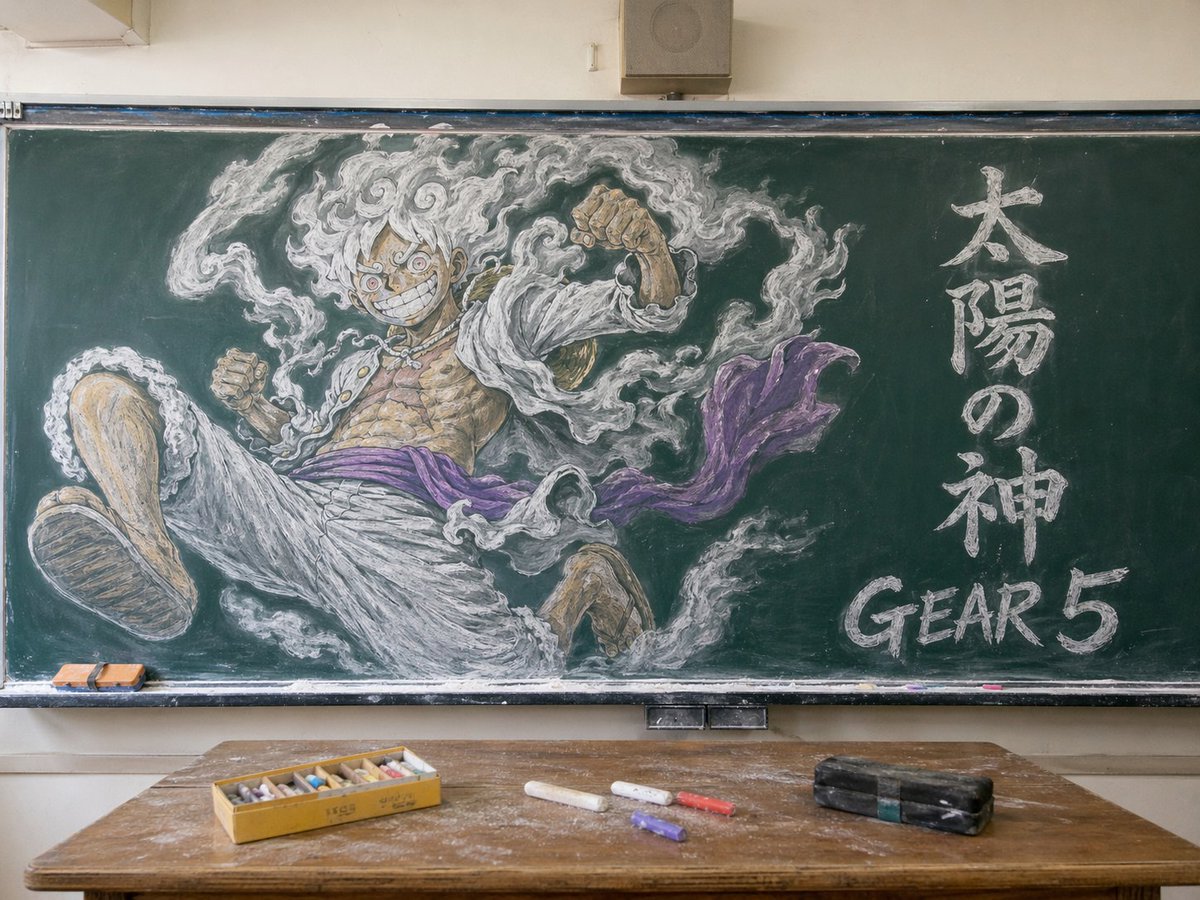
Gear 5 Chalkboard Classroom Mural
This prompt generates a realistic classroom photo featuring a dramatic chalkboard mural of Gear 5 Luffy, ideal for anime-themed poster art or social media comparisons of image models.
This is a GPT Image 2 prompt case for Illustration & Art. Use the copy-ready prompt below to generate similar visuals, and review Awesome GPT Image 2 Prompts attribution plus commercial-use rights before reuse.
Free 1K preview
Generate one preview image instantly, no sign-up required.
Prompt
Copy-ready prompt
A photorealistic classroom interior centered on a large green chalkboard filled with an elaborate chalk mural of Monkey D. Luffy in Gear 5 from One Piece. The drawing dominates the board: a dynamic low-angle foreshortened pose with one oversized foot thrust toward the viewer, both fists raised, wild curly white hair, huge manic grin, intense round eyes, open white jacket, bare muscular chest with visible scars, loose white pants, and a flowing purple sash. Surround him with swirling white smoke-like aura drawn in expressive chalk strokes. On the right side of the chalkboard, include 2 text elements written in chalk: 1 vertical Japanese phrase reading "太陽の神" and 1 large English label reading "GEAR 5" near the lower right. Render the chalk art with layered white, gray, tan, and purple pastel-chalk texture, visible smudging, dust, and hand-drawn shading. Show the full blackboard frame, tray, and a realistic classroom setting with beige walls and a small speaker box above the board. In the foreground, place a worn wooden teacher's desk covered in chalk dust, with exactly 5 visible desk items: 1 open yellow box of multicolored chalk sticks, 3 loose chalk sticks on the desk, and 1 black rectangular chalkboard eraser. Add 2 small erasers resting on the left side of the chalk tray. Soft natural indoor lighting, straight-on composition, highly detailed, realistic photograph of a classroom with spectacular anime chalkboard art.
Best for
- - Illustration & Art visual exploration
- - Image generation and reference-image edits
- - Reusable briefs that keep source attribution visible
Change these parts
- - Subject, product, character, or scene
- - Aspect ratio, camera, lighting, and background
- - Brand, text, color, and output constraints
Recommended model and settings
- - Model: gpt-image-2
- - Input mode: Text to Image
- - Aspect ratio: source
- - Commercial status: review original source
How to use this prompt
- 1. Copy the prompt and preserve its structure for the first test.
- 2. Replace the subject, context, and publishing channel.
- 3. Change one camera, lighting, or style variable per iteration.
- 4. Inspect the output, source, text, and rights before reuse.
Limitations, source, and reuse cautions
- - Generated output is an editable draft, not factual, legal, or rights evidence.
- - Review the linked source, people, brands, logos, text, and third-party media before commercial use.
More cases in this category
Prioritized by category, input mode compatibility, quality, and lower risk.




Reuse and source notes
Use this prompt safely after previewing the case.
- 1.Copy the prompt or open it directly in Dovoo with the generation button.
- 2.Adjust variables, aspect ratio, and reference images for your own use case.
- 3.Before publishing or paid usage, verify source rights, attribution requirements, and brand or likeness risks.
Can I use this prompt commercially?
Commercial-use status is allowed. Review the original source, license, brand constraints, and legal requirements before paid usage.
Where does this case come from?
This case is imported from Awesome GPT Image 2 Prompts; keep attribution visible and check the source URL before reuse.