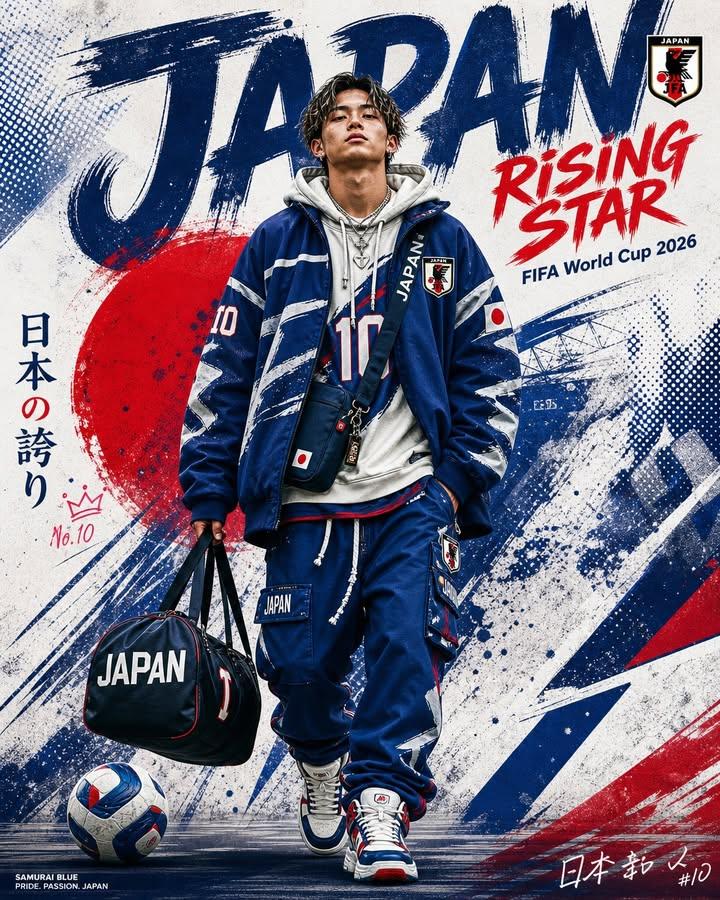
FIFA World Cup Sports Poster
A high-energy sports poster prompt for creating professional Japan national team promotional material with brush stroke designs and streetwear aesthetics.
This is a GPT Image 2 prompt case for 平面海报. Use the copy-ready prompt below to generate similar visuals, and review Awesome GPT Image 2 Prompts attribution plus commercial-use rights before reuse.
Prompt
Copy-ready prompt
充满活力的体育海报,主题为 {argument name="event" default="2026 年日本 FIFA 世界杯"}。画面中央是一位年轻的男性足球运动员,自信地向前走,身穿 {argument name="team colors" default="blue and white color scheme"} 的日本国家队运动服,内搭灰色连帽衫,背着蓝色斜挎包。球衣和运动服上印有数字 {argument name="player number" default="10"} 和日本队徽。右手提着一个黑色行李袋,上面印有白色字母“JAPAN”。穿着白蓝相间的运动鞋,佩戴项链。左脚旁有一个蓝白相间的足球。

背景采用日本国旗配色(红、蓝、白)的粗犷笔触设计。顶部有巨大的做旧蓝色文字“JAPAN”。右侧有红色笔触文字“RISING STAR”,下方有较小的文字“FIFA World Cup 2026”。右上角为日本足协徽章。左侧有小型皇冠图标和“No.10”字样。左下角印有“SAMURAI BLUE”及标语“PRIDE. PASSION. JAPAN”。右下角有风格化的签名和“#10”。具有动态喷溅和半色调效果,融合现代街头服饰与足球美学,垂直 2:3 海报布局,高细节,照片级真实感与平面设计元素相结合。
Prompt variables
Editable argument placeholders found in the prompt, with their default values.
More cases in this category
Prioritized by category, input mode compatibility, quality, and lower risk.



Reuse and source notes
Use this prompt safely after previewing the case.
- 1.Copy the prompt or open it directly in Dovoo with the generation button.
- 2.Adjust variables, aspect ratio, and reference images for your own use case.
- 3.Before publishing or paid usage, verify source rights, attribution requirements, and brand or likeness risks.
Can I use this prompt commercially?
Commercial-use status is allowed. Review the original source, license, brand constraints, and legal requirements before paid usage.
Where does this case come from?
This case is imported from Awesome GPT Image 2 Prompts; keep attribution visible and check the source URL before reuse.