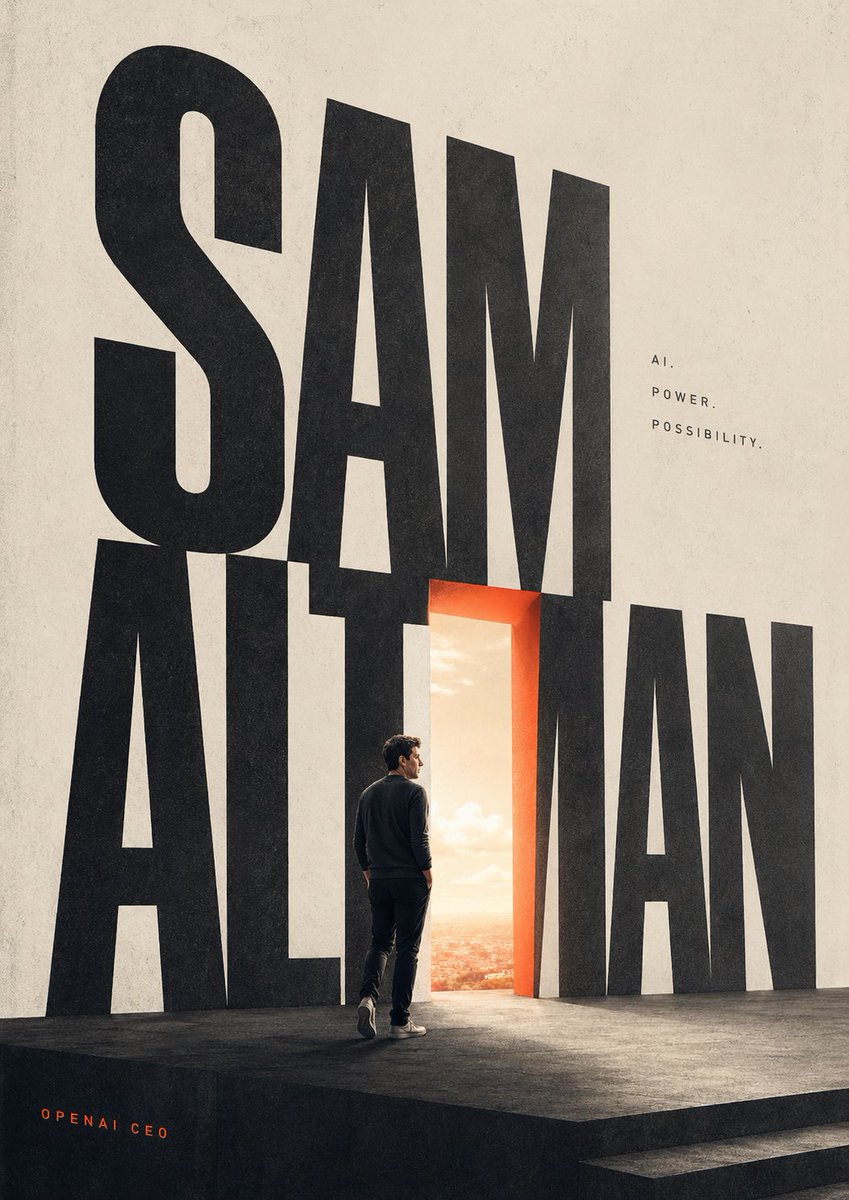
Cinematic Typography Poster
This prompt generates a bold editorial poster with giant typography, a glowing doorway, and a lone figure, ideal for magazine covers, keynote visuals, or tech-profile artwork.
This is a GPT Image 2 prompt case for Graphic & Poster. Use the copy-ready prompt below to generate similar visuals, and review Awesome GPT Image 2 Prompts attribution plus commercial-use rights before reuse.
Free 1K preview
Generate one preview image instantly, no sign-up required.
Prompt
Copy-ready prompt
A minimalist cinematic poster on a tall vertical canvas with an off-white textured paper background and a dark matte stage platform at the bottom, dominated by giant condensed black sans-serif letters spelling {argument name="main title" default="SAM ALTMAN"} across nearly the full height of the composition, with the first word stacked above and overlapping the second. Replace one central vertical letterform with a glowing open doorway, outlined in warm orange-red light, revealing a bright sunrise sky and a distant cityscape beyond. On the stage, place 1 lone adult man seen from behind in three-quarter profile, walking toward the doorway, wearing a dark crewneck sweater, dark pants, and light sneakers, with realistic proportions and subtle dramatic rim lighting. To the upper right of the typography, add 3 small lines of spaced uppercase text reading {argument name="tagline line 1" default="AI."}, {argument name="tagline line 2" default="POWER."}, and {argument name="tagline line 3" default="POSSIBILITY."}. In the lower left corner, add 1 small orange credit line reading {argument name="credit text" default="OPENAI CEO"}. Use strong scale contrast, lots of negative space, editorial magazine-cover styling, clean modern layout, muted neutral tones with one warm orange accent, realistic lighting, subtle film grain, and a sophisticated futuristic mood.Prompt variables
Editable argument placeholders found in the prompt, with their default values.
Best for
- - Graphic & Poster visual exploration
- - Image generation and reference-image edits
- - Reusable briefs that keep source attribution visible
Change these parts
- - Subject, product, character, or scene
- - Aspect ratio, camera, lighting, and background
- - Brand, text, color, and output constraints
Recommended model and settings
- - Model: gpt-image-2
- - Input mode: Text to Image
- - Aspect ratio: source
- - Commercial status: review original source
How to use this prompt
- 1. Copy the prompt and preserve its structure for the first test.
- 2. Replace the subject, context, and publishing channel.
- 3. Change one camera, lighting, or style variable per iteration.
- 4. Inspect the output, source, text, and rights before reuse.
Limitations, source, and reuse cautions
- - Generated output is an editable draft, not factual, legal, or rights evidence.
- - Review the linked source, people, brands, logos, text, and third-party media before commercial use.
More cases in this category
Prioritized by category, input mode compatibility, quality, and lower risk.






Reuse and source notes
Use this prompt safely after previewing the case.
- 1.Copy the prompt or open it directly in Dovoo with the generation button.
- 2.Adjust variables, aspect ratio, and reference images for your own use case.
- 3.Before publishing or paid usage, verify source rights, attribution requirements, and brand or likeness risks.
Can I use this prompt commercially?
Commercial-use status is allowed. Review the original source, license, brand constraints, and legal requirements before paid usage.
Where does this case come from?
This case is imported from Awesome GPT Image 2 Prompts; keep attribution visible and check the source URL before reuse.