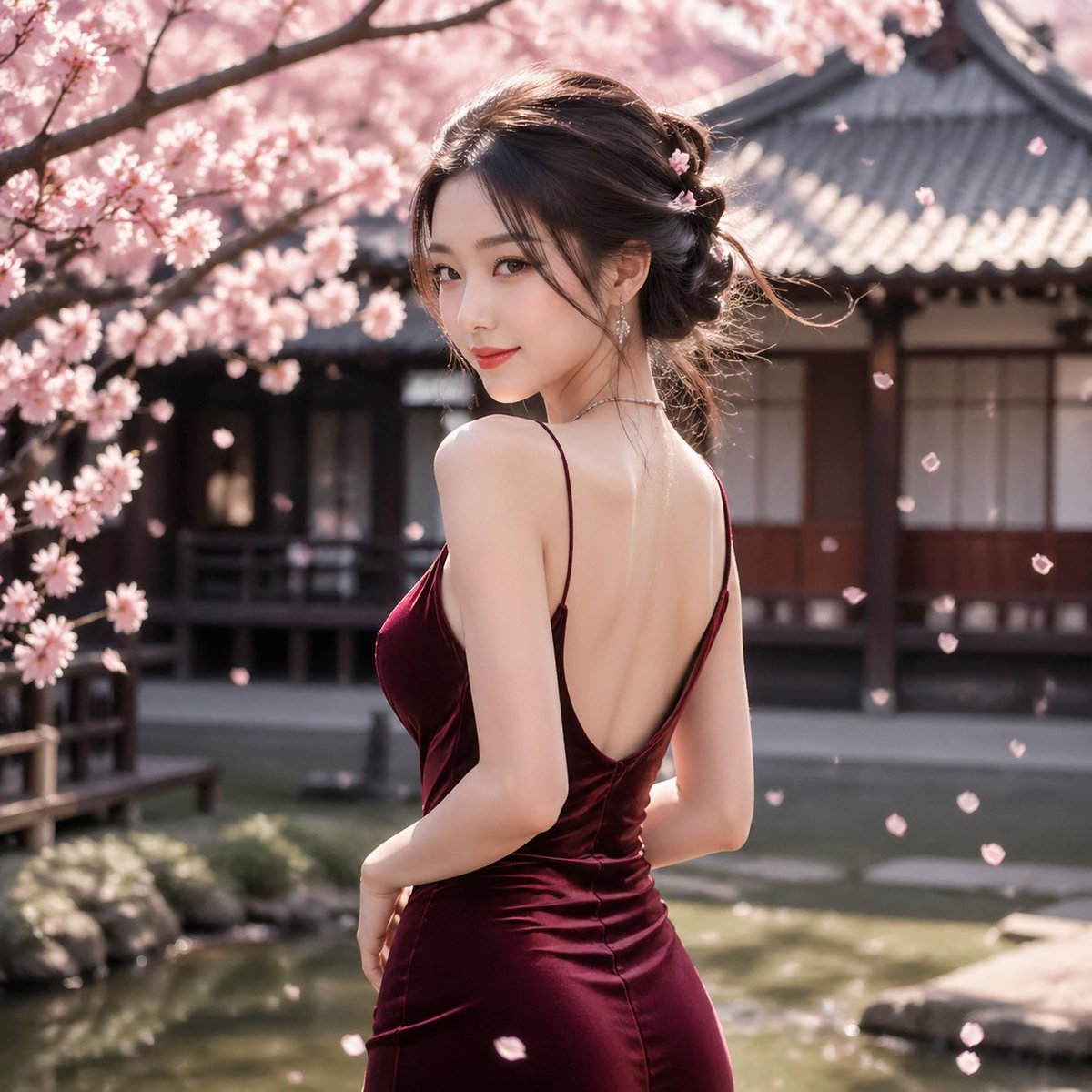
Cherry Blossom Garden Evening Portrait
This prompt generates a photorealistic fashion portrait of a woman in a backless satin dress standing in a Japanese cherry blossom courtyard, ideal for elegant spring-themed editorial imagery.
This is a GPT Image 2 prompt case for Fashion & Beauty. Use the copy-ready prompt below to generate similar visuals, and review Awesome GPT Image 2 Prompts attribution plus commercial-use rights before reuse.
Free 1K preview
Generate one preview image instantly, no sign-up required.
Prompt
Copy-ready prompt
A photorealistic outdoor portrait of an elegant young East Asian woman standing in a traditional Japanese courtyard garden during cherry blossom season. She is shown from a three-quarter back view, turning slightly toward the camera, with her face mostly obscured by her angle. She wears a deep wine-red satin evening dress with thin spaghetti straps and a dramatic low open back, fitted closely through the waist and hips with soft reflective fabric highlights. Her hair is styled in a loose, romantic updo with a few wispy strands, decorated with 3 small pink blossom hair ornaments, and she wears delicate dangling earrings and a fine necklace. Surround her with blooming sakura branches heavy with pale pink flowers, with many individual petals drifting through the air. In the background, place a traditional Japanese wooden building with dark beams, shoji-style windows, and a gray tiled roof, softly blurred with shallow depth of field. Include a calm garden pond and stone edging in the lower background. Use warm spring sunlight, soft cinematic bokeh, high detail skin and fabric rendering, graceful posture, refined luxury fashion photography, natural colors, serene atmosphere, square composition.
Best for
- - Fashion & Beauty visual exploration
- - Image generation and reference-image edits
- - Reusable briefs that keep source attribution visible
Change these parts
- - Subject, product, character, or scene
- - Aspect ratio, camera, lighting, and background
- - Brand, text, color, and output constraints
Recommended model and settings
- - Model: gpt-image-2
- - Input mode: Text to Image
- - Aspect ratio: source
- - Commercial status: review original source
How to use this prompt
- 1. Copy the prompt and preserve its structure for the first test.
- 2. Replace the subject, context, and publishing channel.
- 3. Change one camera, lighting, or style variable per iteration.
- 4. Inspect the output, source, text, and rights before reuse.
Limitations, source, and reuse cautions
- - Generated output is an editable draft, not factual, legal, or rights evidence.
- - Review the linked source, people, brands, logos, text, and third-party media before commercial use.
More cases in this category
Prioritized by category, input mode compatibility, quality, and lower risk.
Reuse and source notes
Use this prompt safely after previewing the case.
- 1.Copy the prompt or open it directly in Dovoo with the generation button.
- 2.Adjust variables, aspect ratio, and reference images for your own use case.
- 3.Before publishing or paid usage, verify source rights, attribution requirements, and brand or likeness risks.
Can I use this prompt commercially?
Commercial-use status is allowed. Review the original source, license, brand constraints, and legal requirements before paid usage.
Where does this case come from?
This case is imported from Awesome GPT Image 2 Prompts; keep attribution visible and check the source URL before reuse.