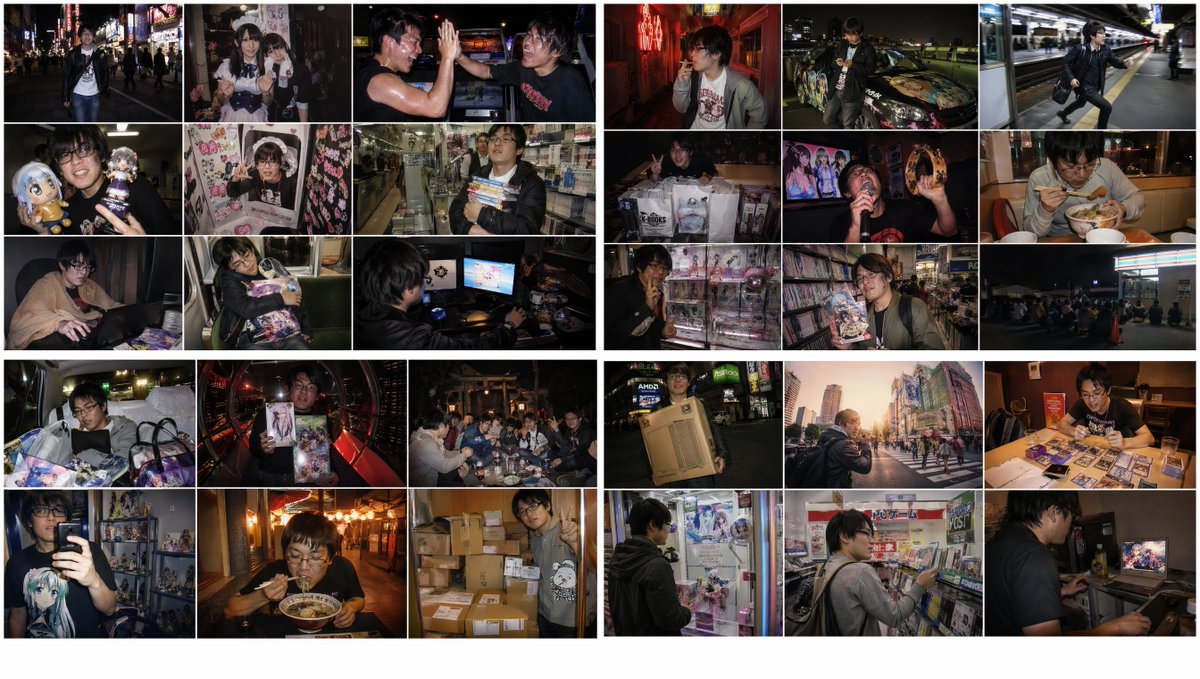
2010s Akihabara Otaku Snapshot Storyboard
A complex prompt for generating a grid of nostalgic, lo-fi digital snapshots capturing the life of an Akihabara otaku in the early 2010s, featuring specific atmospheric lighting and JPEG artifact effects.
This is a GPT Image 2 prompt case for Landscape & Nature. Use the copy-ready prompt below to generate similar visuals, and review Awesome GPT Image 2 Prompts attribution plus commercial-use rights before reuse.
Free 1K preview
Generate one preview image instantly, no sign-up required.
Prompt
Copy-ready prompt
Create four 16:9 2K images in a 3x3 grid based on the following prompt: Emotional images themed around 2010s Akihabara otaku boys (typical Late Heisei to Early Reiwa Akiba style) from late night to early morning. Randomly select non-overlapping photo situations from the <Themes> list. Style: Snapshot using direct flash from a 2010s compact digital camera or iPhone 4 to X. Features digital noise, light JPEG artifacts, vignetting, warm faded tones, and slight over-saturation. It should have the nostalgic, raw texture characteristic of digital photography from the 2010s to early 2020s. Fleeting, slightly digital-smelling 2010s snapshot style. <Themes>: [List includes various Akihabara scenes like neon streets, maid cafes, arcades, crane games, late-night shops, net cafes, first trains, etc.]
Best for
- - Landscape & Nature visual exploration
- - Image generation and reference-image edits
- - Reusable briefs that keep source attribution visible
Change these parts
- - Subject, product, character, or scene
- - Aspect ratio, camera, lighting, and background
- - Brand, text, color, and output constraints
Recommended model and settings
- - Model: gpt-image-2
- - Input mode: Text to Image
- - Aspect ratio: source
- - Commercial status: review original source
How to use this prompt
- 1. Copy the prompt and preserve its structure for the first test.
- 2. Replace the subject, context, and publishing channel.
- 3. Change one camera, lighting, or style variable per iteration.
- 4. Inspect the output, source, text, and rights before reuse.
Limitations, source, and reuse cautions
- - Generated output is an editable draft, not factual, legal, or rights evidence.
- - Review the linked source, people, brands, logos, text, and third-party media before commercial use.
More cases in this category
Prioritized by category, input mode compatibility, quality, and lower risk.
Reuse and source notes
Use this prompt safely after previewing the case.
- 1.Copy the prompt or open it directly in Dovoo with the generation button.
- 2.Adjust variables, aspect ratio, and reference images for your own use case.
- 3.Before publishing or paid usage, verify source rights, attribution requirements, and brand or likeness risks.
Can I use this prompt commercially?
Commercial-use status is allowed. Review the original source, license, brand constraints, and legal requirements before paid usage.
Where does this case come from?
This case is imported from Awesome GPT Image 2 Prompts; keep attribution visible and check the source URL before reuse.