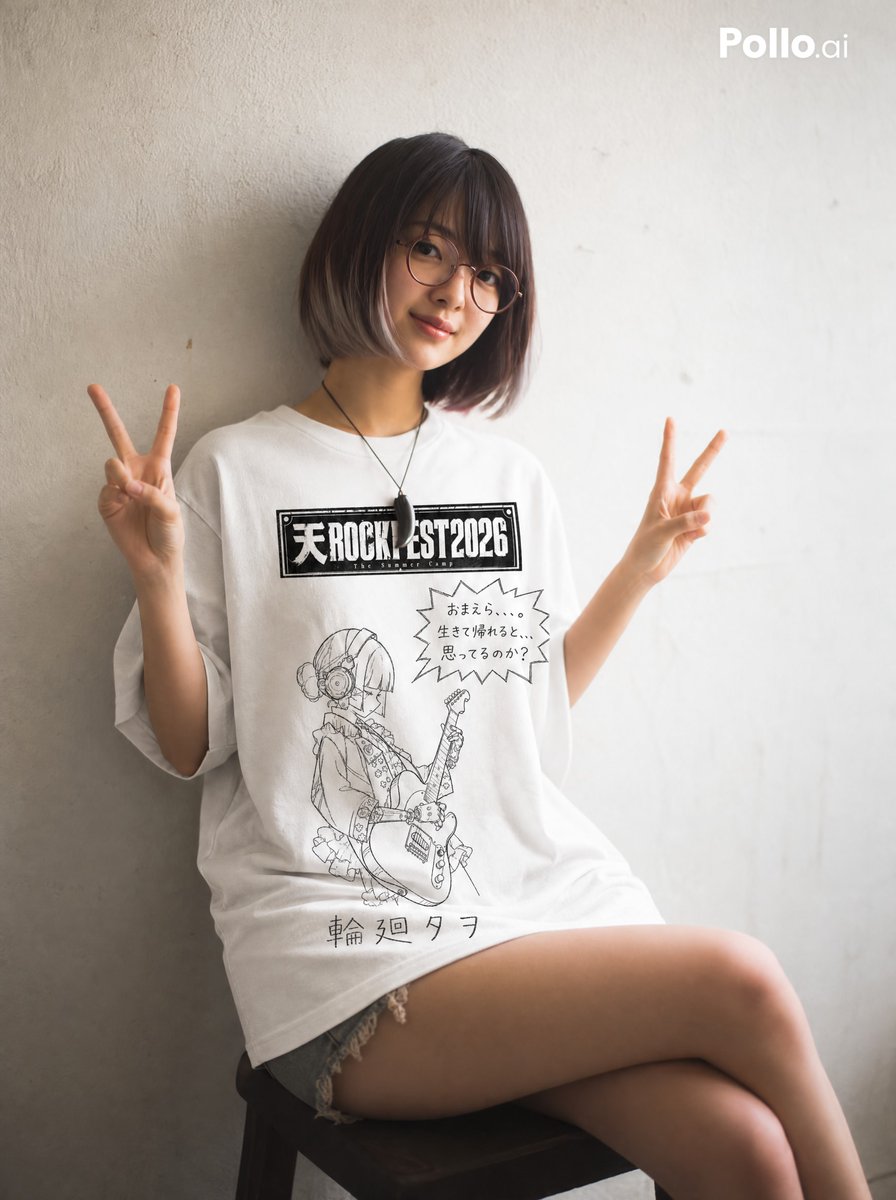
Hand-drawn Yuru-kyara T-shirt Mockup
A highly detailed prompt for creating a t-shirt product mockup with a hand-drawn, wobbly pencil aesthetic. It includes instructions for logo placement, speech bubbles, and character simplification in the yuru-kyara style.
This is a GPT Image 2 prompt case for Product & Commercial. Use the copy-ready prompt below to generate similar visuals, and review Awesome GPT Image 2 Prompts attribution plus commercial-use rights before reuse.
Free 1K preview
Generate one preview image instantly, no sign-up required.
Prompt
Copy-ready prompt
Create a white t-shirt product mockup (flat lay, front view, plain white background).

The t-shirt design uses black line art only. No color fill. No shading. White shirt throughout.

Illustration style: hand-drawn with a soft pencil or crayon. Lines are slightly wobbly and uneven, with inconsistent pressure — some strokes faint, some darker. Outlines do not always close perfectly. The overall impression is a casual, childlike sketch — imperfect but charming. Minimal detail. No clean vector lines. No digital precision.

The t-shirt has four printed zones:

TOP CENTER: Reproduce the festival logo from the first attached image exactly as-is — do not alter the font, layout, or graphic style in any way. Place it prominently at the top center of the shirt. Make it large enough to read clearly. Do NOT apply the hand-drawn or yuru-kyara style to this logo.

TOP RIGHT: A hand-drawn jagged speech bubble (spiky, explosive edges — like a shouting manga effect), slightly smaller than the character illustration. Inside the bubble, write "{argument name="dialogue" default="[Insert dialogue here]"}" in clumsy, uneven hand-lettered characters. The bubble and text should feel comic and energetic.

MIDDLE: Redraw the character from the attached image in a loose, casual, yuru-kyara style — simplified, childlike, charmingly imperfect. Use the attached image as the sole reference for pose, expression, and content. Draw the character smaller — occupying no more than 40% of the shirt's height. Leave generous white space around the figure. The speech bubble may overlap with the top portion of the character illustration. Do not shrink the character to avoid overlap.

BOTTOM: The artist name "{argument name="artist name" default="[Insert artist name here]"}" hand-lettered in uneven, shaky characters — as if written slowly and clumsily by hand with a pencil.

Keep all elements well-spaced and balanced. Clean, minimal, no background decoration.
Prompt variables
Editable argument placeholders found in the prompt, with their default values.
Best for
- - Product & Commercial visual exploration
- - Image generation and reference-image edits
- - Reusable briefs that keep source attribution visible
Change these parts
- - Subject, product, character, or scene
- - Aspect ratio, camera, lighting, and background
- - Brand, text, color, and output constraints
Recommended model and settings
- - Model: gpt-image-2
- - Input mode: Text to Image
- - Aspect ratio: source
- - Commercial status: review original source
How to use this prompt
- 1. Copy the prompt and preserve its structure for the first test.
- 2. Replace the subject, context, and publishing channel.
- 3. Change one camera, lighting, or style variable per iteration.
- 4. Inspect the output, source, text, and rights before reuse.
Limitations, source, and reuse cautions
- - Generated output is an editable draft, not factual, legal, or rights evidence.
- - Review the linked source, people, brands, logos, text, and third-party media before commercial use.
More cases in this category
Prioritized by category, input mode compatibility, quality, and lower risk.

Reuse and source notes
Use this prompt safely after previewing the case.
- 1.Copy the prompt or open it directly in Dovoo with the generation button.
- 2.Adjust variables, aspect ratio, and reference images for your own use case.
- 3.Before publishing or paid usage, verify source rights, attribution requirements, and brand or likeness risks.
Can I use this prompt commercially?
Commercial-use status is allowed. Review the original source, license, brand constraints, and legal requirements before paid usage.
Where does this case come from?
This case is imported from Awesome GPT Image 2 Prompts; keep attribution visible and check the source URL before reuse.