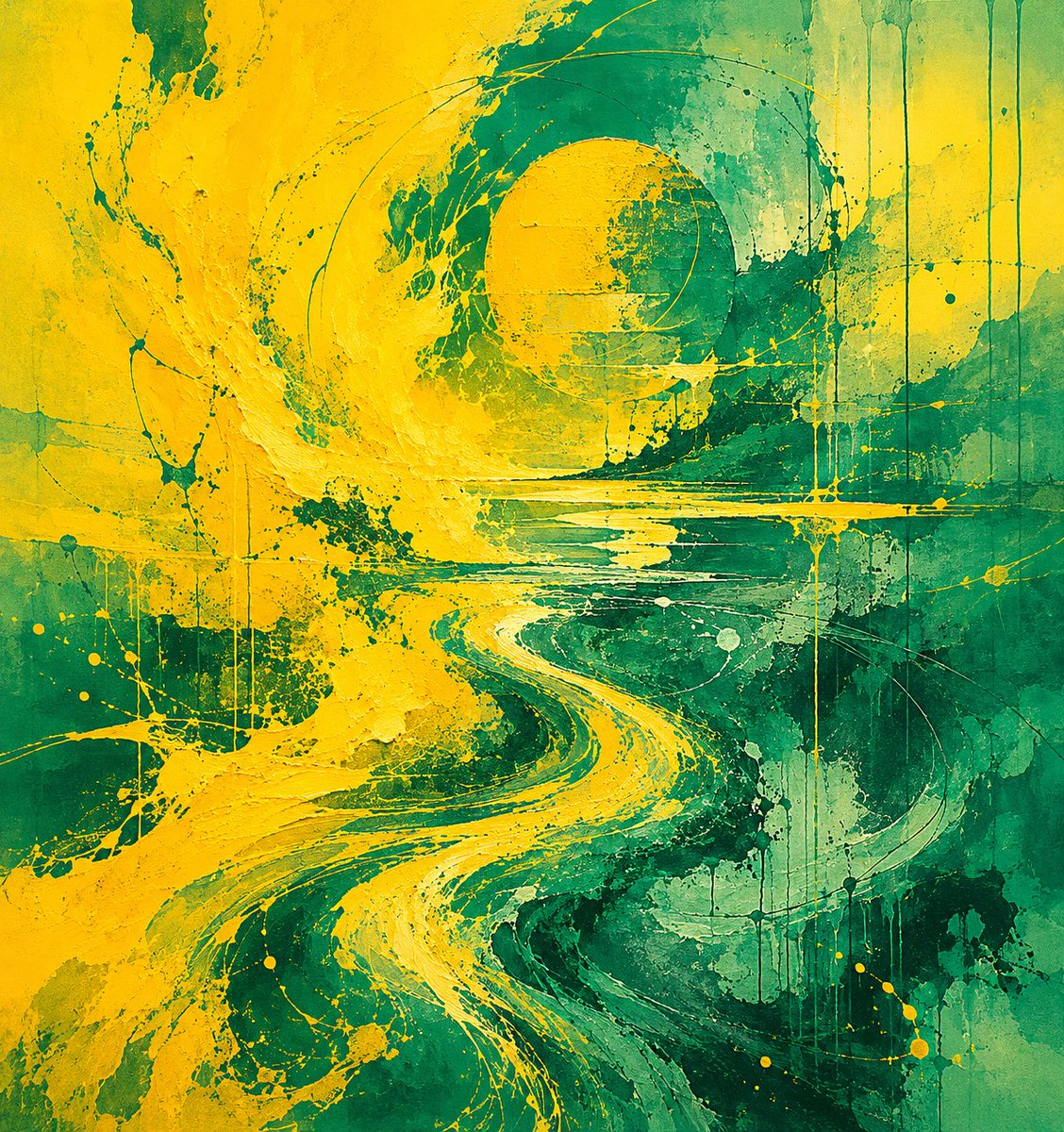
Yellow Teal Abstract Paint Flow
A square abstract expressionist artwork featuring a vivid yellow S-shaped paint river swirling through layered teal textures, useful for modern wall art generation.
This is a GPT Image 2 prompt case for Illustration & Art. Use the copy-ready prompt below to generate similar visuals, and review Awesome GPT Image 2 Prompts attribution plus commercial-use rights before reuse.
Free 1K preview
Generate one preview image instantly, no sign-up required.
Prompt
Copy-ready prompt
Create a square abstract expressionist painting with no text, dominated by {argument name="primary color" default="vivid golden yellow"} and {argument name="secondary color" default="deep teal green"}. The composition should feel like a turbulent river of paint: a thick, bright yellow S-shaped stream begins at the lower center, curves upward through the middle, and explodes into a wide swirling splash on the left side before curling toward a large circular vortex near the upper center-right. Use layered acrylic and mixed-media textures with palette-knife ridges, rough scraped paint, speckles, splatters, transparent washes, and visible canvas grain. Include thin looping arc lines around the upper vortex, horizontal scraped streaks across the midline, vertical paint drips especially on the right side, and scattered small yellow droplets across the lower half. Keep the edges painterly and imperfect, with dark emerald shadows and lighter mint-green patches adding depth. The mood should be energetic, fluid, raw, and contemporary, like a high-resolution gallery photograph of an abstract canvas, with balanced contrast and rich tactile surface detail.Prompt variables
Editable argument placeholders found in the prompt, with their default values.
Best for
- - Illustration & Art visual exploration
- - Image generation and reference-image edits
- - Reusable briefs that keep source attribution visible
Change these parts
- - Subject, product, character, or scene
- - Aspect ratio, camera, lighting, and background
- - Brand, text, color, and output constraints
Recommended model and settings
- - Model: gpt-image-2
- - Input mode: Text to Image
- - Aspect ratio: source
- - Commercial status: review original source
How to use this prompt
- 1. Copy the prompt and preserve its structure for the first test.
- 2. Replace the subject, context, and publishing channel.
- 3. Change one camera, lighting, or style variable per iteration.
- 4. Inspect the output, source, text, and rights before reuse.
Limitations, source, and reuse cautions
- - Generated output is an editable draft, not factual, legal, or rights evidence.
- - Review the linked source, people, brands, logos, text, and third-party media before commercial use.
More cases in this category
Prioritized by category, input mode compatibility, quality, and lower risk.

Reuse and source notes
Use this prompt safely after previewing the case.
- 1.Copy the prompt or open it directly in Dovoo with the generation button.
- 2.Adjust variables, aspect ratio, and reference images for your own use case.
- 3.Before publishing or paid usage, verify source rights, attribution requirements, and brand or likeness risks.
Can I use this prompt commercially?
Commercial-use status is allowed. Review the original source, license, brand constraints, and legal requirements before paid usage.
Where does this case come from?
This case is imported from Awesome GPT Image 2 Prompts; keep attribution visible and check the source URL before reuse.