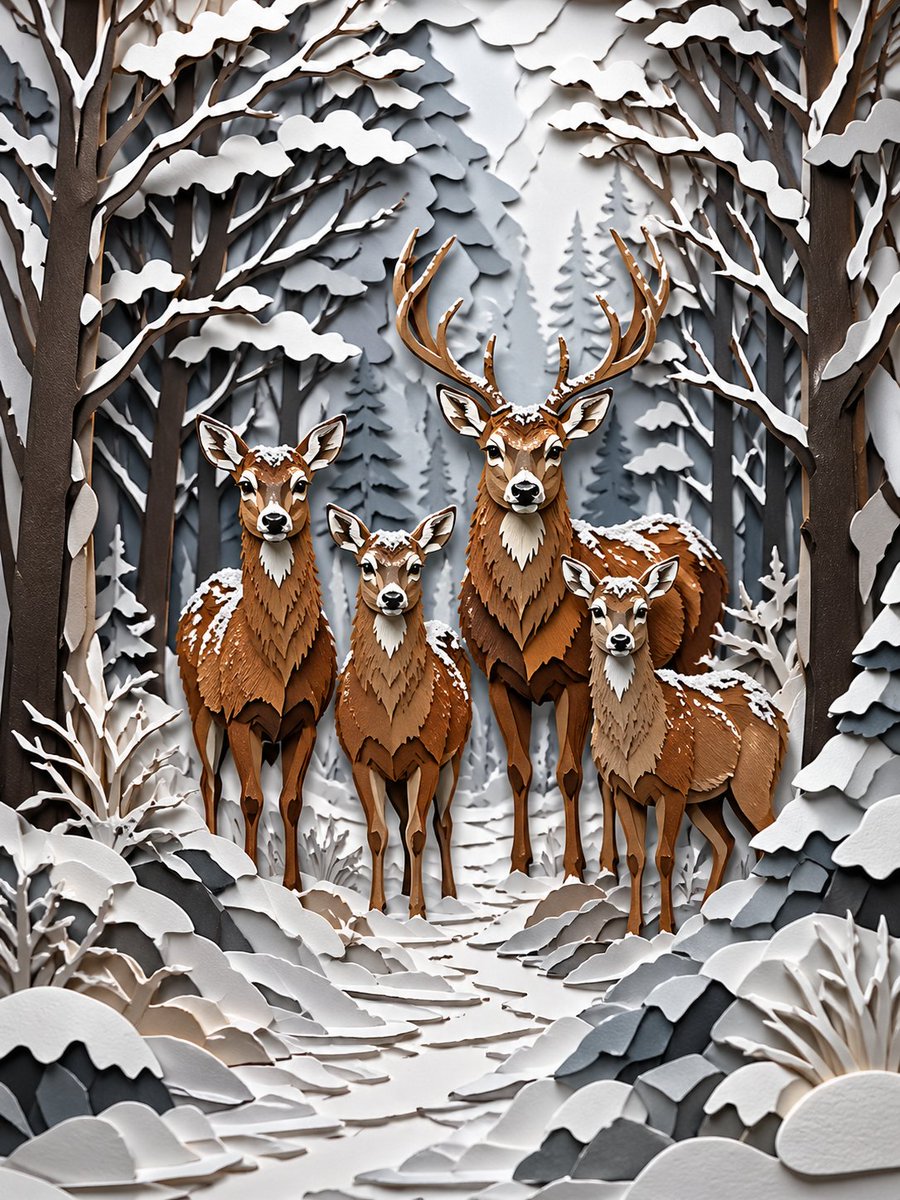
Winter Deer Papercut Forest
This prompt generates a refined layered paper-cut illustration of four deer in a snowy winter forest, ideal for seasonal art prints, editorial illustration, or decorative wall art.
This is a GPT Image 2 prompt case for Illustration & Art. Use the copy-ready prompt below to generate similar visuals, and review Awesome GPT Image 2 Prompts attribution plus commercial-use rights before reuse.
Free 1K preview
Generate one preview image instantly, no sign-up required.
Prompt
Copy-ready prompt
A highly detailed layered papercut diorama illustration of a deer family standing on a narrow forest path in deep winter. Show exactly 4 deer facing forward: 1 large stag with tall branching antlers positioned slightly right of center, 1 adult doe on the left, 1 smaller young deer in the middle foreground, and 1 young deer on the right. The scene is built entirely in intricate cut-paper craft style with stacked paper layers, crisp cut edges, sculpted contours, and soft dimensional shadows between layers. The animals are made from warm brown, chestnut, tan, and cream paper with delicately layered chest fur, white muzzles, alert ears, and small patches of snow resting on their heads, backs, and shoulders. Surround them with a dense winter forest of tall bare trees and fir trees, all rendered in layered paper silhouettes. Snow heavily coats the branches, bushes, rocks, and ground. Compose the trees as an enclosing corridor that frames the deer symmetrically, with the snowy path leading from the foreground into the group. Use a restrained cold palette for the environment: white, off-white, pale gray, slate gray, and charcoal, contrasted by the warm brown deer. Add subtle depth haze in the distant trees, clean studio-like lighting, and a calm storybook atmosphere. Ultra-detailed craftsmanship, elegant winter scene, realistic paper texture, refined 3D paper sculpture look, vertical composition.
Best for
- - Illustration & Art visual exploration
- - Image generation and reference-image edits
- - Reusable briefs that keep source attribution visible
Change these parts
- - Subject, product, character, or scene
- - Aspect ratio, camera, lighting, and background
- - Brand, text, color, and output constraints
Recommended model and settings
- - Model: gpt-image-2
- - Input mode: Text to Image
- - Aspect ratio: source
- - Commercial status: review original source
How to use this prompt
- 1. Copy the prompt and preserve its structure for the first test.
- 2. Replace the subject, context, and publishing channel.
- 3. Change one camera, lighting, or style variable per iteration.
- 4. Inspect the output, source, text, and rights before reuse.
Limitations, source, and reuse cautions
- - Generated output is an editable draft, not factual, legal, or rights evidence.
- - Review the linked source, people, brands, logos, text, and third-party media before commercial use.
More cases in this category
Prioritized by category, input mode compatibility, quality, and lower risk.




Reuse and source notes
Use this prompt safely after previewing the case.
- 1.Copy the prompt or open it directly in Dovoo with the generation button.
- 2.Adjust variables, aspect ratio, and reference images for your own use case.
- 3.Before publishing or paid usage, verify source rights, attribution requirements, and brand or likeness risks.
Can I use this prompt commercially?
Commercial-use status is allowed. Review the original source, license, brand constraints, and legal requirements before paid usage.
Where does this case come from?
This case is imported from Awesome GPT Image 2 Prompts; keep attribution visible and check the source URL before reuse.