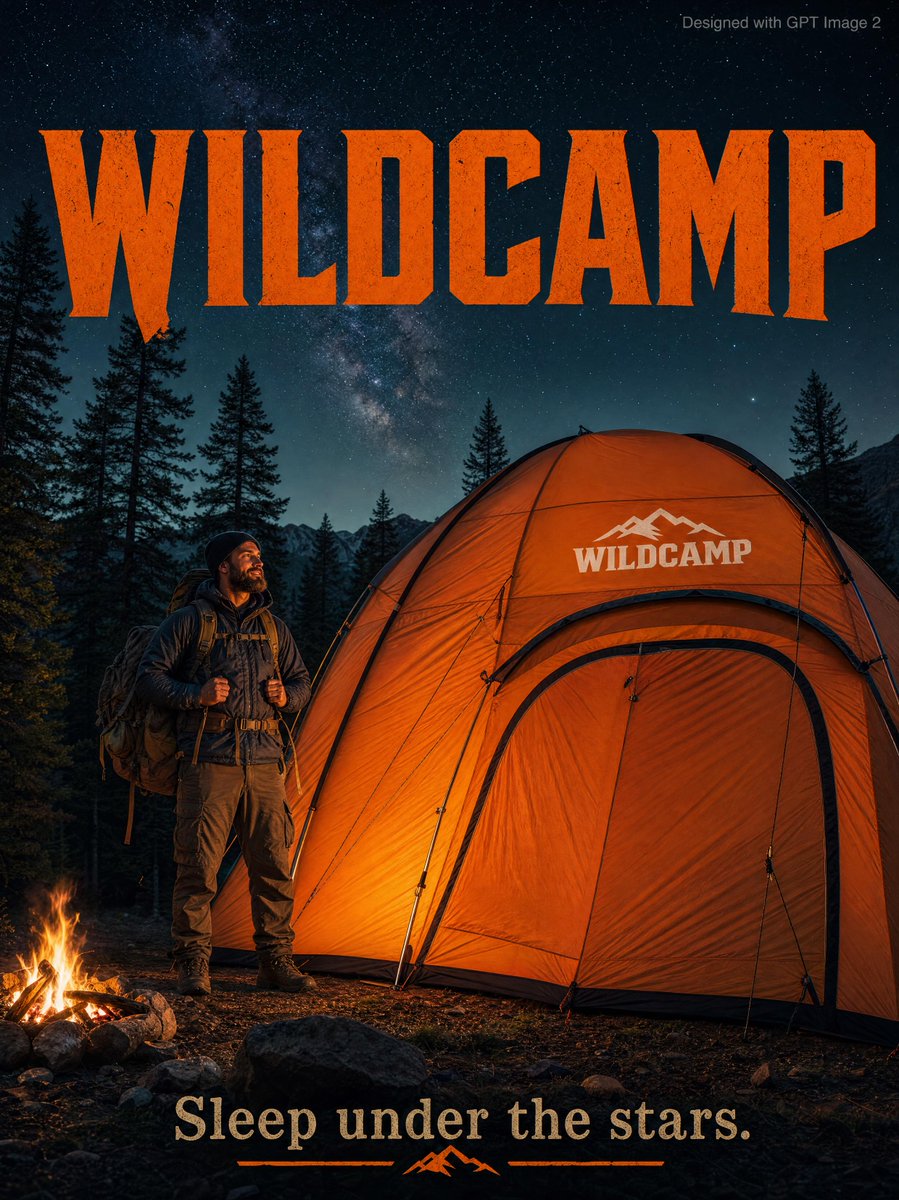
Rugged Adventure Outdoor Ad Poster
A high-end cinematic advertisement poster for an outdoor brand, featuring a rugged hiker beside a massive orange tent under a starry night sky with bold typography.
This is a GPT Image 2 prompt case for Graphic & Poster. Use the copy-ready prompt below to generate similar visuals, and review Awesome GPT Image 2 Prompts attribution plus commercial-use rights before reuse.
Free 1K preview
Generate one preview image instantly, no sign-up required.
Prompt
Copy-ready prompt
An outdoor adventure advertisement poster featuring a rugged {argument name="subject" default="bearded man"} in full hiking gear standing confidently beside a massive {argument name="tent color" default="orange"} camping tent three times taller than him, fully pitched in a dramatic forest clearing surrounded by towering pine trees beneath a deep starry night sky. The tent features a bold white “{argument name="brand name" default="WILDCAMP"}” logo stitched onto the rainfly. Warm cinematic campfire lighting illuminates the scene with realistic shadows and rich outdoor textures, creating a premium adventure-commercial aesthetic. Large rugged serif typography reading “WILDCAMP” dominates the dark sky area in bold orange lettering, while the tagline “{argument name="tagline" default="Sleep under the stars."}" appears elegantly at the bottom. Small grey text in the top-right corner reads “Designed with GPT Image 2.” Photorealistic, ultra-detailed, cinematic outdoor advertising style with dramatic atmosphere and high-end commercial composition.Prompt variables
Editable argument placeholders found in the prompt, with their default values.
Best for
- - Graphic & Poster visual exploration
- - Image generation and reference-image edits
- - Reusable briefs that keep source attribution visible
Change these parts
- - Subject, product, character, or scene
- - Aspect ratio, camera, lighting, and background
- - Brand, text, color, and output constraints
Recommended model and settings
- - Model: gpt-image-2
- - Input mode: Text to Image
- - Aspect ratio: source
- - Commercial status: review original source
How to use this prompt
- 1. Copy the prompt and preserve its structure for the first test.
- 2. Replace the subject, context, and publishing channel.
- 3. Change one camera, lighting, or style variable per iteration.
- 4. Inspect the output, source, text, and rights before reuse.
Limitations, source, and reuse cautions
- - Generated output is an editable draft, not factual, legal, or rights evidence.
- - Review the linked source, people, brands, logos, text, and third-party media before commercial use.
More cases in this category
Prioritized by category, input mode compatibility, quality, and lower risk.

Reuse and source notes
Use this prompt safely after previewing the case.
- 1.Copy the prompt or open it directly in Dovoo with the generation button.
- 2.Adjust variables, aspect ratio, and reference images for your own use case.
- 3.Before publishing or paid usage, verify source rights, attribution requirements, and brand or likeness risks.
Can I use this prompt commercially?
Commercial-use status is allowed. Review the original source, license, brand constraints, and legal requirements before paid usage.
Where does this case come from?
This case is imported from Awesome GPT Image 2 Prompts; keep attribution visible and check the source URL before reuse.