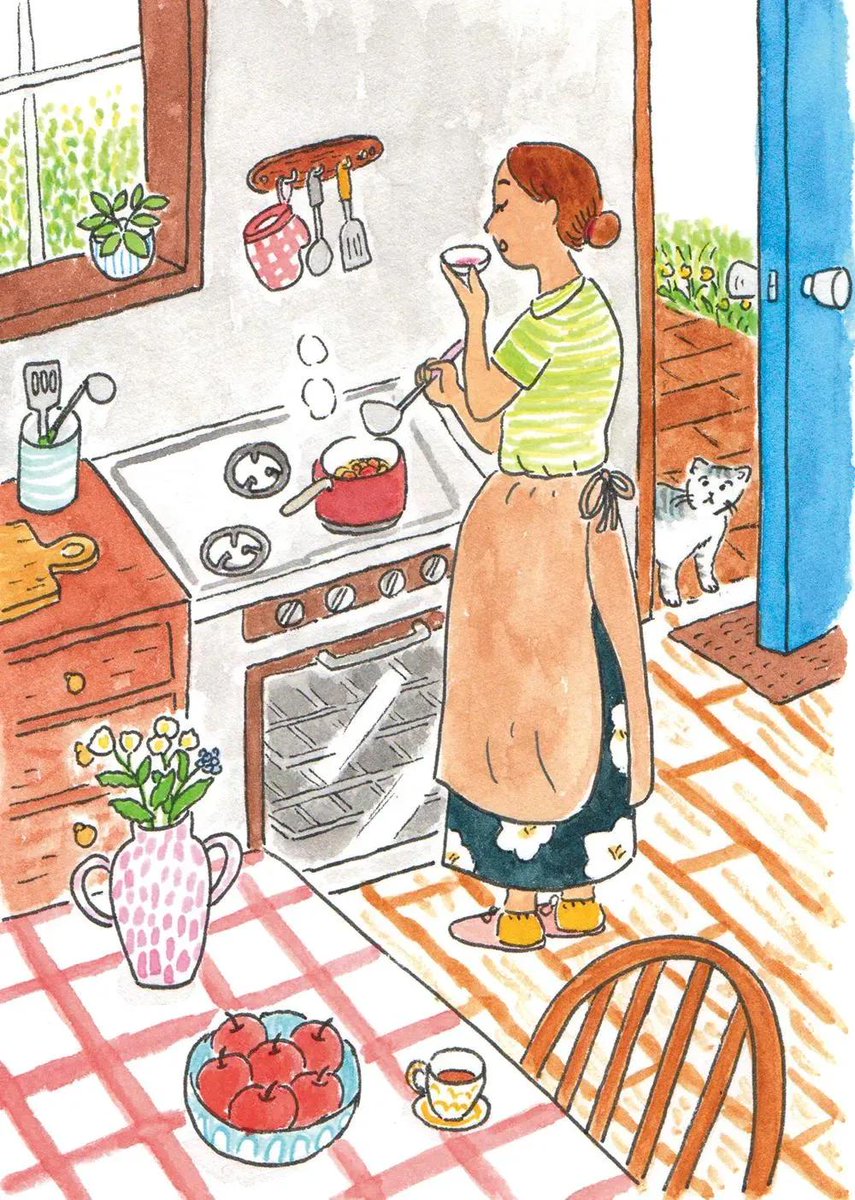
Watercolor Children's Book Illustration
A detailed prompt for hand-drawn watercolor and colored-pencil illustrations capturing cozy, everyday narrative scenes.
This is a GPT Image 2 prompt case for Illustration & Art. Use the copy-ready prompt below to generate similar visuals, and review Awesome GPT Image 2 Prompts attribution plus commercial-use rights before reuse.
Free 1K preview
Generate one preview image instantly, no sign-up required.
Prompt
Copy-ready prompt
Whimsical hand-drawn watercolor and colored-pencil illustration of a peaceful everyday life scene, inspired by a cozy vintage children's picture book. Create a richly detailed, story-filled environment with charming ordinary people {argument name="activities" default="cooking in a warm kitchen, tending a lush garden, sharing tea at a wooden table, working in a quiet neighborhood, or meeting on a countryside path"}. Loose imperfect black ink outlines, naive hand-drawn proportions, visible pencil marks, soft watercolor washes, slightly uneven coloring, warm paper texture, {argument name="color palette" default="gentle muted reds, greens, blues, yellows and earthy oranges"}. Fill the composition with tiny narrative details: {argument name="objects" default="flowers, leafy trees, potted plants, cats or small dogs, birds, cups, kitchen utensils, fruit bowls, old furniture, scattered autumn leaves and cozy household objects"}. Wide storybook composition, playful perspective, calm nostalgic atmosphere, warm human emotion, traditional analog illustration, scanned vintage paper feel, no photorealism, no 3D, no glossy digital art, no text, highly detailed editorial children's book artwork.Prompt variables
Editable argument placeholders found in the prompt, with their default values.
Best for
- - Illustration & Art visual exploration
- - Image generation and reference-image edits
- - Reusable briefs that keep source attribution visible
Change these parts
- - Subject, product, character, or scene
- - Aspect ratio, camera, lighting, and background
- - Brand, text, color, and output constraints
Recommended model and settings
- - Model: gpt-image-2
- - Input mode: Text to Image
- - Aspect ratio: source
- - Commercial status: review original source
How to use this prompt
- 1. Copy the prompt and preserve its structure for the first test.
- 2. Replace the subject, context, and publishing channel.
- 3. Change one camera, lighting, or style variable per iteration.
- 4. Inspect the output, source, text, and rights before reuse.
Limitations, source, and reuse cautions
- - Generated output is an editable draft, not factual, legal, or rights evidence.
- - Review the linked source, people, brands, logos, text, and third-party media before commercial use.
More cases in this category
Prioritized by category, input mode compatibility, quality, and lower risk.

Reuse and source notes
Use this prompt safely after previewing the case.
- 1.Copy the prompt or open it directly in Dovoo with the generation button.
- 2.Adjust variables, aspect ratio, and reference images for your own use case.
- 3.Before publishing or paid usage, verify source rights, attribution requirements, and brand or likeness risks.
Can I use this prompt commercially?
Commercial-use status is allowed. Review the original source, license, brand constraints, and legal requirements before paid usage.
Where does this case come from?
This case is imported from Awesome GPT Image 2 Prompts; keep attribution visible and check the source URL before reuse.