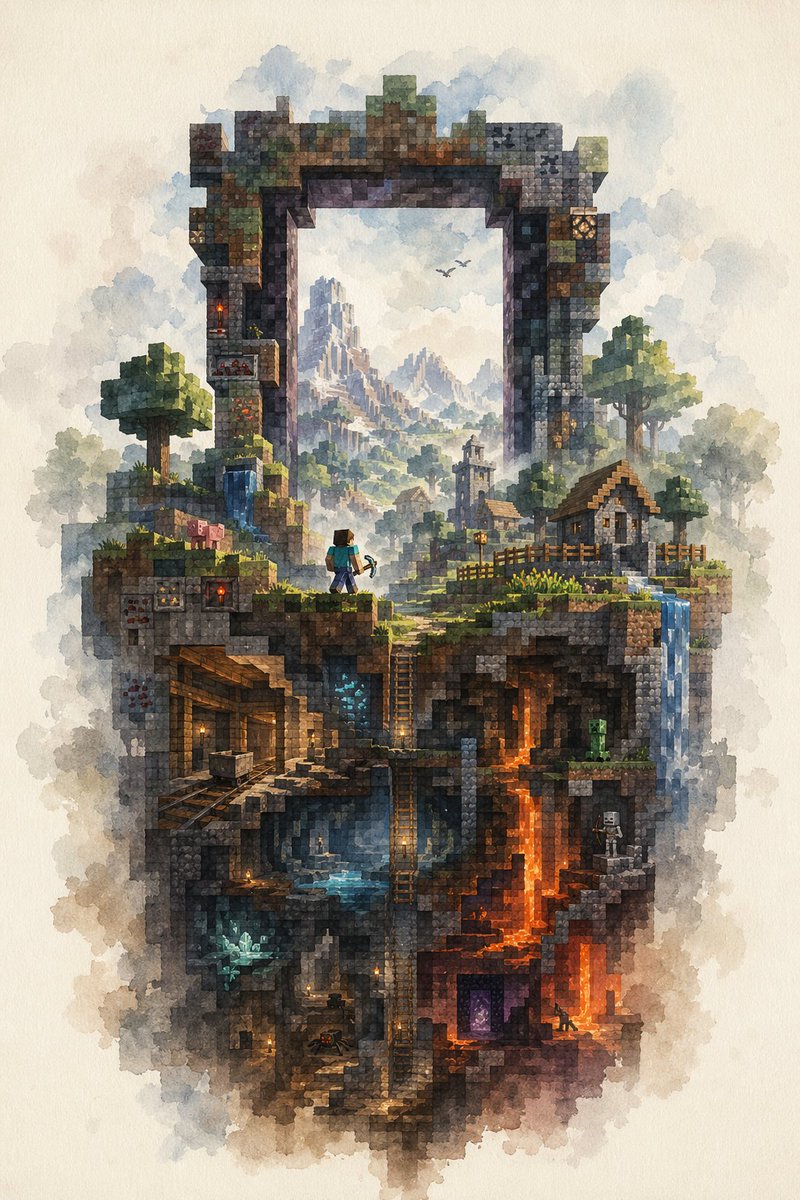
Watercolor Minecraft World Cross-Section
This prompt generates a painterly Minecraft-inspired fantasy cutaway scene with a giant stone arch, village surface, and detailed underground caves, ideal for poster art or evocative game-inspired illustration.
This is a GPT Image 2 prompt case for Illustration & Art. Use the copy-ready prompt below to generate similar visuals, and review Awesome GPT Image 2 Prompts attribution plus commercial-use rights before reuse.
Free 1K preview
Generate one preview image instantly, no sign-up required.
Prompt
Copy-ready prompt
A highly detailed watercolor illustration on textured off-white paper, depicting a vertical floating slice of a Minecraft-inspired world framed by a gigantic ruined rectangular stone portal arch. The composition is centered and portrait-oriented, with soft cloudy washes around the edges and crisp voxel-like block detail inside. At the top, the weathered arch is built from mossy stone, cracked bricks, and mineral-stained blocks, opening like a window onto a distant fantasy mountain range with misty spires and 2 small flying birds. On the upper landscape layer, include 2 blocky trees, 2 small village houses with pitched roofs, 1 church-like tower in the middle distance, wooden fences, grassy ledges, a small waterfall on the left, and another waterfall spilling down the right edge. Place 1 Steve-like adventurer near the center-left foreground, seen from behind, wearing a teal shirt and blue pants and holding a pickaxe, gazing into the world beyond the arch. Add 1 pig on the upper left grassy ledge. Beneath the surface, reveal a cutaway cross-section of underground biomes and structures: 1 abandoned mineshaft with timber supports and minecart rails on the left, 1 central cavern with blue water and ladders descending vertically, 1 glowing blue crystal deposit in a lower-left cave, 1 bright orange lava shaft running downward on the right, 1 green creeper in a mid-right cave, 1 white skeleton archer in a small right-side chamber, 1 purple Nether portal near the lower right, and 1 tiny spider in a dim lower chamber. Scatter warm torchlights through the caves for contrast. The palette should mix earthy browns, mossy greens, cool blue mist, and fiery orange lava, with a dreamy atmospheric perspective in the distance. Render the whole scene as a delicate fusion of Minecraft block geometry and traditional watercolor fantasy painting, intricate, magical, nostalgic, and painterly.
Best for
- - Illustration & Art visual exploration
- - Image generation and reference-image edits
- - Reusable briefs that keep source attribution visible
Change these parts
- - Subject, product, character, or scene
- - Aspect ratio, camera, lighting, and background
- - Brand, text, color, and output constraints
Recommended model and settings
- - Model: gpt-image-2
- - Input mode: Text to Image
- - Aspect ratio: source
- - Commercial status: review original source
How to use this prompt
- 1. Copy the prompt and preserve its structure for the first test.
- 2. Replace the subject, context, and publishing channel.
- 3. Change one camera, lighting, or style variable per iteration.
- 4. Inspect the output, source, text, and rights before reuse.
Limitations, source, and reuse cautions
- - Generated output is an editable draft, not factual, legal, or rights evidence.
- - Review the linked source, people, brands, logos, text, and third-party media before commercial use.
More cases in this category
Prioritized by category, input mode compatibility, quality, and lower risk.



Reuse and source notes
Use this prompt safely after previewing the case.
- 1.Copy the prompt or open it directly in Dovoo with the generation button.
- 2.Adjust variables, aspect ratio, and reference images for your own use case.
- 3.Before publishing or paid usage, verify source rights, attribution requirements, and brand or likeness risks.
Can I use this prompt commercially?
Commercial-use status is allowed. Review the original source, license, brand constraints, and legal requirements before paid usage.
Where does this case come from?
This case is imported from Awesome GPT Image 2 Prompts; keep attribution visible and check the source URL before reuse.