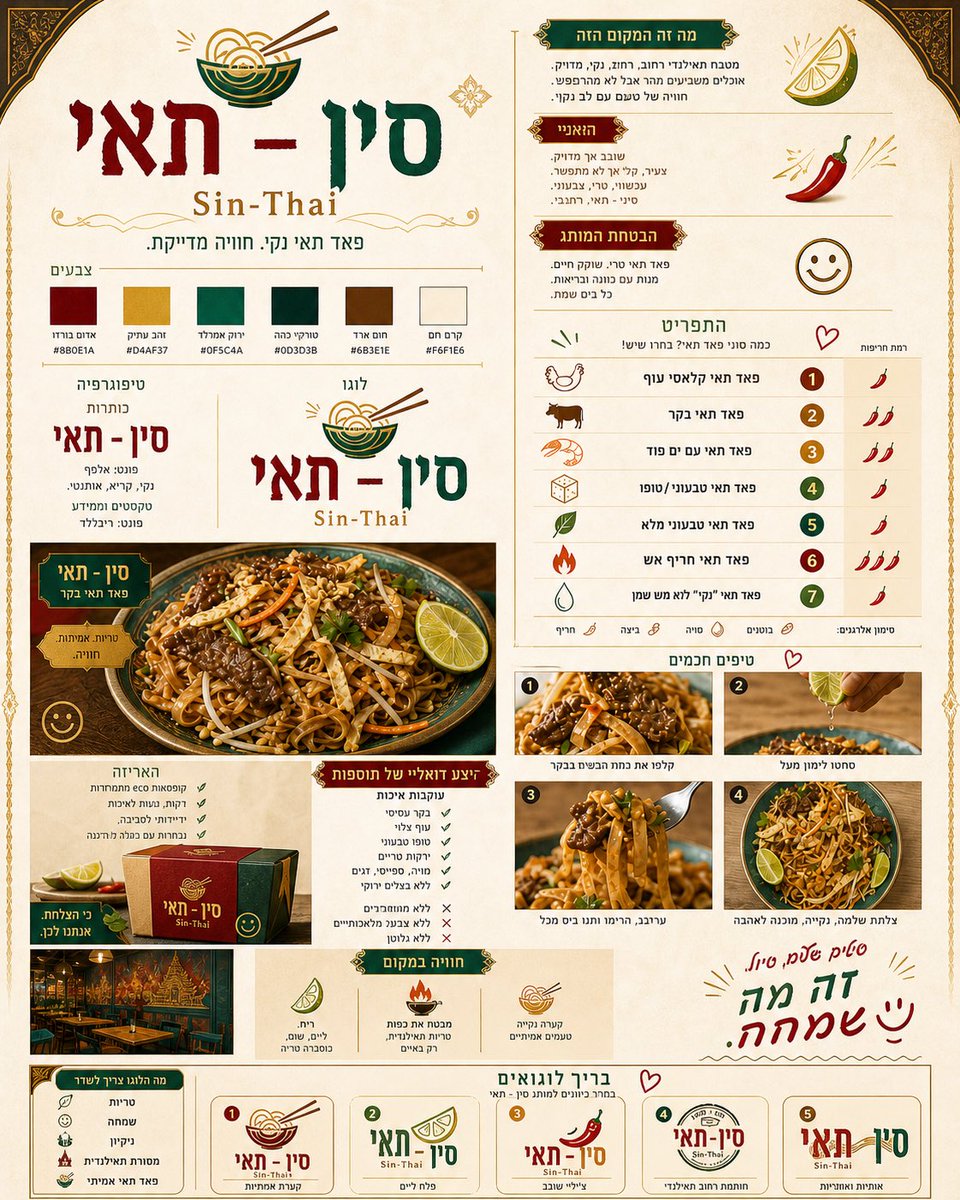
Thai Restaurant Brand Identity Document
A comprehensive prompt for creating a sophisticated branding document for a Thai restaurant, covering logo design, color palettes, typography, and menu layouts based on a reference food photo.
This is a gpt-image-2 prompt case for 平面海报. Use the copy-ready prompt below to generate similar visuals, and review Awesome Seedance 2.0 Video Prompts attribution plus commercial-use rights before reuse.
Prompt
Copy-ready prompt
Create a vertical, luxurious, and organized brand document for a Thai restaurant named "{argument name="restaurant" default="Sin-Thai"}" with the English text "{argument name="english name" default="Sin-Thai"}". The design should be classic Thai, elegant and clean, with royal colors like {argument name="colors" default="burgundy, emerald green, antique gold, wood brown and warm cream"}.

The document should include: A central logo with a noodle bowl, color palette, typography, a short description of the brand's character, a menu with several types of Pad Thai and spiciness levels, an area showing the Pad Thai dish based on the attached image, examples of food photography, packaging design, the experience of the place, and at the bottom a brief with 5 logo variations to choose from.

The food should look fresh, clean, high-end and appetizing. The entire document should feel professional, Thai, warm and precise, with small and happy touches.
Prompt variables
Editable argument placeholders found in the prompt, with their default values.
More cases in this category
Prioritized by category, input mode compatibility, quality, and lower risk.






Reuse and source notes
Use this prompt safely after previewing the case.
- 1.Copy the prompt or open it directly in Dovoo with the generation button.
- 2.Adjust variables, aspect ratio, and reference images for your own use case.
- 3.Before publishing or paid usage, verify source rights, attribution requirements, and brand or likeness risks.
Can I use this prompt commercially?
Commercial-use status is restricted. Review the original source, license, brand constraints, and legal requirements before paid usage.
Where does this case come from?
This case is imported from Awesome Seedance 2.0 Video Prompts; keep attribution visible and check the source URL before reuse.