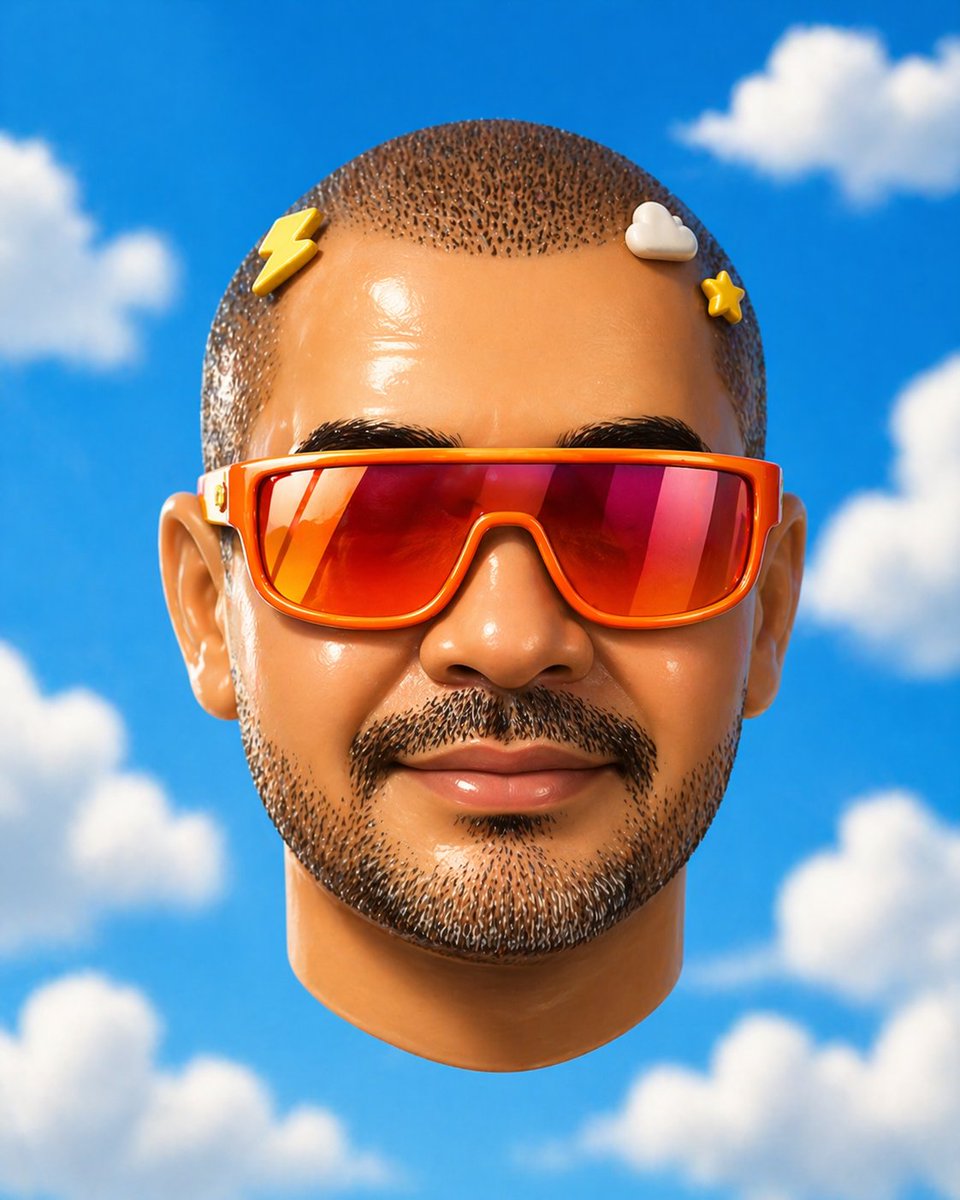
Surreal Floating Head With Censor Block
This prompt generates a minimalist pop-surreal 3D portrait of a floating head with a censored face against a bright cloud-filled sky, useful for conceptual editorial or experimental avatar imagery.
This is a GPT Image 2 prompt case for Portrait & Character. Use the copy-ready prompt below to generate similar visuals, and review Awesome GPT Image 2 Prompts attribution plus commercial-use rights before reuse.
Free 1K preview
Generate one preview image instantly, no sign-up required.
Prompt
Copy-ready prompt
A surreal studio portrait of a floating human head seen straight-on, centered in the frame against a vivid saturated blue sky with soft fluffy white clouds. The face is entirely obscured by a large smooth rectangular censor block in the center, covering from forehead to chin and most of the cheeks, with a subtle gradient of warm tan to muted blue-gray. Only the outer features remain visible: a close-cropped buzz cut with tight dark speckled hair texture on top, 2 visible ears, and the lower rounded chin and jaw. The head wears colorful eyeglass temples wrapping around the sides only, with no visible front lenses because the center is blocked; the left temple is pale cream with a tiny red-and-gold decorative mark, and the right temple is bright red-orange. Add 2 small rounded nubs peeking above the censor block near the top edge, one yellow on the left and one off-white on the right, creating a quirky toy-like feel. Render it as a hyperreal yet slightly uncanny 3D illustration, smooth skin, soft daylight, minimal composition, shallow depth of field, clean whimsical pop-surreal aesthetic.
Best for
- - Portrait & Character visual exploration
- - Image generation and reference-image edits
- - Reusable briefs that keep source attribution visible
Change these parts
- - Subject, product, character, or scene
- - Aspect ratio, camera, lighting, and background
- - Brand, text, color, and output constraints
Recommended model and settings
- - Model: gpt-image-2
- - Input mode: Text to Image
- - Aspect ratio: source
- - Commercial status: review original source
How to use this prompt
- 1. Copy the prompt and preserve its structure for the first test.
- 2. Replace the subject, context, and publishing channel.
- 3. Change one camera, lighting, or style variable per iteration.
- 4. Inspect the output, source, text, and rights before reuse.
Limitations, source, and reuse cautions
- - Generated output is an editable draft, not factual, legal, or rights evidence.
- - Review the linked source, people, brands, logos, text, and third-party media before commercial use.
More cases in this category
Prioritized by category, input mode compatibility, quality, and lower risk.
Reuse and source notes
Use this prompt safely after previewing the case.
- 1.Copy the prompt or open it directly in Dovoo with the generation button.
- 2.Adjust variables, aspect ratio, and reference images for your own use case.
- 3.Before publishing or paid usage, verify source rights, attribution requirements, and brand or likeness risks.
Can I use this prompt commercially?
Commercial-use status is allowed. Review the original source, license, brand constraints, and legal requirements before paid usage.
Where does this case come from?
This case is imported from Awesome GPT Image 2 Prompts; keep attribution visible and check the source URL before reuse.