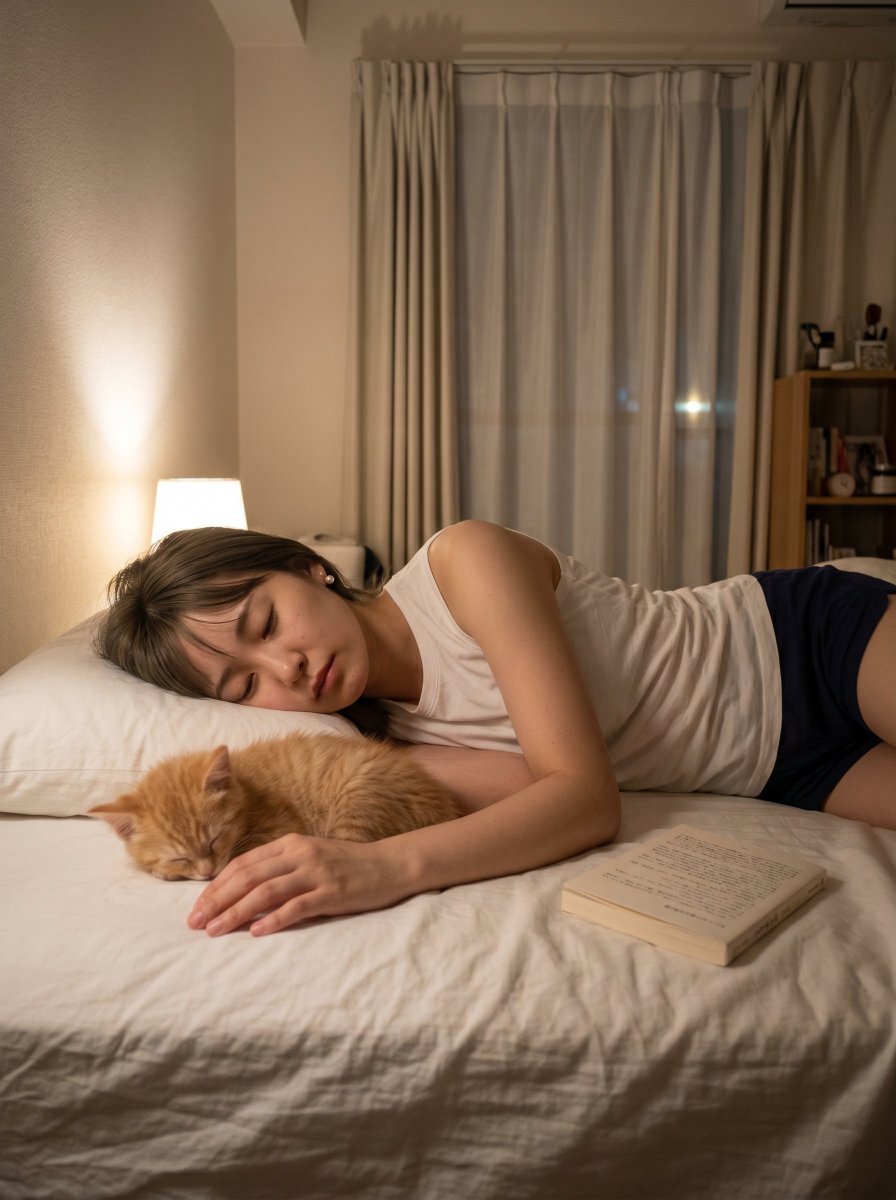
Cozy Bedroom Nap With Cat
A realistic warm bedroom scene showing an adult sleeping beside an orange tabby cat, useful for cozy lifestyle or pet companionship imagery.
This is a GPT Image 2 prompt case for 人像角色. Use the copy-ready prompt below to generate similar visuals, and review Awesome GPT Image 2 Prompts attribution plus commercial-use rights before reuse.
Prompt
Copy-ready prompt
创作一张温馨、写实的夜间生活方式照片,场景位于一间小公寓的卧室中:一位留着 {argument name="hair color" default="Medium brown"} 头发的成年人侧身躺在白色床上熟睡,面部被一个实心方形隐私遮挡块遮住,身穿 {argument name="top clothing" default="白色无袖背心"} 和 {argument name="bottom clothing" default="深蓝色短裤"}。在靠近其手臂的前景中,一只名叫 {argument name="cat name" default="Kinako"} 的橘色虎斑猫蜷缩在床上睡觉,头靠在对方放松的手边。在褶皱的白色床品上,靠近人物臀部的位置放着一本翻开的平装书。房间应营造出漫长一天后舒适安静的氛围,左侧有一盏温暖的床头灯照明。背景细节:米色纹理墙壁、白色枕头、带有透明窗纱和厚重米色窗帘的高大窗户、右侧摆放书籍和小物件的小书架,以及天花板附近壁挂式空调。采用竖屏构图,自然智能手机拍摄视角,柔和阴影,温暖的室内色温,真实的织物褶皱,浅而真实的景深,无可见文字覆盖,无水印。Prompt variables
Editable argument placeholders found in the prompt, with their default values.
More cases in this category
Prioritized by category, input mode compatibility, quality, and lower risk.


Reuse and source notes
Use this prompt safely after previewing the case.
- 1.Copy the prompt or open it directly in Dovoo with the generation button.
- 2.Adjust variables, aspect ratio, and reference images for your own use case.
- 3.Before publishing or paid usage, verify source rights, attribution requirements, and brand or likeness risks.
Can I use this prompt commercially?
Commercial-use status is allowed. Review the original source, license, brand constraints, and legal requirements before paid usage.
Where does this case come from?
This case is imported from Awesome GPT Image 2 Prompts; keep attribution visible and check the source URL before reuse.