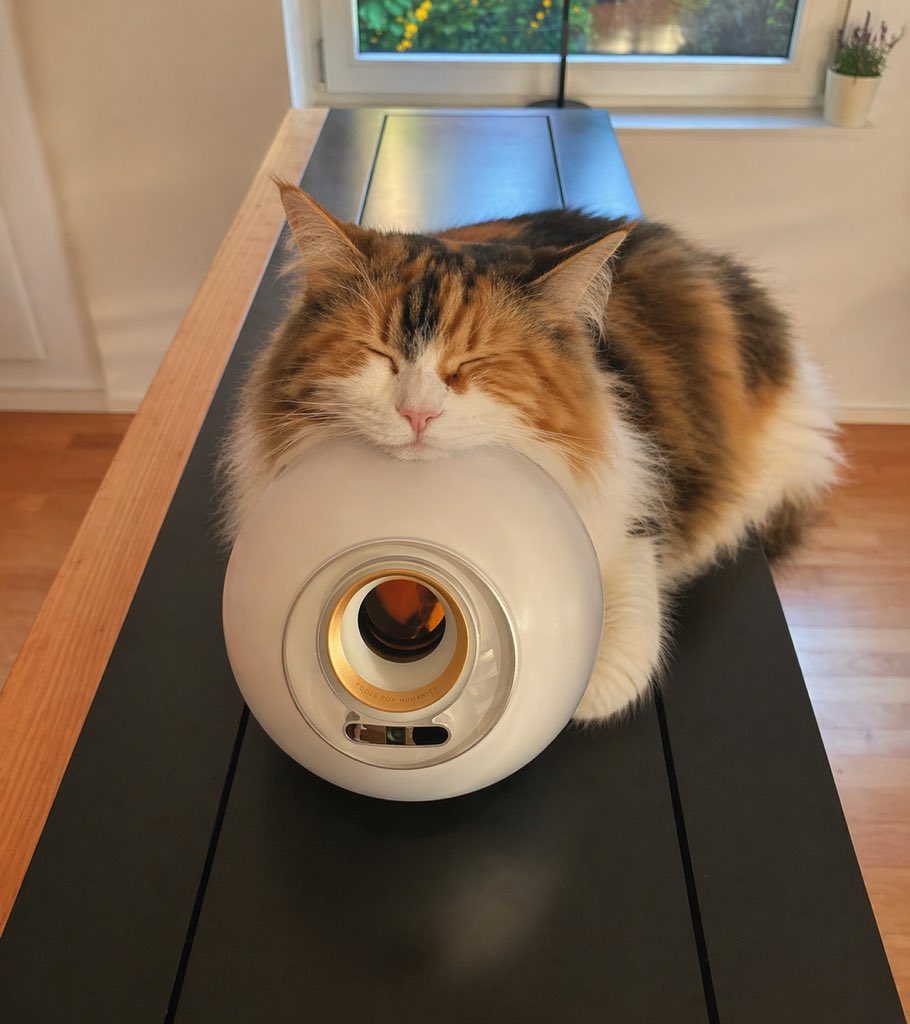
Sleeping Calico on White Appliance
A warm, realistic pet photo of a fluffy calico cat napping on a sleek white device, ideal for cozy lifestyle or home-interior imagery.
This is a GPT Image 2 prompt case for Portrait & Character. Use the copy-ready prompt below to generate similar visuals, and review Awesome GPT Image 2 Prompts attribution plus commercial-use rights before reuse.
Free 1K preview
Generate one preview image instantly, no sign-up required.
Prompt
Copy-ready prompt
A cozy indoor lifestyle photo of a fluffy long-haired calico cat sleeping with its eyes closed and its chin gently resting on top of a glossy white cylindrical appliance shaped like a rounded tube, viewed from the front at table height. The cat has a thick tricolor coat with orange, black, and white fur, a white muzzle, pink nose, large pointed ears, and a very soft, plush appearance. Its body is draped behind and around the appliance on a long matte-black tabletop with natural light wood edges, creating a centered composition with the appliance in the foreground and the cat filling the upper half of the frame. The appliance has a circular front opening with a metallic inner ring and a small oval control window near the bottom. The setting is a warm, sunlit modern home interior with a window directly behind the subject, soft daylight coming in, a pale wall, warm wooden floor, and 1 small potted plant on the windowsill at the top right. Shallow depth of field, gentle warm color grading, realistic fur detail, natural reflections on the appliance, calm sleepy mood, high-resolution candid pet photography.
Best for
- - Portrait & Character visual exploration
- - Image generation and reference-image edits
- - Reusable briefs that keep source attribution visible
Change these parts
- - Subject, product, character, or scene
- - Aspect ratio, camera, lighting, and background
- - Brand, text, color, and output constraints
Recommended model and settings
- - Model: gpt-image-2
- - Input mode: Text to Image
- - Aspect ratio: source
- - Commercial status: review original source
How to use this prompt
- 1. Copy the prompt and preserve its structure for the first test.
- 2. Replace the subject, context, and publishing channel.
- 3. Change one camera, lighting, or style variable per iteration.
- 4. Inspect the output, source, text, and rights before reuse.
Limitations, source, and reuse cautions
- - Generated output is an editable draft, not factual, legal, or rights evidence.
- - Review the linked source, people, brands, logos, text, and third-party media before commercial use.
More cases in this category
Prioritized by category, input mode compatibility, quality, and lower risk.




Reuse and source notes
Use this prompt safely after previewing the case.
- 1.Copy the prompt or open it directly in Dovoo with the generation button.
- 2.Adjust variables, aspect ratio, and reference images for your own use case.
- 3.Before publishing or paid usage, verify source rights, attribution requirements, and brand or likeness risks.
Can I use this prompt commercially?
Commercial-use status is allowed. Review the original source, license, brand constraints, and legal requirements before paid usage.
Where does this case come from?
This case is imported from Awesome GPT Image 2 Prompts; keep attribution visible and check the source URL before reuse.