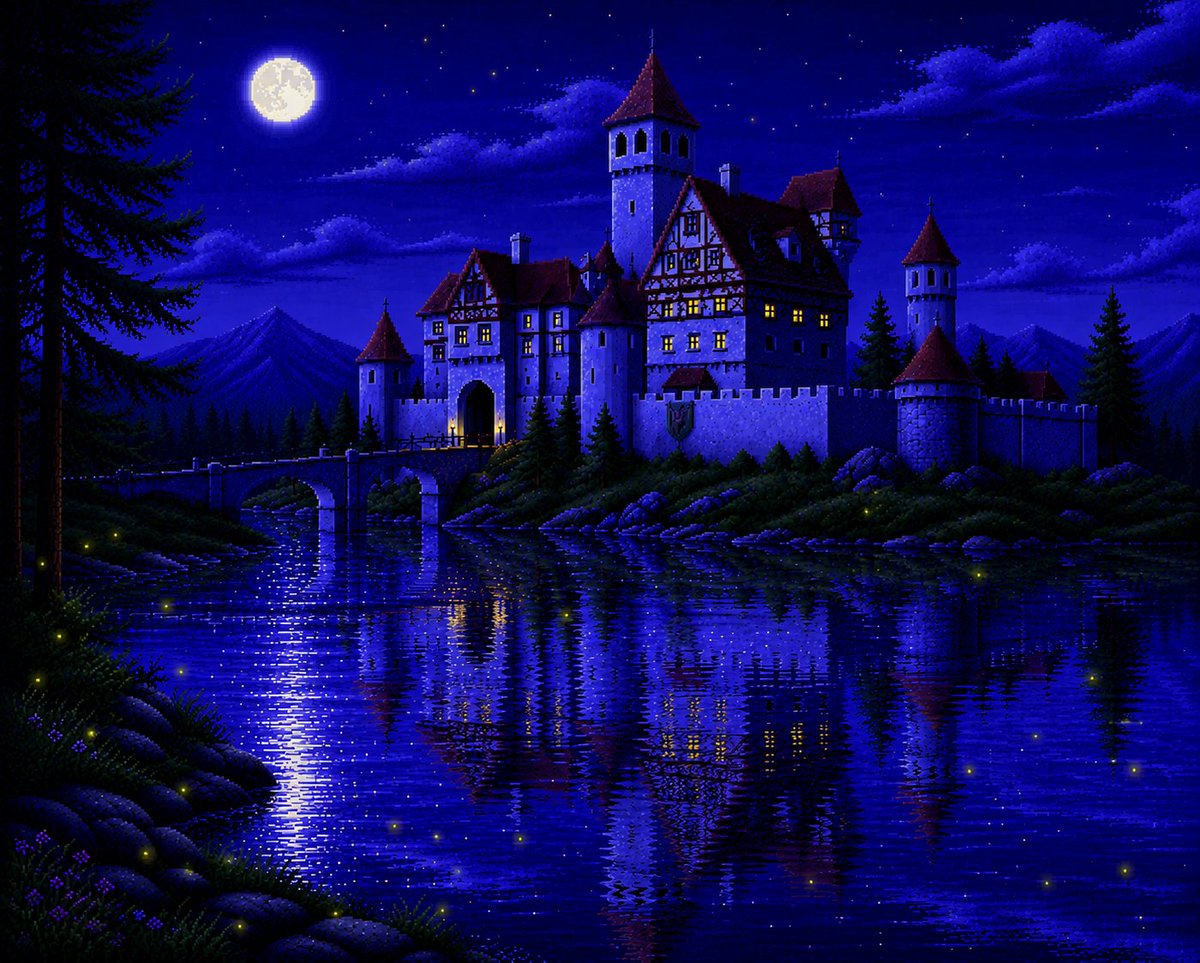
Moonlit Sierra-Style Castle Pixel Art
Generates a nostalgic VGA adventure-game-style fantasy castle scene reflected in a moonlit lake, useful for retro game backgrounds or storybook art.
This is a GPT Image 2 prompt case for Illustration & Art. Use the copy-ready prompt below to generate similar visuals, and review Awesome GPT Image 2 Prompts attribution plus commercial-use rights before reuse.
Free 1K preview
Generate one preview image instantly, no sign-up required.
Prompt
Copy-ready prompt
Create a richly detailed 1990s Sierra adventure game style pixel-art scene of a {argument name="castle type" default="medieval Bavarian castle"} at night, viewed from across a calm lake. The castle is large and storybook-like, with white stone walls, red steep roofs, half-timbered upper floors, multiple cylindrical towers and turrets, crenellated ramparts, a glowing arched gate, and warm yellow light shining from many small windows. A narrow stone bridge crosses the water to the entrance on the left side of the castle. Set the scene in a deep cobalt-blue moonlit landscape with a bright full moon in the upper left sky, scattered stars, soft layered clouds, dark pine forest silhouettes, distant mountain peaks, rocky lake edges, and a few tall evergreens framing the left and right sides. The lake should dominate the foreground, reflecting the entire castle, moonlight, bridge, windows, and towers in shimmering horizontal pixelated ripples. Add small glowing fireflies around the lakeshore and over the water. Use a nostalgic VGA pixel-art aesthetic inspired by classic Sierra point-and-click adventure games, with crisp dithering, limited but vibrant blue-purple palette, luminous highlights, high contrast, painterly pixel clusters, romantic fantasy atmosphere, and no modern UI or text.Prompt variables
Editable argument placeholders found in the prompt, with their default values.
Best for
- - Illustration & Art visual exploration
- - Image generation and reference-image edits
- - Reusable briefs that keep source attribution visible
Change these parts
- - Subject, product, character, or scene
- - Aspect ratio, camera, lighting, and background
- - Brand, text, color, and output constraints
Recommended model and settings
- - Model: gpt-image-2
- - Input mode: Text to Image
- - Aspect ratio: source
- - Commercial status: review original source
How to use this prompt
- 1. Copy the prompt and preserve its structure for the first test.
- 2. Replace the subject, context, and publishing channel.
- 3. Change one camera, lighting, or style variable per iteration.
- 4. Inspect the output, source, text, and rights before reuse.
Limitations, source, and reuse cautions
- - Generated output is an editable draft, not factual, legal, or rights evidence.
- - Review the linked source, people, brands, logos, text, and third-party media before commercial use.
More cases in this category
Prioritized by category, input mode compatibility, quality, and lower risk.


Reuse and source notes
Use this prompt safely after previewing the case.
- 1.Copy the prompt or open it directly in Dovoo with the generation button.
- 2.Adjust variables, aspect ratio, and reference images for your own use case.
- 3.Before publishing or paid usage, verify source rights, attribution requirements, and brand or likeness risks.
Can I use this prompt commercially?
Commercial-use status is allowed. Review the original source, license, brand constraints, and legal requirements before paid usage.
Where does this case come from?
This case is imported from Awesome GPT Image 2 Prompts; keep attribution visible and check the source URL before reuse.